
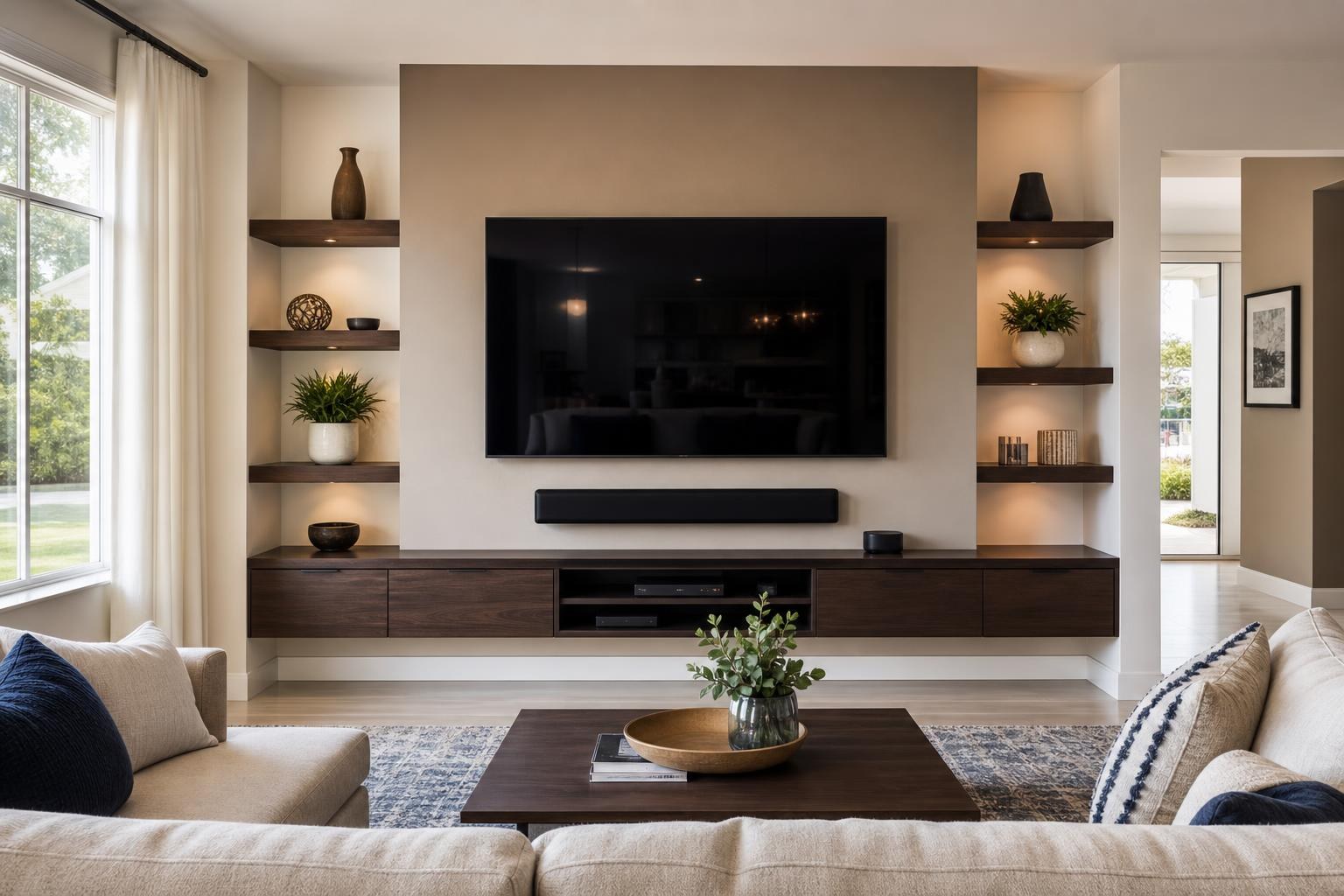
Will a 65-Inch TV Fit Your Wall? What to Check Before You Book Mounting
September 20, 2026
A 65-inch TV often feels like the practical middle ground between a modest screen and a room-dominating home theater display. But once you plan to move it off a stand and onto the wall, the real question is not simply whether the TV fits. It is whether the entire setup will look balanced, feel comfortable, and work with your furniture, soundbar, devices, and preferred viewing angles.
Before booking 65-inch TV wall mounting, review the room as a complete entertainment space. A few decisions made in advance can help prevent an awkward screen position, crowded media furniture, visible cable clutter, or a mount that does not match how the room is used.
Start With the TV’s Actual Dimensions, Not the 65-Inch Label
A TV’s advertised size refers to the diagonal screen measurement. It does not tell you the exact width, height, depth, bezel size, or rear connection layout. Those measurements vary by model, even when two televisions are both labeled 65 inches.
Look up the manufacturer’s dimensions for the TV without its tabletop feet or stand attached. This gives you a more accurate sense of how the mounted screen will occupy the wall. It also helps you compare the TV with nearby doorways, windows, shelves, artwork, and tall furniture.
If the TV is still boxed, keep the model number available when requesting service. That information can help identify its dimensions, weight, mounting pattern, and connection layout without relying on estimates.
Evaluate the Wall as Part of the Room
A wide, empty wall does not automatically make every position on it suitable. The best location also depends on where people sit, how they enter the room, and whether the display will interfere visually with windows, curtains, doors, or built-in features.
Stand or sit in the places used for everyday viewing. Consider whether the proposed location feels centered from the main sofa rather than merely centered on the wall. Those two center points are not always the same, especially in open-concept homes where the seating arrangement may face only one section of a larger wall.
Natural and indoor light also matter. A screen placed directly across from a bright window may show distracting reflections during common viewing hours. A tilting or articulating mount can help in some rooms, but mount movement should support a good layout rather than compensate for a poorly chosen wall.
Do Not Use Viewing Distance as a Rigid Formula
Online viewing-distance charts can be useful reference points, but they should not make the decision for you. Picture resolution, eyesight, furniture layout, programming preferences, and personal comfort all affect how close a 65-inch screen feels.
A family watching movies may enjoy a more immersive position than someone who primarily watches news or keeps the TV on casually from an adjoining kitchen. If the room has multiple seating areas, prioritize the seats used most often and then consider what secondary viewers will see.
Mounting height should also be based on seated comfort. Avoid choosing a position only because it fills an open section of wall or aligns with unrelated décor. The screen should feel natural to watch during a full program, not just look impressive when someone is standing in the room.
Confirm That the Mount Matches the TV and Viewing Plan
The mount must be compatible with the TV’s size, weight, and rear mounting pattern. Compatibility is not determined by screen size alone. The TV model and mount specifications should be reviewed together before installation.
The right mount style depends on how you plan to use the room:
- Fixed mounts keep the TV close to the wall and suit rooms with straightforward, centered seating.
- Tilting mounts allow limited vertical adjustment that may help with a slightly elevated screen or reflections.
- Articulating mounts can extend and turn the TV toward different seating areas, but they require more planning for wall clearance, cable movement, and the TV’s position when folded back.
If the screen needs to serve a living room, dining area, and kitchen, movement may be valuable. If everyone watches from one sofa, a simpler profile may create a cleaner result. TV Mounting Ocala’s TV mounting and home entertainment services can address the mount, final screen positioning, device setup, and related wall-mounted components as one coordinated project.
Plan the TV, Soundbar, and Furniture as One Composition
A 65-inch TV may physically fit the wall while still looking disproportionate above a narrow console. The relationship between the screen and furniture affects whether the finished wall appears intentional.
If you already own an entertainment center or media console, compare its width and height with the TV’s actual dimensions. Also account for décor, game consoles, Blu-ray players, streaming devices, and other items that need usable space. If the furniture still needs assembly, completing it as part of the overall setup can make final TV placement easier to judge.
For a floating entertainment center, the TV, cabinet, and soundbar need to be planned together. The installer must preserve enough separation for the soundbar while keeping the group visually connected. Cabinet doors and device compartments should remain usable without crowding the lower edge of the television.
If a soundbar will be mounted with the TV, decide whether it should remain fixed on the wall or move with an articulating screen. The choice affects alignment and listening consistency when the TV is turned toward another part of the room.
Review Devices and Media Cables Before Installation
A clean installation depends on more than concealing the TV’s visible cord. HDMI cables, soundbar connections, streaming devices, Blu-ray players, game consoles, and media boxes all need an organized route and enough reach for the intended layout.
Make a list of everything that should connect to the television. Check whether you have the remotes and manufacturer-supplied cables for those devices. If you plan to use HDMI eARC for a soundbar, identify the correct TV port before the screen is mounted close to the wall.
Rear-facing and side-facing ports can also influence cable access. A slim mount may look appealing, but the TV still needs appropriate clearance for the required connectors. Articulating installations need cable organization that accommodates movement without making wires tight or conspicuous.
Professional setup can include streaming-device hookup, Blu-ray and media-device connections, soundbar setup, input organization, and home entertainment programming. This is especially useful when the goal is a finished system that household members can operate without repeatedly switching cables or guessing which input to use.
Prepare a Simple Appointment Checklist
You do not need to engineer the installation yourself, but a little preparation makes it easier to communicate what you want. Before the appointment, gather the TV model number, mount information if you already purchased one, and the devices that will be connected.
Clear small objects from the entertainment area and decide which furniture will remain beneath the screen. If the room is still being arranged, mark the likely sofa position rather than choosing TV placement without considering where viewers will sit.
It also helps to answer these questions:
- Which seat is the primary viewing position?
- Should the screen face one seating area or turn toward several?
- Will a soundbar, floating console, shelf, or artwork share the wall?
- Which streaming, gaming, disc, or media devices must be connected?
- Do you want visible media cables routed and organized for a cleaner appearance?
- Does any media furniture need assembly or anchoring?
When Professional Planning Makes the Biggest Difference
Mounting a 65-inch TV becomes more involved when the wall material, TV design, articulating mount, soundbar, floating furniture, or multiple devices must all work together. The screen may not be exceptionally large by current standards, but it is large enough for small placement errors to become visually obvious.
A professional can evaluate the wall, confirm mount compatibility, account for viewing comfort, align the TV with furniture, organize media cables, and test the connected system. That coordinated approach is often more useful than treating mounting, sound, and device setup as unrelated tasks.
TV Mounting Ocala serves homeowners and property residents across Marion, Orange, Alachua, Sumter, and Citrus counties. Final pricing depends on the current online quote and the options selected for your setup.
If you are preparing to mount a 65-inch TV, gather your model information and think through the room, furniture, soundbar, and connected devices. You can get an instant online quote or contact TV Mounting Ocala with questions about your planned entertainment wall.
Ready to Get the Setup Off Your To-Do List?
Whether you are planning a new TV, soundbar, streaming setup, floating entertainment center, media furniture, pictures, mirrors, shelves, or another related mounting project, TV Mounting Ocala can help you turn the plan into a clean finished setup.
TV Mounting Ocala
(352) 462-1913
Project details, equipment, wall conditions, compatibility, availability, and final pricing can vary. Confirm your exact scope and quote before booking.
Related local services: Furniture Assembly Ocala