
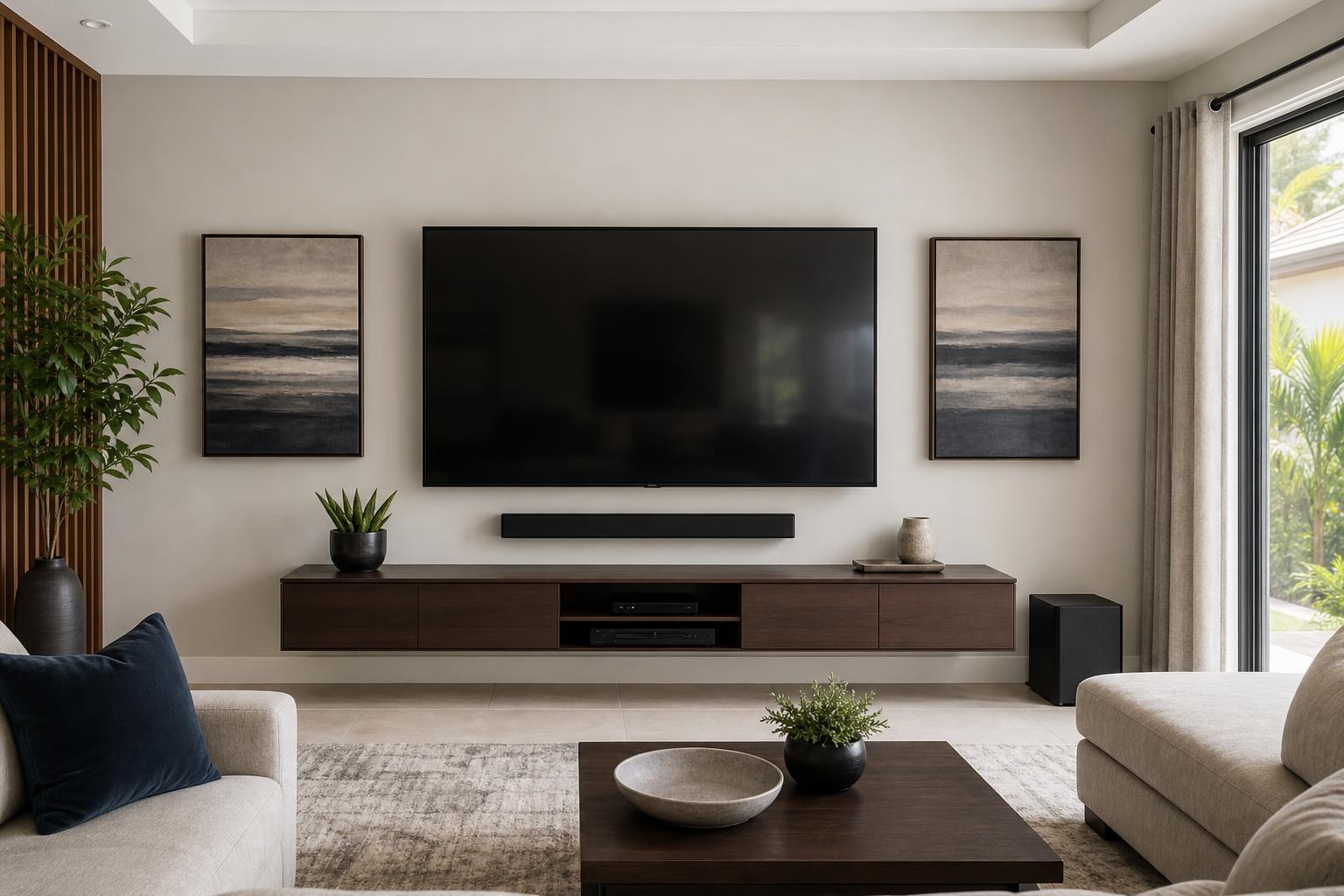
Wildwood Entertainment Room Planning: Coordinate the Whole Setup Before Mounting Day
October 30, 2026
A mounted TV can look perfectly centered and still leave the room feeling unfinished. The soundbar may block the screen, the streaming device may be difficult to reach, the console may not fit the wall as expected, or three remotes may be required just to watch a show.
For homeowners in Wildwood and elsewhere in Sumter County, the better approach is to plan the entertainment room as one connected system. TV placement comes first, but sound, devices, furniture, cable organization, seating, and everyday controls should influence the final setup.
This does not mean every room needs an elaborate media system. It means making a few coordinated decisions before mounting day so the finished room is comfortable, visually balanced, and easier to use.
Start With the Experience You Want From the Room
Before deciding where the screen belongs, consider how the room will actually be used. A living room used for casual daytime viewing has different priorities from a dedicated movie room or a shared space where people watch from several seating positions.
Ask who uses the room, where they normally sit, and which activities matter most. Sports, movies, streaming shows, games, and occasional Blu-ray viewing can each introduce different device and control needs. If the room opens into a dining or kitchen area, off-center viewing may also affect the choice of mount and screen position.
The goal is not simply to fill an empty wall. It is to establish a comfortable viewing area that works with the room’s normal traffic flow, windows, furniture, and focal points.
Set the TV Position Before Finalizing the Furniture
Many planning problems begin when a media console is placed first and the TV is automatically centered over it. That can work, but only if the console is already in the right relationship to the seating.
TV height should be considered from the primary viewing position rather than from a standing viewpoint. Screen size, seating distance, furniture height, and whether the TV will tilt or swivel all influence the result. Reflections and doors that interrupt the wall should also be evaluated before placement is finalized.
If a floating entertainment center is part of the plan, its width and position should complement the TV without crowding the screen. The two pieces do not have to be identical in width, but they should look intentional together. A professional assessment can coordinate these proportions while accounting for wall conditions and mount compatibility.
Homeowners comparing installation options can review the company’s TV Mounting Services before choosing between TV mounting alone and a more complete entertainment-room setup.
Plan the Soundbar at the Same Time as the Screen
A soundbar should not be treated as an accessory to position after the TV is mounted. Its location affects the space below the screen, the relationship with the media console, cable routing, and sometimes remote performance.
Some homeowners prefer the soundbar mounted below the TV so the screen and audio remain visually connected. Others prefer it resting on a console. Either option can work when the soundbar has enough clearance and does not cover the lower edge of the screen or interfere with the TV’s controls.
If the TV will move on an articulating mount, decide whether the soundbar should remain fixed to the wall or move with the screen. That choice changes the appearance and listening experience when the TV is turned toward another seating area.
Connection planning matters too. Features such as HDMI ARC or eARC and compatible device-control settings may help the TV and soundbar respond more predictably to one remote. Compatibility still depends on the actual equipment, so having model information available is useful.
Inventory Every Device Before Choosing Its Home
A streaming stick may sit discreetly behind the television, while a larger streaming box, Blu-ray player, game system, or media hub needs accessible placement and ventilation. Device locations should be decided before cable concealment and furniture placement are finalized.
Create a simple inventory that includes:
- The TV and its model number
- The soundbar and any related components
- Streaming sticks, boxes, or media players
- Blu-ray players and game systems
- Cable or satellite equipment, if present
- The remotes currently used for each device
- Existing media furniture or new furniture awaiting assembly
This inventory helps reveal whether the TV has enough compatible inputs, whether a device needs direct access, and whether the selected console has suitable storage. It also prevents a frequently used component from ending up hidden in a cabinet where its remote does not perform consistently.
Treat Remote Simplification as a Setup Goal
“One remote” is often less about purchasing another controller and more about making the connected equipment communicate correctly. The TV, soundbar, and streaming device may support shared control, but the right inputs and device settings still need to align.
Decide what should happen during normal use. For example, pressing one button might need to turn on the TV, open the preferred streaming interface, and route sound through the soundbar. Blu-ray viewing or gaming may require a different input, but switching should still feel understandable.
Home entertainment programming can help organize input behavior, sound output, streaming access, and compatible control features. It is especially valuable when the equipment technically works but everyday use feels unnecessarily complicated.
Give Media Furniture a Defined Job
Entertainment furniture may provide storage, conceal media components, visually anchor the screen, or support a soundbar. Knowing its main purpose makes it easier to select and position the right piece.
Check the furniture’s assembled dimensions rather than relying on a product photo. Door movement, shelf depth, component ventilation, and cable openings can determine whether it works with the planned devices. If the piece is not assembled yet, include assembly in the project sequence rather than assuming it can be added after everything else.
Furniture anchoring may also be relevant depending on the item and room. A professional can evaluate assembly, placement, and anchoring as part of the broader layout instead of treating the furniture and TV wall as unrelated tasks.
Choose Cable Organization Based on the Finished Look
Cable concealment is easiest to plan when every component already has an assigned location. Otherwise, a clean TV wall can quickly collect visible HDMI cables and loose media-device connections running toward furniture that was added later.
Consider which cables need to travel between the TV, soundbar, console, and media devices. Also think about whether equipment may be replaced or rearranged in the future. A neat result should support normal access without leaving excessive cable length visible.
Some rooms benefit from a highly minimal appearance, while others only need organized routing that blends with the wall and furniture. The right approach depends on the layout, wall, device count, and desired finish—not simply on hiding every possible cable.
Decide Whether to Bundle the Work
Bundling related services can reduce layout conflicts because the TV, soundbar, furniture, devices, and cables are considered together. A Wildwood entertainment-room project might include TV wall mounting, soundbar mounting and setup, streaming-device hookup, media-furniture assembly, cable concealment, and home entertainment programming.
A bundled appointment is particularly useful when one decision depends on another. The completed height of a console may affect the soundbar position, which affects the space below the TV. Device storage may affect cable routing, while the mount type may affect soundbar behavior.
Homeowners near The Villages can also explore TV Mounting The Villages when planning a coordinated setup in the surrounding Sumter County area. The broader TV Mounting Ocala service scope includes home entertainment setup and related mounting across the company’s Central Florida service area.
What to Have Ready for a More Useful Quote
You do not need every detail solved before requesting a quote. A few accurate details, however, make it easier to define the work and identify related services that belong in the same project.
Have the TV size and model available if possible, along with photos of the proposed wall and the room from the main seating area. Note whether the TV, mount, soundbar, and furniture are already on site. Include the devices you want connected, any cable-appearance concerns, and whether you want help simplifying remotes and inputs.
If you are still comparing two walls or deciding between mounted and console-based soundbar placement, say so. Those are useful planning questions rather than obstacles to requesting service.
Plan One Finished Room, Not a Collection of Separate Products
The most successful entertainment rooms feel simple even when several devices are involved. The screen is comfortable to watch, the soundbar has appropriate clearance, the furniture fits the wall, cables look organized, and the controls make sense to the people using them.
TV Mounting Ocala serves Wildwood, Sumter County, and other communities across Marion, Orange, Alachua, Sumter, and Citrus counties. To plan a coordinated TV, soundbar, device, furniture, and cable setup, Get an Instant Quote online. You can also use the Contact page or call (352) 462-1913 to discuss the project.
Ready to Get the Setup Off Your To-Do List?
Whether you are planning a new TV, soundbar, streaming setup, floating entertainment center, media furniture, pictures, mirrors, shelves, or another related mounting project, TV Mounting Ocala can help you turn the plan into a clean finished setup.
TV Mounting Ocala
(352) 462-1913
Project details, equipment, wall conditions, compatibility, availability, and final pricing can vary. Confirm your exact scope and quote before booking.