
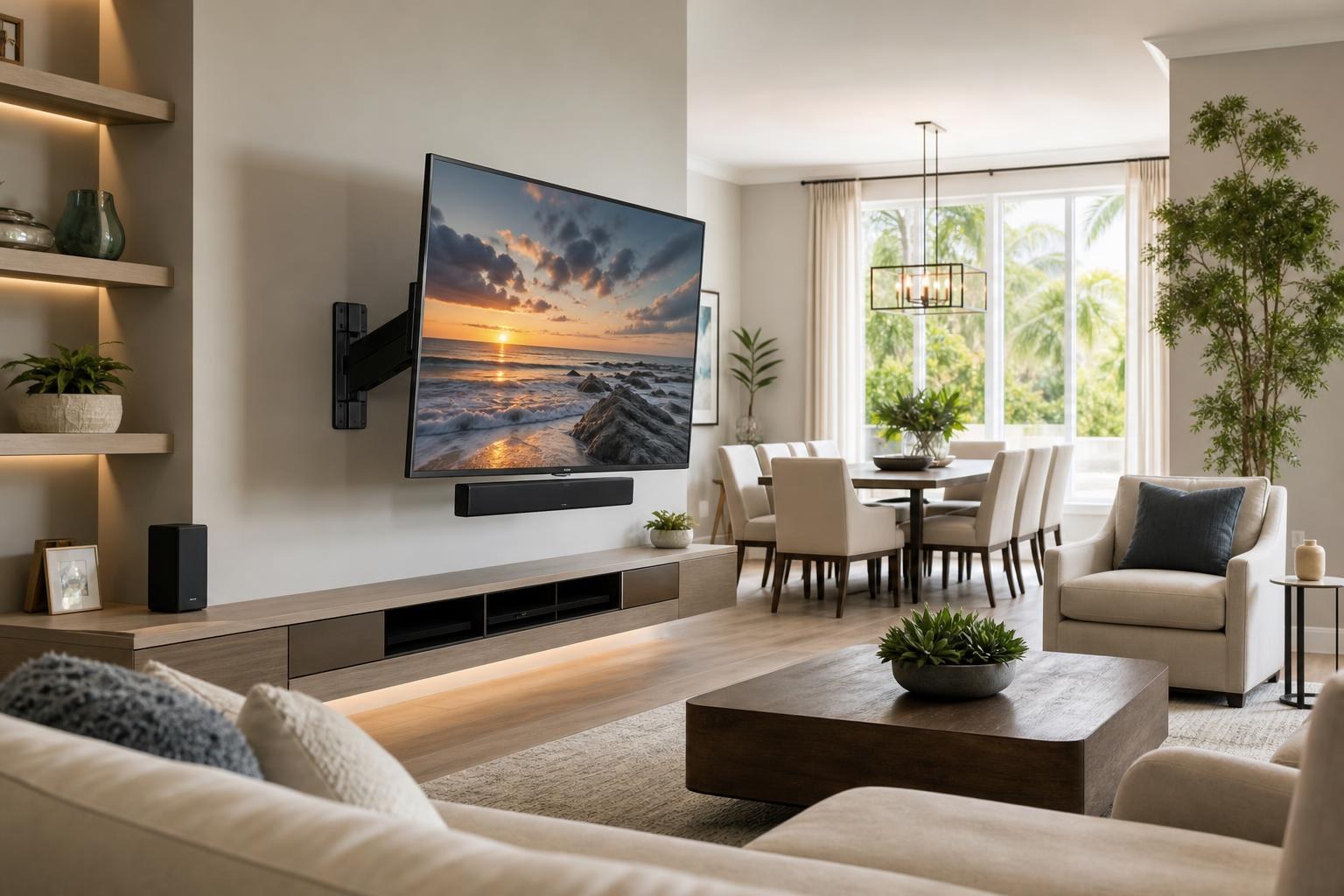
Swivel TV Mount in an Open Living and Dining Room: Plan the Screen, Soundbar, and Cables Together
October 22, 2026
You want the TV to face the sofa during movie night, then turn toward the dining table when a game is on. A swivel mount seems like the obvious answer—until you consider where the soundbar points, what the moving screen could bump, and how the cables will behave every time the TV changes position.
In an open living-and-dining area, a successful installation is not simply a TV that can rotate. The screen, soundbar, media devices, furniture, and cable route need to function across the TV’s useful movement range. Planning those details before booking can prevent awkward angles, strained connections, and a setup that only works from one seat.
Start With the Two Viewing Zones, Not the Empty Wall
The best wall at first glance may not produce the best viewing experience. Begin by identifying the room’s primary viewing zone and its secondary zone. The sofa is usually primary, while the dining table, kitchen island, or breakfast area may be secondary.
Next, consider where people actually sit within those zones. A TV aimed at the center of a sectional may still feel poorly positioned from the most-used recliner. Likewise, turning the screen toward a dining room does little good if a tall chair, pendant fixture, cabinet, or decorative object interrupts the view.
Useful questions include:
- Which seat should have the most direct view when the TV is flat against the wall?
- How far must the screen turn before it becomes comfortable from the dining area?
- Will the extended TV enter a walkway or project past a nearby corner?
- Could the screen edge contact a shelf, cabinet, framed picture, curtain, or door?
- Do windows or bright surfaces become more noticeable at either angle?
A room assessment through TV Mounting Ocala can account for these relationships as part of the broader installation plan.
Choose a Swivel Mount for the Movement You Will Actually Use
“Swivel mount” covers several designs. Some offer modest side-to-side adjustment, while articulating options extend farther from the wall and provide a wider turning range. More movement is not automatically better. The right choice depends on the TV, wall location, nearby furniture, desired angles, and how often the screen will be repositioned.
Mount compatibility also needs to be evaluated using the specific TV model, mounting pattern, screen dimensions, and the mount manufacturer’s stated limits. With a large TV, its outer edge travels through a wider arc than many homeowners expect. A position that looks spacious while the screen is flat can become crowded after the TV is extended and turned.
Extension changes the room visually
An articulating TV often needs to move away from the wall before it can rotate toward the second zone. That can make the screen more prominent from the side and expose more of the mount and cable path. If the wall is visible from the dining room or entry, discuss how the installation should look both closed and extended.
The available TV Mounting Services can include TV setup, soundbar setup, media-device connections, cable concealment, and entertainment programming, allowing the moving parts of the room to be considered as one system.
Decide Whether the Soundbar Should Move With the TV
A soundbar delivers the clearest visual and listening relationship when its direction remains coordinated with the screen. In a two-zone room, that creates an important decision: should the soundbar move with the TV, remain fixed on the wall, or sit on media furniture?
Soundbar attached below the moving screen
When a compatible soundbar bracket and the overall setup allow it, positioning the soundbar so it travels with the TV can keep dialogue aimed toward the active viewing zone. It also preserves the appearance of the bar centered beneath the screen as the TV turns.
This option requires careful compatibility planning. The TV, mount, soundbar, and soundbar bracket must work together without blocking sensors, connections, ventilation areas, or the screen’s movement. The added equipment also affects how the complete assembly behaves, so product details should be reviewed before the appointment.
Soundbar fixed to the wall
A wall-mounted soundbar can create a clean, structured appearance when the TV is parked in its primary position. The tradeoff is that the TV may face the dining area while the soundbar continues aiming toward the living room.
That may be acceptable when dining-area viewing is occasional or mostly casual. It is less ideal when the second zone will be used frequently for dialogue-heavy programs. A modest TV angle may work well with a fixed bar; a dramatic turn can make the directional mismatch more noticeable.
Soundbar placed on a console
A console can be practical when the bar should remain accessible and visually grounded beneath the TV. However, the soundbar still stays in one direction while the screen moves. Its position should also avoid decorative objects or furniture edges that obstruct its front-facing area.
Plan Cable Organization Across the Entire Movement Range
A clean cable arrangement while the TV is flat against the wall does not guarantee clean or reliable movement. The media cables must remain organized when the mount extends, swivels, and returns to its parked position.
Too little managed slack can place tension on a connection. Too much unmanaged cable can hang below the screen, become visible from the dining room, or interfere with the mount as it closes. The goal is a route that supports movement while maintaining a tidy appearance from the room’s common sightlines.
List everything that will connect to the TV before selecting the final cable plan. That may include a soundbar, streaming player, Blu-ray player, game system, or other media device. If a device will sit in a console, its cable path needs to accommodate the TV’s changing distance and angle. If a small streaming device will remain behind the screen, access and remote performance still deserve consideration.
Cable concealment should be discussed in terms of both positions: the TV parked against the wall and the TV turned toward the second viewing zone. Photos of each side of the room can help clarify which views matter most.
Keep Furniture From Limiting the Swivel
A wide media console can visually anchor a large screen, but it can also limit how far the TV can turn if tall décor, speakers, shelving, or cabinet sections occupy the movement area. Floating entertainment centers introduce similar spacing questions.
Before finalizing placement, consider the relationship among:
- The screen’s lowest edge and the tallest item below it
- The mount’s extension path and nearby shelving
- Soundbar width and console width
- Device ventilation and remote access
- Walkways between the living and dining zones
- The appearance of the TV wall when viewed from the side
If the room also needs a console assembled, floating shelves mounted, or furniture anchored, coordinating those items can prevent one piece from compromising another. Furniture Assembly Ocala is relevant for homeowners who want the media furniture and mounted components planned as a connected arrangement rather than unrelated tasks.
Do Not Let the Secondary Angle Ruin the Primary One
A common planning mistake is centering the entire installation around the most extreme dining-room angle. In most homes, the living area remains the main viewing location. The parked position should therefore look intentional, feel comfortable, and relate properly to the furniture.
The secondary position can then be treated as a useful alternate setting rather than the sole design driver. Sometimes the best answer is not the maximum possible swivel. A smaller turn may provide a practical dining-area view while keeping the TV out of the walkway and the soundbar reasonably aligned.
This balance is particularly useful in open-plan homes in Ocala and The Villages, where the TV wall may be visible from several connected spaces. Homeowners considering TV Mounting The Villages can include both primary and secondary seating areas when describing the room.
Prepare the Right Details for a Quote
You do not need to solve every compatibility question before requesting service. Providing accurate room and product information makes it easier to define the intended setup.
Have the TV brand, model, and screen size available, along with information for any mount or soundbar already purchased. Photograph the full wall, the sofa view, the dining-area view, and the furniture below the proposed TV location. Mention nearby corners, shelves, windows, doorways, and devices that need to connect.
Also explain how you expect to use the setup: mostly flat against the wall, turned daily toward the dining table, or adjusted only for occasional gatherings. That practical detail can be more valuable than simply requesting “a full-motion mount.” For unusual layouts or product questions, use the Contact page or call (352) 462-1913.
Build One Setup That Works From Both Spaces
A swivel TV can serve an open living-and-dining room well when its movement is planned as part of the complete entertainment setup. The most effective arrangement protects the primary view, creates a useful secondary angle, keeps the soundbar appropriately directed, and organizes media cables throughout the screen’s movement.
TV Mounting Ocala serves homeowners and residents across Marion, Orange, Alachua, Sumter, and Citrus counties. When you are ready to plan the TV, soundbar, devices, furniture, and cable appearance together, you can get an instant online quote and book the service options that fit your room.
Ready to Get the Setup Off Your To-Do List?
Whether you are planning a new TV, soundbar, streaming setup, floating entertainment center, media furniture, pictures, mirrors, shelves, or another related mounting project, TV Mounting Ocala can help you turn the plan into a clean finished setup.
TV Mounting Ocala
(352) 462-1913
Project details, equipment, wall conditions, compatibility, availability, and final pricing can vary. Confirm your exact scope and quote before booking.