
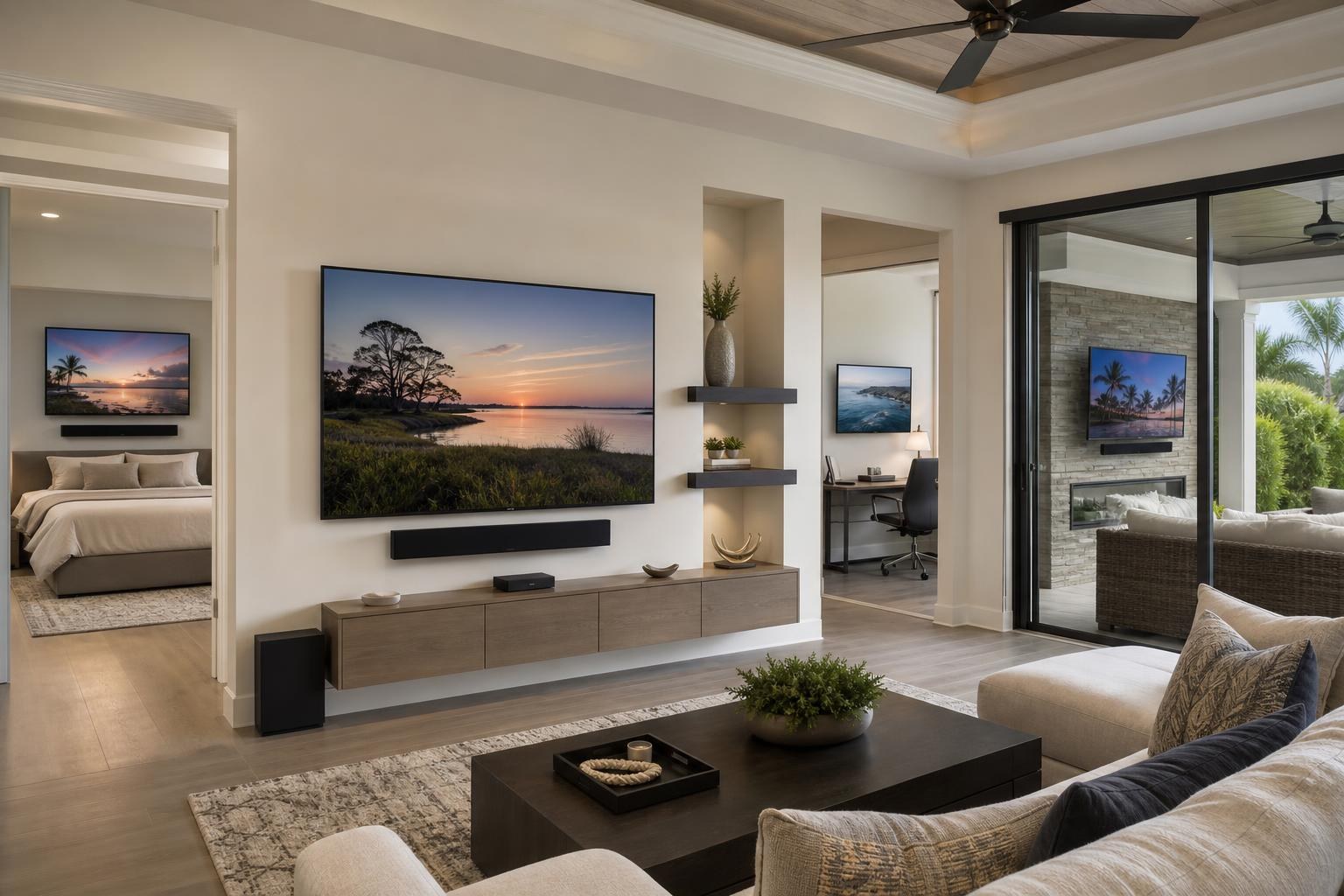
One Home, Four TV Zones: An Ocala Room-by-Room Mounting Guide
September 28, 2026
Planning several TV zones in the same home is not as simple as choosing a blank wall in each room. The living room may need flexible viewing for a group, while the bedroom calls for a calmer setup. An office screen may serve two purposes, and a lanai introduces glare, weather exposure, and changing seating arrangements.
The best plan treats each room as its own viewing environment while keeping setup, controls, media devices, and cable organization consistent across the home. If you are comparing options before booking TV Mounting Ocala, this guide will help you identify what each space actually needs.
Start With How Each Room Will Be Used
Before selecting a wall or mount style, define the role of the TV in each room. A primary entertainment screen used for movies, sports, and gaming requires different planning than a bedroom TV watched occasionally from bed.
For every room, consider who watches, where they normally sit, whether seating moves, and which devices must connect. Also decide whether the room needs a soundbar, concealed media cables, a floating console, or assembled media furniture.
- Primary viewing zone: Usually benefits from complete TV setup, device hookup, sound planning, and organized controls.
- Secondary viewing zone: May need a simpler TV-and-streaming-device combination.
- Flexible-use zone: Often requires an adjustable viewing angle or easy switching between entertainment and work.
- Outdoor or semi-outdoor zone: Needs special attention to screen visibility, mounting location, and equipment exposure.
Reviewing the available TV mounting services as a group can help you avoid booking the mount first and discovering later that the room also needs soundbar placement, device setup, or media-furniture assembly.
Living Room: Plan the Entire Entertainment Wall
The living room is usually the most complex TV zone because it serves more people and contains more visual elements. Instead of treating the screen as an isolated rectangle, plan the wall as a composition that may include a soundbar, console, shelves, framed art, and connected devices.
Begin with the main seating area. In open-concept Ocala homes, the sofa may not face a wall directly, or viewers may watch from both the seating area and kitchen. A fixed mount can suit a straightforward arrangement, while a swivel option may better support multiple viewing directions. The right choice depends on the room, screen size, furniture placement, and how often the viewing angle changes.
Sound should be planned at the same time. A wall-mounted soundbar can create a more unified appearance, but its position must coordinate with the TV and any furniture below. Streaming devices, game systems, and Blu-ray players also need accessible, organized locations rather than being added as an afterthought.
If the room still needs a console or media cabinet, coordinating mounting with Furniture Assembly Ocala can help the TV, furniture, soundbar, and decorative elements feel like one finished installation.
Bedroom: Prioritize a Comfortable, Uncluttered View
A bedroom TV is often viewed from a reclined position, so copying the living-room arrangement can produce an uncomfortable result. Bed height, mattress position, pillows, and the distance to the opposite wall all influence where the screen feels natural.
Furniture also matters. A tall dresser beneath the TV may affect the available screen position, while a corner installation may be more practical in a room with several doors or limited uninterrupted wall space. If the bed is not centered on the chosen wall, an adjustable mount may provide a better viewing angle than forcing the TV to align with the room instead of the viewer.
Keep the setup visually quiet. A compact streaming device, carefully routed media cables, and simple control programming can preserve the bedroom’s uncluttered appearance. If a soundbar is desired, confirm that it adds useful clarity without making the wall feel crowded.
Home Office: Decide Whether the TV Has One Job or Two
An office TV may be used for news, presentations, video calls, exercise content, or occasional entertainment. That mixed purpose should shape the plan before the screen goes on the wall.
Consider whether the TV needs to face the desk, a guest chair, an exercise area, or more than one zone. Screen reflections can also be distracting during daytime work, particularly when the proposed wall faces a window. An adjustable viewing angle may help in a multifunction room, but only if the surrounding furniture leaves enough room for the screen to move comfortably.
Device planning is especially important here. A streaming device, laptop connection, soundbar, or other media component should be easy to access without leaving a tangle of cables across the desk. If the room includes floating shelves or wall-mounted storage, those pieces should be positioned as part of the overall screen layout rather than installed independently.
Lanai: Plan for Changing Light and Seating
A lanai TV can extend entertainment beyond the main living room, but the placement decision is shaped by more than an open section of wall. Central Florida daylight can make an otherwise convenient position difficult to watch. Observe where direct light and reflections appear during the hours when the TV will be used most.
Seating may also change more frequently on a lanai. Dining chairs, lounge furniture, and conversation areas do not always point toward one fixed spot. A mount that supports angle adjustment may improve viewing from different positions, provided the TV has suitable clearance around nearby walls, doors, and furniture.
Exposure is another key planning issue. A covered lanai is not automatically the same as an indoor room. The TV, mount, soundbar, connected devices, and cable routing should all be considered in relation to moisture, heat, wind, and the degree of protection provided by the space.
Keep device storage simple and deliberate. Ask where streaming equipment and other media components will sit, how media cables will be organized, and whether a soundbar will remain easy to hear over outdoor background noise. These details can determine whether the finished zone feels intentional or improvised.
Match the Service Combination to Each Room
Not every TV zone requires the same appointment scope. Defining the complete setup for each room makes an online quote more accurate and helps prevent missing pieces on installation day.
- Living room: TV mounting, soundbar mounting, streaming and media-device hookup, cable concealment, programming, and entertainment-center assembly as needed.
- Bedroom: TV mounting, compact device setup, organized cable routing, and possible corner or adjustable-angle planning.
- Office: TV mounting, device connections, streaming setup, cable organization, and coordination with shelves or office furniture.
- Lanai: TV mounting planned around visibility, changing seating, equipment exposure, sound, and media-device placement.
If you are uncertain whether an existing mount, soundbar, console, or device will work with the new plan, use the contact page to share the details before booking. Photos of each wall, the TV model, approximate screen size, and a list of devices can clarify the requested scope.
Prepare the Home as One Project, Not Four Separate Decisions
Before the appointment, confirm which TV belongs in each room and label the related remotes, stands, soundbars, and media devices. Clear the floor and furniture around each planned wall so the rooms can be evaluated efficiently. If new media furniture needs assembly, keep its components and hardware together.
It also helps to list your preferred apps, connected devices, and viewing priorities by room. That makes it easier to distinguish a mounting-only request from a complete setup that includes programming, streaming-device configuration, soundbar integration, and cable organization.
Build a Room-by-Room Plan for Your Ocala Home
A successful multi-room project gives each TV a clear purpose. The living room can support shared entertainment, the bedroom can remain comfortable and uncluttered, the office can adapt to work and leisure, and the lanai can account for Central Florida light and outdoor conditions.
When you are ready, get an instant quote based on the rooms and services you need, or call (352) 462-1913 to discuss your TV mounting and home entertainment plans with TV Mounting Ocala.
Serving another priority local market: TV Mounting The Villages.
Ready to Get the Setup Off Your To-Do List?
Whether you are planning a new TV, soundbar, streaming setup, floating entertainment center, media furniture, pictures, mirrors, shelves, or another related mounting project, TV Mounting Ocala can help you turn the plan into a clean finished setup.
TV Mounting Ocala
(352) 462-1913
Project details, equipment, wall conditions, compatibility, availability, and final pricing can vary. Confirm your exact scope and quote before booking.