
Moving Into The Villages? Plan Your TV Wall, Media Furniture, and Devices Together
October 11, 2026
Moving into a home in The Villages often means making dozens of room decisions at once. The television may be out of its box, the media console may still be in pieces, and remotes and streaming devices may be spread across several cartons. It is tempting to handle each item separately just to get the room working.
That approach can create avoidable conflicts. A console may be too tall for the intended TV position. An assembled cabinet may block comfortable device access. The soundbar may not fit where expected, or the final seating arrangement may make the screen feel off-center.
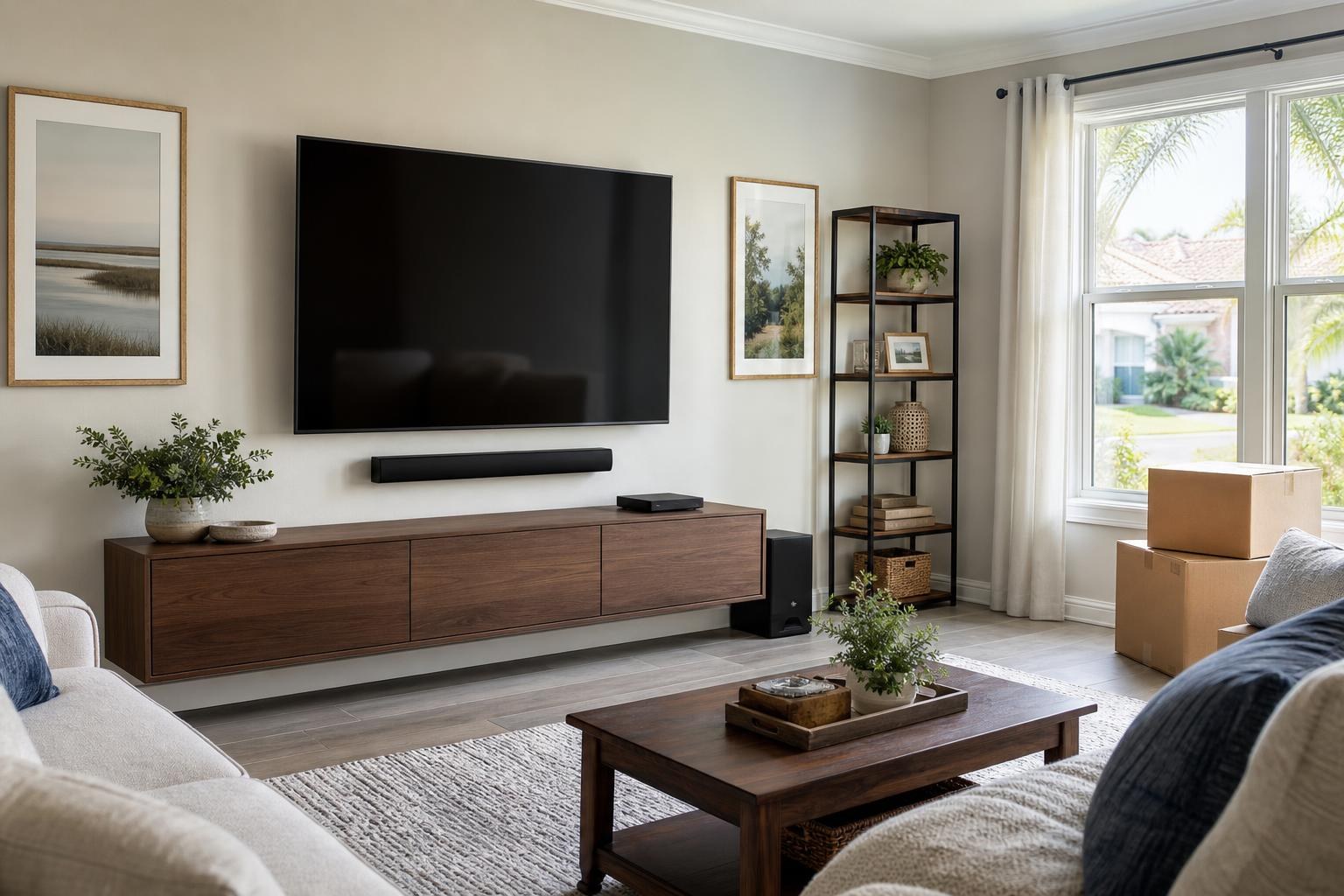
A more practical move-in plan treats the television, furniture, soundbar, devices, media cables, and controls as one connected area. Homeowners arranging TV Mounting The Villages can use the following guide to define the complete scope before booking.
Start With the Finished Room, Not the First Open Box
Before deciding where the TV belongs, establish how the room will actually be used. A screen centered on an empty wall may no longer feel centered once a sectional, recliner, side chair, or dining area is in place.
Consider the primary viewing seats first. Then account for walking paths, doors, windows, nearby artwork, and any furniture that will sit below or beside the screen. The goal is not simply to fill a blank wall. It is to create a comfortable sightline that still works after the room is fully furnished.
This planning matters in open living areas where one television may be visible from several zones. The best position for a sofa may differ from the best position for a kitchen counter or breakfast area. Identify which seat should receive priority rather than trying to make every angle identical.
Confirm the Media Furniture Before Setting TV Height
Media furniture affects more than storage. Its finished height, width, door style, shelf configuration, and placement all influence the TV wall.
If the furniture is still boxed, review its assembled dimensions before finalizing screen placement. A low console leaves different visual spacing than a tall entertainment cabinet. A floating entertainment center can create a lighter appearance, but it still needs to coordinate with the TV, soundbar, and any devices that require access.
Plan enough visual separation so the screen and furniture do not look crowded. At the same time, avoid an oversized gap that makes the pieces feel disconnected. The television should relate naturally to the furniture below it while remaining comfortable from the main seating position.
When assembly and TV mounting are part of the same move-in project, include both in the requested scope. TV Mounting Ocala provides entertainment-center and media-furniture assembly as well as mounting for floating entertainment centers and related wall-mounted items. The available work can be reviewed through the company’s TV mounting services.
Decide Whether Furniture Anchoring Belongs in the Plan
Anchoring is easy to overlook when the immediate goal is getting boxes out of the room. However, certain furniture designs, room layouts, and manufacturer instructions may call for anchoring as part of the finished setup.
Freestanding entertainment furniture, shelving, or other tall pieces should be considered individually. Their dimensions, construction, placement, and intended use all matter. Anchoring decisions should also account for drawers, doors, stored equipment, and how residents will move through the area.
Bring up furniture anchoring when requesting the appointment rather than assuming it is automatically included with TV mounting. That allows the overall room scope to be understood before arrival.
Plan the Soundbar as Part of the TV Wall
A soundbar should not be treated as an accessory that can always be squeezed into the remaining space. Its dimensions and intended position can change the screen height, furniture spacing, and cable plan.
Common placement choices include mounting the soundbar beneath the TV or placing it on the media console. The right choice depends on the soundbar design, the console surface, the television position, and whether the TV uses a fixed or movable mount.
Before booking, note whether the soundbar is new or already paired with the television. Also identify any separate media components that need to connect with it. Professional soundbar setup can address the physical placement and help organize how the TV, soundbar, and connected sources work together.
Give Every Streaming and Media Device a Defined Home
Move-in setups often include more devices than homeowners initially remember. A streaming player may be packed separately from its remote. A Blu-ray player may need cabinet space. A small media device may be intended to sit behind the TV, while another needs easy access from the front of the room.
Create a simple device inventory before the appointment:
- The television and its original remote
- The soundbar and any related controller
- Streaming devices and their remotes
- Blu-ray players or other media sources
- Required media cables and manufacturer-supplied accessories
- Account information needed to activate streaming apps
This inventory helps prevent a nearly finished setup from being delayed by one missing controller or cable. It also makes it easier to decide which devices belong in the console, on an open shelf, or in another accessible position.
Organize Media Cables Around Access, Not Just Appearance
Clean cable organization improves the appearance of a newly furnished room, but appearance is only part of the decision. Devices may need to be reset, replaced, or reconnected later. Cabinet doors and drawers must still work properly, and movable mounts need enough flexibility for normal positioning.
Ask for wire and cable concealment as part of the quote if a cleaner TV wall is important. The planned route will depend on the wall, furniture, mount style, device positions, and the types of media cables involved. Avoid packing all cable accessories into an unidentified box; keep them with the related TV and devices.
Make the Remote Plan Easy to Live With
A move-in entertainment system is not complete just because every component can turn on. It should also be understandable during everyday use.
Decide what “simple” means for the household. Some residents want one primary controller for routine viewing. Others prefer to keep individual remotes available because different devices have specialized functions. Either approach can work when every remote has a known purpose and storage location.
Home entertainment programming can help coordinate compatible equipment, but the exact behavior depends on the television, soundbar, streaming player, connections, and device settings. Have all original remotes available during setup. Store rarely used controllers together in a labeled drawer or basket instead of scattering them throughout the room.
What to Have Ready for a Bundled Move-In Appointment
A little preparation makes it easier to assess the whole entertainment area rather than treating each item as a surprise. Before the scheduled visit, try to have:
- The intended TV wall reasonably accessible
- The main seating position identified
- The TV, mount, soundbar, devices, and remotes available
- Media-furniture boxes and assembly information together
- Streaming account details available to the account holder
- Artwork, mirrors, or floating shelves identified if they are part of the same room plan
- Questions about cable visibility, furniture anchoring, or device access written down
If the final furniture arrangement is still undecided, room photos and product model information can help communicate the intended result. You can also use the contact page to ask about the appropriate service scope.
Bundle Related Work Without Overloading the Room
Combining related services can make sense during a move because the TV position, soundbar, console, shelves, and artwork often affect one another. That does not mean every unpacking task has to become part of the same project.
Prioritize items that define the entertainment wall or influence safe furniture placement. These may include TV wall mounting, TV setup, media-furniture assembly, furniture anchoring, soundbar mounting, streaming-device hookup, cable organization, a floating shelf, or a nearby mirror or picture.
If some furniture has not arrived or the room layout is still changing, it may be better to complete the stable elements first and schedule uncertain additions later. A clear scope is more useful than rushing to finish a room whose key dimensions are not settled.
Arrange Your The Villages Move-In Entertainment Setup
The most comfortable TV area is usually the result of coordinated decisions rather than a series of isolated installations. Planning the seating, screen, soundbar, media furniture, devices, cables, anchoring, and remotes together can produce a room that looks finished and is easier to use from the beginning.
TV Mounting Ocala serves The Villages and communities across its Central Florida service area. To describe your move-in project and selected services, get an instant online quote or book through TV Mounting Ocala. You may also call (352) 462-1913.
Ready to Get the Setup Off Your To-Do List?
Whether you are planning a new TV, soundbar, streaming setup, floating entertainment center, media furniture, pictures, mirrors, shelves, or another related mounting project, TV Mounting Ocala can help you turn the plan into a clean finished setup.
TV Mounting Ocala
(352) 462-1913
Project details, equipment, wall conditions, compatibility, availability, and final pricing can vary. Confirm your exact scope and quote before booking.