
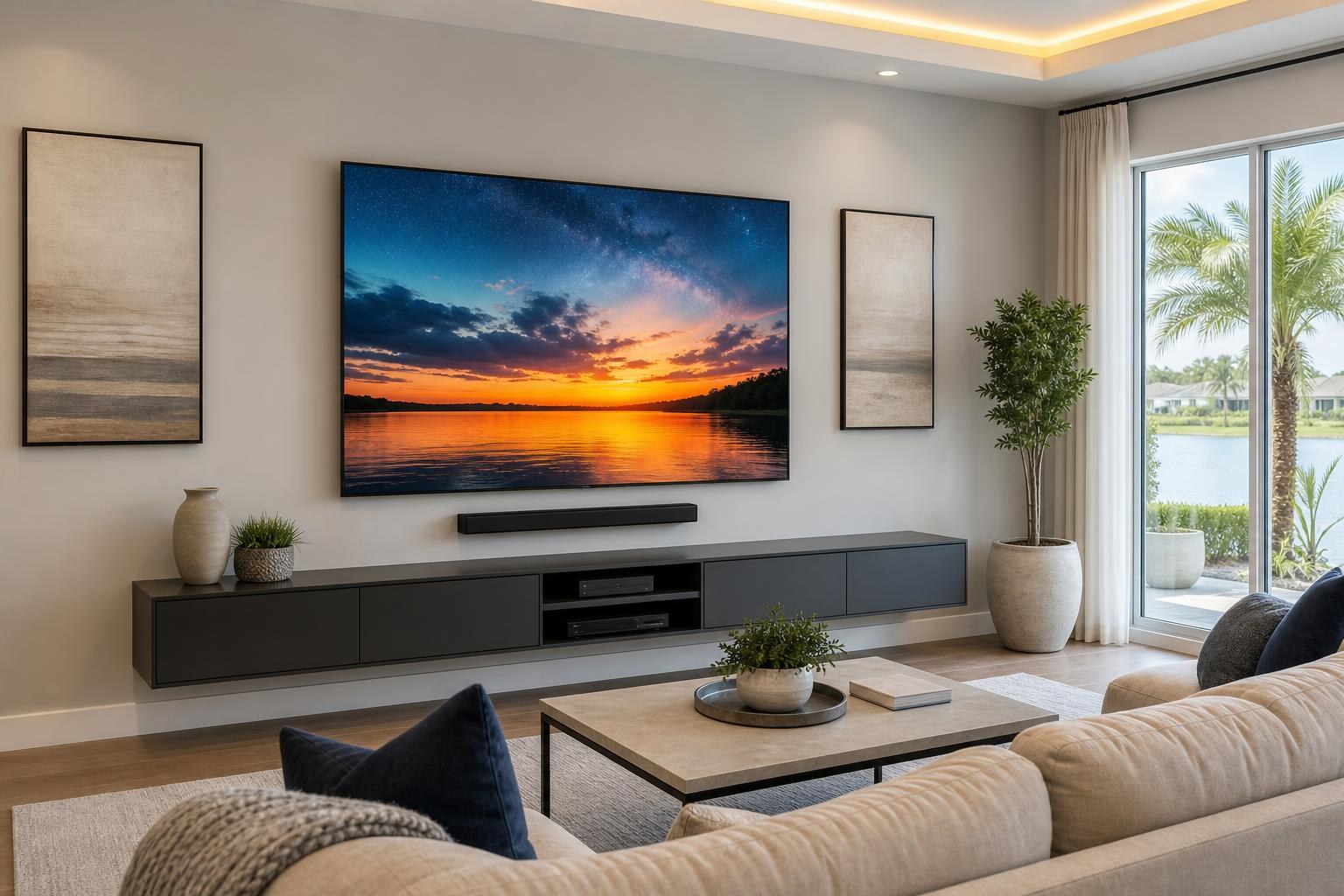
Mounting a 75-Inch TV: 9 Planning Decisions to Make Before You Book
September 11, 2026
A 75-inch TV can look perfectly proportioned in a showroom and unexpectedly dominant once it enters your living room. Before you book mounting service, the important question is not simply whether the TV will fit on the wall. It is whether the entire entertainment setup will fit the way you expect.
The TV’s actual dimensions, viewing height, mount type, soundbar position, furniture, devices, and cable routing all affect the finished result. Planning these elements together helps prevent a screen that feels too high, crowds a console, blocks décor, or leaves media cables hanging in plain sight.
Here are the decisions homeowners should make before mounting a 75-inch TV.
1. Confirm the TV’s Actual Width, Height, and Weight
The 75-inch measurement describes the screen diagonally. It does not tell you the exact width, height, depth, or weight of the complete television.
Those details vary by brand and model. Even a narrow bezel, a thicker lower edge, or an unusually deep rear housing can change how the TV fits above furniture or beside shelves. Use the manufacturer’s specifications for the exact model rather than estimating from the screen size alone.
Also note whether the published dimensions include the tabletop feet. For wall planning, you generally need the dimensions of the TV without its stand. The TV’s weight is equally important because the wall mount must be rated for the specific television and intended movement.
2. Check the Entire Wall, Not Just the Open Rectangle
A wall may appear large enough until you account for nearby doorways, windows, curtains, built-ins, artwork, or an off-center seating arrangement. With a 75-inch screen, a small placement shift can be visually obvious.
Before booking, consider:
- The usable wall width and the TV’s exact outer dimensions
- The center of the primary seating area
- Doors, windows, curtains, and traffic paths
- The width and height of the entertainment console
- Planned soundbars, floating shelves, or wall-mounted media furniture
- How the screen will align with surrounding architecture and décor
The geometric center of a wall is not always the best center for the TV. In many rooms, the seating position or entertainment furniture provides a more useful visual reference.
3. Choose Viewing Height Based on the Room
One of the most common concerns with a large mounted TV is height. A 75-inch screen occupies substantial vertical space, so mounting its bottom edge only a little higher can move the center of the picture considerably higher.
The right position depends on how the room is used. A family room with a standard sofa calls for a different plan than a bedroom viewed from a raised mattress. Reclined seating, multiple rows, a tall console, and room depth also influence what feels comfortable.
Instead of choosing a height because it looks impressive while standing, evaluate it from the seats where the TV will actually be watched. The goal is a natural viewing angle that also leaves intentional space for furniture and audio equipment.
4. Decide Whether You Need a Fixed, Tilting, or Full-Motion Mount
A 75-inch TV places greater demands on mount selection than a small secondary-room screen. The mount must match the TV’s weight and rear mounting pattern, commonly identified in the television specifications as its VESA pattern.
Fixed mount
A fixed mount keeps the TV close to the wall and works well when seating is centered and the viewing height is already comfortable. It can create a streamlined appearance, although the reduced space behind the TV may affect access to rear-facing connections.
Tilting mount
A tilting mount can help when the TV needs to sit somewhat higher or when screen reflections need to be managed. The amount of useful tilt depends on the mount, the TV, and the available clearance.
Full-motion mount
A full-motion mount may suit an open-concept room where viewers watch from more than one area. Because a 75-inch TV is wide and heavy, homeowners should consider how far it will extend into the room, whether the screen could approach an adjacent wall, and how it will look when angled.
If you are still comparing bracket styles, review the available TV mounting and home entertainment services before choosing a mount solely from an online product photo.
5. Plan Around the Console or Floating Entertainment Center
The furniture below the screen influences the entire composition. A narrow console under a wide 75-inch TV may look undersized, while a tall media cabinet can force the TV above a comfortable viewing position.
Measure assembled furniture rather than relying only on packaging dimensions. If the console has not been built yet, confirm its finished width and height before finalizing the TV location. The same applies to a floating entertainment center, which must be coordinated with screen height, soundbar placement, device storage, and cable organization.
TV Mounting Ocala also handles entertainment-center and media-furniture assembly, floating entertainment-center installation, floating shelf mounting, and furniture anchoring. Combining related work can make it easier to plan the wall as one finished arrangement instead of positioning each item independently.
6. Reserve Space for the Soundbar
A soundbar should not feel squeezed into whatever gap remains after the television is mounted. Its width, height, control location, and upward- or forward-facing speaker design can influence placement.
Some homeowners want the soundbar mounted on the wall. Others prefer it on the console. It may also be mounted so it moves with a compatible full-motion TV setup. Each approach changes the required spacing and cable route.
Check that the soundbar will not cover the lower edge of the screen or interfere with the TV’s control and sensor area. If the soundbar will rest on furniture, confirm that it will not block part of the picture from the primary seating position.
7. Identify Every Connected Device Before Installation
A clean 75-inch TV installation depends on what connects to it. Streaming devices, game consoles, Blu-ray players, soundbars, and other media components all need an intentional location and connection plan.
Write down the devices you intend to use and whether they will sit inside furniture, on a shelf, or near the TV. This helps clarify the number and length of media cables required, which TV inputs will be used, and whether devices need a clear path for remote control.
Planning also reduces the chance of mounting the TV and then discovering that an essential port is difficult to reach. TV setup can include streaming-device setup, Blu-ray and media-device hookup, soundbar setup, and home entertainment programming so the finished system is easier for the household to operate.
8. Make a Cable-Concealment Plan
A larger screen naturally draws attention to the wall, which makes visible cable clutter more noticeable. Cable planning should account for the television, soundbar, streaming devices, game systems, and any media equipment stored below.
Possible approaches depend on the wall, furniture, mount, and desired appearance. The priority is to create an organized media-cable route that does not become strained, pinched, or overly visible when the TV is in its normal position.
Full-motion setups require additional thought because the TV must move without pulling connected cables tight. If a floating console is part of the design, cable entry and exit points should visually align with both the furniture and screen.
9. Prepare the Room and Installation Details
A few details can help the appointment stay focused on the finished setup:
- Have the TV model number and manufacturer specifications available.
- Confirm whether you already own a compatible mount.
- Identify the primary seating position and preferred furniture layout.
- List the soundbar, streaming players, consoles, and other connected devices.
- Clear a safe working area around the entertainment wall.
- Have remotes, device cables, and account access ready if setup is requested.
If the TV is still boxed, consider the route from the entrance to the room. Large screens can be difficult to maneuver through narrow halls, stairways, or rooms crowded with furniture. Avoid disposing of packaging until you have confirmed that the television arrived in good condition.
What Affects the Quote for Mounting a 75-Inch TV?
The scope can vary based on the TV, wall and mount type, desired placement, cable-concealment choices, soundbar work, device setup, and related furniture or shelf installation. A straightforward fixed-mount arrangement is different from a full entertainment wall with a moving bracket, mounted soundbar, multiple devices, and floating furniture.
Rather than relying on a generic estimate, use the current instant online quote and booking form to select the options that match your project.
Plan the 75-Inch TV as Part of the Whole Room
The best result is not merely a large television attached to a wall. It is a screen positioned for comfortable viewing, balanced with the furniture, paired with properly placed audio, and connected without distracting cable clutter.
TV Mounting Ocala serves homeowners and property residents across Marion, Orange, Alachua, Sumter, and Citrus counties. If you are planning a 75-inch TV, soundbar, media-device setup, or coordinated entertainment wall, you can contact TV Mounting Ocala or use the online form to request a quote and book the services your room needs.
Ready to Get the Setup Off Your To-Do List?
Whether you are planning a new TV, soundbar, streaming setup, floating entertainment center, media furniture, pictures, mirrors, shelves, or another related mounting project, TV Mounting Ocala can help you turn the plan into a clean finished setup.
TV Mounting Ocala
(352) 462-1913
Project details, equipment, wall conditions, compatibility, availability, and final pricing can vary. Confirm your exact scope and quote before booking.
Related local services: Furniture Assembly Ocala