
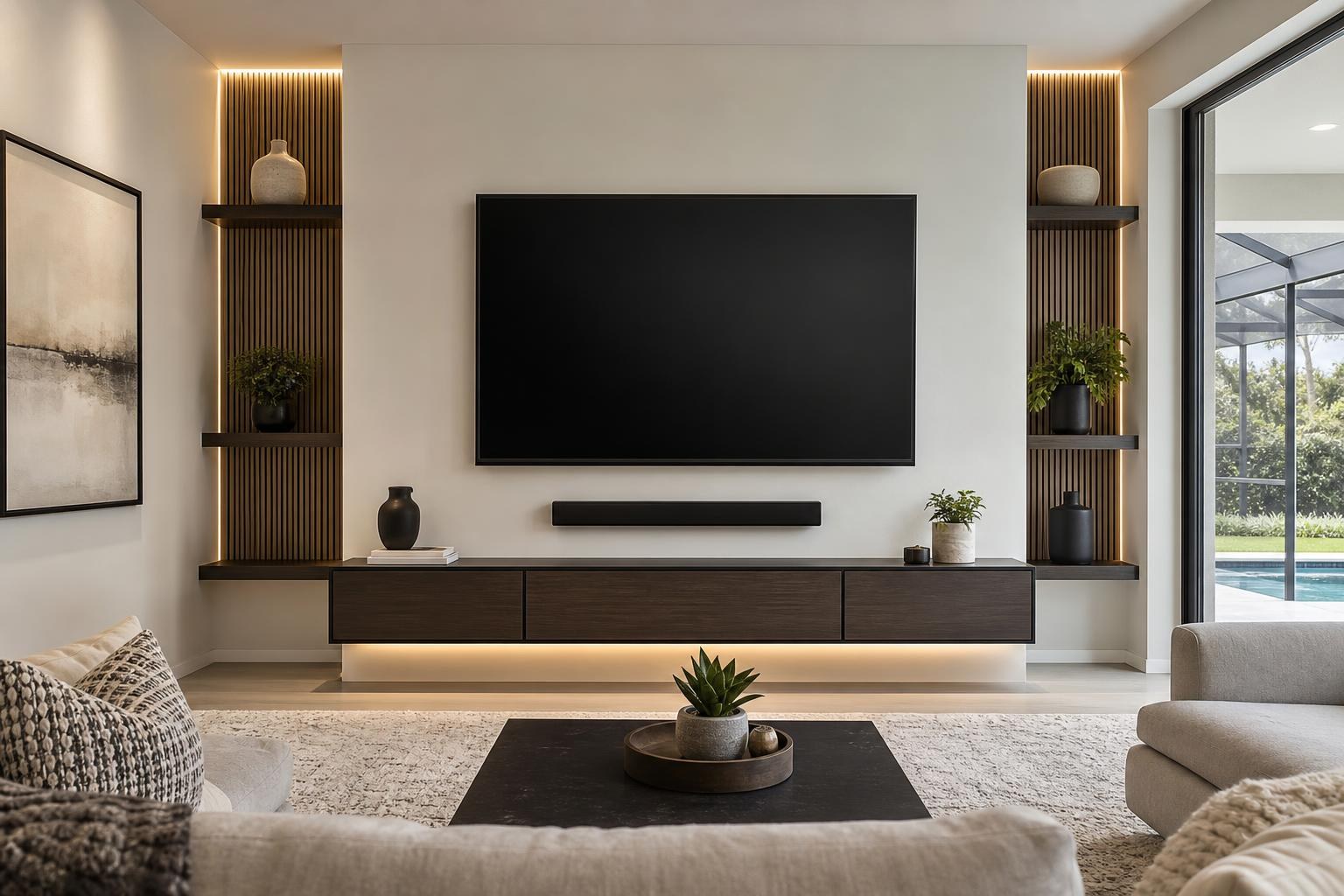
How Wide Should a Floating Console Be Under a Mounted TV?
September 25, 2026
A floating console can make a family-room media wall look cleaner, lighter, and more intentional—but only if its proportions work with the mounted TV. Choose one that is too narrow, and the TV may look oversized or visually unstable. Choose one that is too large, and the furniture can overwhelm the wall or interfere with nearby doors, walkways, and seating.
The right size is not determined by TV width alone. Soundbar placement, media-device storage, cable organization, viewing height, and the shape of the room all influence what will look and function best.
Start With the TV’s Actual Width, Not Its Screen Size
A TV’s advertised size is measured diagonally, so a 65-inch TV is not 65 inches wide. Frame design and model differences also mean two TVs with the same screen size can have slightly different exterior dimensions.
Before comparing floating consoles, confirm the full width of the TV itself. This gives you a reliable visual reference and helps prevent ordering furniture that looks wider online than it does beneath the screen.
In many rooms, a console that extends beyond both sides of the TV creates a balanced, grounded appearance. That does not mean every console needs to be dramatically wider. The best proportion depends on the available wall, the console’s visual weight, and whether other elements will be included.
A slim cabinet with open space underneath may feel lighter than a deep, boxy cabinet of the same width. Likewise, a long floating console can look appropriate on a broad wall but feel cramped between a doorway and a window.
Think of the TV, Soundbar, and Console as One Composition
Planning each item separately is one of the most common causes of an awkward media wall. The TV may be centered on the seating, while the console is centered on the wall. A soundbar may then be squeezed into the remaining space without enough consideration for its relationship to the screen.
Instead, evaluate the TV, soundbar, and floating furniture as one vertical composition. The arrangement should have a clear centerline unless the room intentionally calls for an asymmetrical design.
Ask these questions before selecting the console:
- Will the soundbar be mounted below the TV or placed on the console?
- Does the soundbar fit comfortably without covering the TV’s lower edge or sensor area?
- Will streaming devices, a Blu-ray player, game consoles, or controllers need dedicated storage?
- Do any devices require open space for reliable remote control and ventilation?
- Will cabinet doors and drawers remain easy to use after the furniture is mounted?
- Does the room need space beside the console for a speaker, plant, or other intentional accent?
Answering these questions early can prevent a visually attractive console from becoming frustrating in daily use.
Should the Soundbar Sit on the Console or Mount Below the TV?
Either arrangement can work, but it changes the way you should evaluate console size and placement.
Soundbar placed on the console
A console-top soundbar needs enough usable surface depth and width. Decorative items should not crowd its front or block its output. The console must also sit at a height that leaves comfortable separation between the soundbar and the bottom of the TV.
This arrangement may be practical when the soundbar has a broad base or when the homeowner wants flexibility to change devices later. However, the visible media cables must be routed and organized carefully to preserve the floating look.
Soundbar mounted beneath the TV
Mounting the soundbar creates a more unified visual relationship between the screen and audio. It can also leave the console surface open for minimal decor or everyday items.
The soundbar’s width still matters. A very wide soundbar above a short console can make the lower half of the wall look disconnected. When the TV and soundbar are treated as a coordinated upper section, the floating furniture should visually support that section without appearing undersized.
TV Mounting Ocala can help with both TV and soundbar mounting services, including setup and media-cable organization.
Do Not Choose Console Height in Isolation
The console’s mounting height affects the entire wall. If it sits too close to the TV, the composition can feel compressed and leave little room for a soundbar. If it sits too low, it may appear detached from the screen and become inconvenient for accessing devices.
TV height should primarily support comfortable viewing from the main seating area. Once that position is established, the soundbar and console can be planned within the remaining wall space.
This order is especially important in family rooms with reclining furniture, deep sectionals, or an open layout that includes more than one viewing angle. Choosing the furniture first may force the TV higher than intended simply to make everything fit.
Floor clearance also changes the look. More visible wall beneath the cabinet emphasizes the floating effect, while less clearance can make the piece feel closer to traditional floor furniture. The best choice should account for room scale, cleaning access, and how the console relates to nearby furniture.
Storage Requirements Can Change the Ideal Width
A minimal streaming setup may need little more than discreet space for a small device and remote controls. A larger entertainment system may include a Blu-ray player, game console, network equipment, controllers, and accessories.
Before buying floating furniture, create a list of what must live in or on it. Check the dimensions of the interior compartments rather than relying only on the console’s overall width. Cabinet dividers, door hardware, and shallow shelves can reduce usable space considerably.
Device access deserves equal attention. A cabinet may look sleek with its doors closed, but daily use becomes inconvenient if signals are obstructed or frequently used items are difficult to reach. Heat-producing media devices also should not be packed tightly into compartments with no airflow.
If you want a nearly empty console surface, plan storage for remotes and accessories from the beginning. Otherwise, a carefully designed media wall can quickly collect controllers, cases, and loose cables.
Account for the Entire Wall and the Room Around It
A console can be correctly proportioned to the TV and still be wrong for the room. Measure the usable wall area while accounting for nearby openings, windows, curtains, floor vents, and traffic paths.
In an Ocala family room with a wide uninterrupted wall, a longer floating cabinet may help anchor the entertainment zone. In a smaller room, townhome, or bedroom, a compact console may maintain visual breathing room and keep walking paths comfortable.
Also consider whether the wall will include floating shelves, framed pictures, or another decorative feature. A console does not need to fill every available inch when other elements provide balance. Conversely, placing a narrow cabinet alone on a broad blank wall can make the installation feel unfinished.
Plan Media-Cable Concealment Before Installation
A floating console draws attention to anything hanging beneath or between components. Media-cable planning is therefore a major part of the finished appearance, not an afterthought.
Identify which devices will connect to the TV, where those devices will be stored, and whether any may be added later. The route should support the current system without leaving a loose cluster behind the soundbar or across the wall.
It is also helpful to decide whether a streaming device will sit inside the console, behind the TV, or in another accessible position. Bluetooth accessories, Blu-ray players, game systems, and soundbars may all introduce different connection and control considerations.
Professional TV setup can include device hookup, input organization, streaming-device setup, home entertainment programming, and neat media-cable routing. This helps the wall function as well as it looks.
What to Have Ready Before Requesting a Quote
You do not need to solve every placement detail before contacting a mounting service. A few pieces of information, however, make it easier to define the project accurately:
- The TV brand, model, and screen size
- The floating console’s dimensions and product information
- The soundbar model and preferred placement
- A list of streaming, gaming, Blu-ray, and other media devices
- Photos of the wall and surrounding room
- Your preferred seating position and any side viewing angles
- Whether the console arrives assembled or requires assembly
If the furniture still needs to be selected, wall dimensions and photos can help frame the discussion. If it has already been purchased, keep all included components and manufacturer information together for the appointment.
Create a Media Wall That Looks Planned, Not Pieced Together
The best floating-console width is the one that supports the TV visually, accommodates the soundbar and devices, and fits the wall without crowding the room. It should also leave room for practical access and organized connections.
TV Mounting Ocala serves homeowners and property residents across Marion, Orange, Alachua, Sumter, and Citrus counties. Services include TV and soundbar mounting, floating entertainment-center installation, media-furniture assembly, streaming and Blu-ray device hookup, home entertainment programming, and cable concealment.
When you are ready to coordinate the full wall, you can get an instant online quote or contact TV Mounting Ocala with questions about your TV, soundbar, furniture, and device setup.
Ready to Get the Setup Off Your To-Do List?
Whether you are planning a new TV, soundbar, streaming setup, floating entertainment center, media furniture, pictures, mirrors, shelves, or another related mounting project, TV Mounting Ocala can help you turn the plan into a clean finished setup.
TV Mounting Ocala
(352) 462-1913
Project details, equipment, wall conditions, compatibility, availability, and final pricing can vary. Confirm your exact scope and quote before booking.
Related local services: Furniture Assembly Ocala