
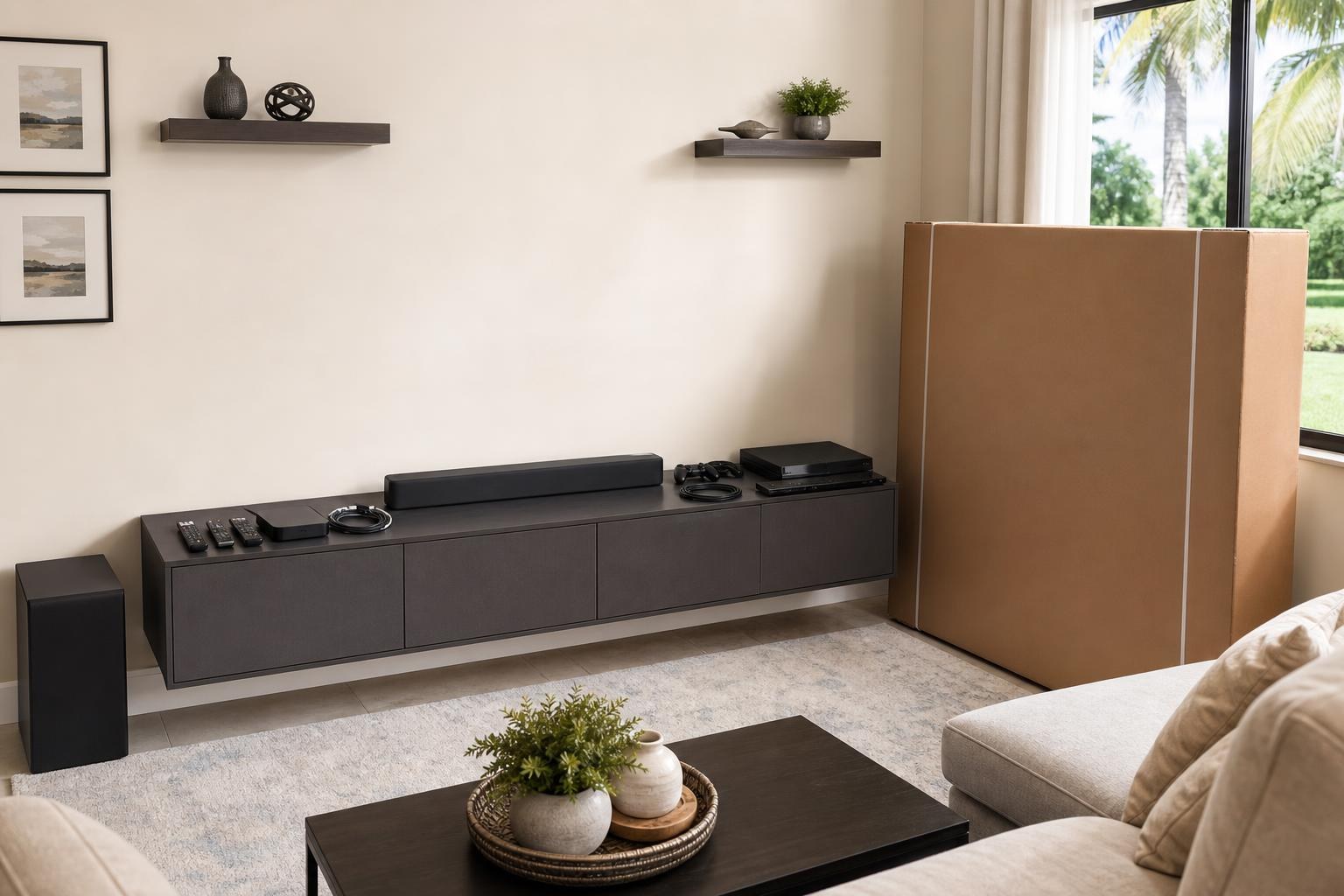
How to Prepare Your Media Console and Devices for a Complete TV Installation
October 1, 2026
Your TV is ready to mount, but the rest of the entertainment system may still be spread across boxes, cabinets, and different rooms. The soundbar is missing its remote. A game console has no labeled cable. The new media console is still unassembled. You may also be unsure which devices should connect directly to the TV and which ones belong with the sound system.
These details matter when you are booking more than basic wall mounting. A complete installation can involve TV setup, soundbar placement, streaming-device setup, game-system connections, Blu-ray hookup, media-cable organization, and home entertainment programming. Preparing the right items beforehand helps your installer understand the full system and work toward the finished result you expect.
First, decide what “complete installation” means for your room
Homeowners do not always mean the same thing when they request TV installation. One person may need a screen mounted and connected to a single streaming stick. Another may have a soundbar, subwoofer, Blu-ray player, two game systems, a cable receiver, and a floating console.
Before your appointment, make a simple list of everything that should be part of the finished setup. This helps distinguish TV wall mounting from a broader home entertainment appointment. Review the available TV mounting services when deciding whether you also need device hookup, soundbar setup, media-cable concealment, programming, or entertainment-furniture assembly.
Do not assume that an accessory sitting near the TV will automatically be included. Identifying each requested service when you ask for a quote gives the company a clearer picture of the room, equipment, and appointment scope.
Unbox the TV only when it makes sense
You do not need to fully unpack a large or delicate television simply to prepare for the appointment. Keeping the screen protected can be especially helpful for a large TV or an OLED model. However, confirm that the TV has arrived, that the box is accessible, and that the model and screen size match what you ordered.
If the television was previously used, place its stand, mounting hardware supplied by the manufacturer, remote, and media cables together. The original tabletop stand may not be part of the wall-mounted result, but knowing where its components are prevents confusion about loose parts.
Also confirm whether you already have a wall mount or want the mounting approach discussed as part of the booking. The desired viewing position, room layout, TV size, and need for a fixed or adjustable angle all affect that decision.
Gather every device that belongs in the system
Bring all components into the installation room before the appointment. A device stored in a bedroom closet or garage can easily be forgotten until the rest of the system has been arranged.
- Streaming sticks, streaming boxes, and their remotes
- Game systems, controllers, docks, and connection cables
- Blu-ray or other media players
- Cable or media receivers
- Soundbar, subwoofer, surround components, and remotes
- Manufacturer-supplied adapters and detachable media cables
- Any existing universal remote used with the system
Avoid mixing unrelated cords into one large pile. Grouping each device with its own accessories is enough. You do not need to determine the final connection sequence yourself; the goal is to make the complete set of equipment available for evaluation and setup.
Check account access before streaming-device setup
A streaming device may be physically connected yet remain unusable until the homeowner signs in, approves a code, or confirms an account. Before the appointment, make sure you can access the email address, password, or mobile device associated with the services you plan to use.
You should also know the home Wi-Fi network name and password. If multiple networks appear in your home, note which one your other entertainment devices currently use. This can reduce uncertainty when the television and streaming hardware are being configured.
For privacy, the homeowner should enter sensitive account details when needed. There is no reason to send entertainment-service passwords with a quote request or leave them written on the TV box.
Plan where the media console and devices will live
The console is more than a decorative piece. Its width, height, shelf openings, door style, and ventilation space can influence TV height, soundbar clearance, device placement, and cable routing.
If you already own the console, clear its top and remove unrelated objects from the shelves. Measure the furniture and confirm where you want it positioned. If it is being delivered flat-packed, keep the boxes and hardware together and mention assembly when booking. Furniture Assembly Ocala can be included when a media console or entertainment center needs to be assembled as part of the room setup.
For a floating console, do not choose the TV height in isolation. The screen, soundbar, furniture, and open space between each element should look balanced as one composition. Mention the floating unit during the quote process so its installation can be considered alongside the television rather than treated as a last-minute addition.
Choose a soundbar location before final TV placement
A soundbar can sit on the console or be mounted as part of the entertainment wall. That choice affects the visual spacing below the TV and may influence how high the screen should be positioned.
Have the soundbar model, remote, mounting accessories, and subwoofer ready. If it has been used before, mention any recurring issues, such as delayed audio, inconsistent volume control, or the need to switch inputs manually. Complete setup may include connection checks and programming so the television and sound system behave more like one coordinated system.
If you are undecided about mounting the soundbar, tell the installer before the TV position is finalized. It is easier to plan the wall as a complete arrangement than to discover afterward that the available spacing does not match the desired look.
Identify which devices need everyday access
Not every component should be hidden deep inside a cabinet. Game systems may need convenient controller access and room around the console. A Blu-ray player needs enough clearance to load a disc. Some streaming devices can sit discreetly near the TV, while other boxes are better placed on a console shelf.
Think about who uses the room and how often each device is handled. A frequently used game system has different placement needs from a Blu-ray player used a few times each month. If cabinet doors or shelf dimensions might restrict a component, leave the furniture accessible so the installer can review the options.
Decide how clean you want the visible cable path to look
“Hide the wires” can describe several different expectations. Some homeowners primarily want loose media cables gathered and routed neatly. Others want the path between the mounted TV, soundbar, and media console to appear as discreet as the room allows.
Take note of every device that will connect to the system because additional components create additional media-cable paths. A clean result depends on planning the complete equipment list, not concealing one TV cable and adding several devices later.
When requesting a quote, describe the wall, furniture position, devices, and desired appearance. Photos can make this easier. The installer can then account for cable organization and concealment as part of the planned finish rather than an unmentioned extra.
Clear the room without dismantling the entertainment system
Create a practical path from the entrance to the TV wall and move fragile decorations away from the work area. Clear the media console, but keep all entertainment components nearby. Pets and small children should have a comfortable place away from the installation zone.
If an existing TV or soundbar must be removed, include that information in advance. The same applies to a current entertainment center that needs repositioning or a new one that requires assembly. Preparation should clarify the appointment—not require you to disconnect and rebuild the system yourself.
Send useful details with your quote request
A few accurate details can help define your appointment:
- TV brand, model, and screen size
- Wall location and approximate room layout
- Whether you already own a mount
- Soundbar and device list
- Media-console type and assembly status
- Desired cable appearance and organization
- Any existing connection or programming problems
Photos of the TV wall, nearby furniture, and device collection can also provide helpful context. Final pricing depends on the current online quote and the options selected for your project.
Prepare the room, then let the appointment bring it together
A well-prepared appointment is not about doing part of the installation in advance. It is about making the equipment accessible, defining what belongs in the finished system, and communicating the visual and functional result you want.
TV Mounting Ocala provides TV mounting and setup, soundbar mounting and setup, streaming and Blu-ray device hookup, home entertainment programming, media-cable concealment, and related entertainment-furniture services across its Central Florida service area. Homeowners in Ocala and nearby Marion County communities can get an instant quote and select the services that fit the room. For additional questions, use the contact page or call (352) 462-1913.
Serving another priority local market: TV Mounting The Villages.
Ready to Get the Setup Off Your To-Do List?
Whether you are planning a new TV, soundbar, streaming setup, floating entertainment center, media furniture, pictures, mirrors, shelves, or another related mounting project, TV Mounting Ocala can help you turn the plan into a clean finished setup.
TV Mounting Ocala
(352) 462-1913
Project details, equipment, wall conditions, compatibility, availability, and final pricing can vary. Confirm your exact scope and quote before booking.