
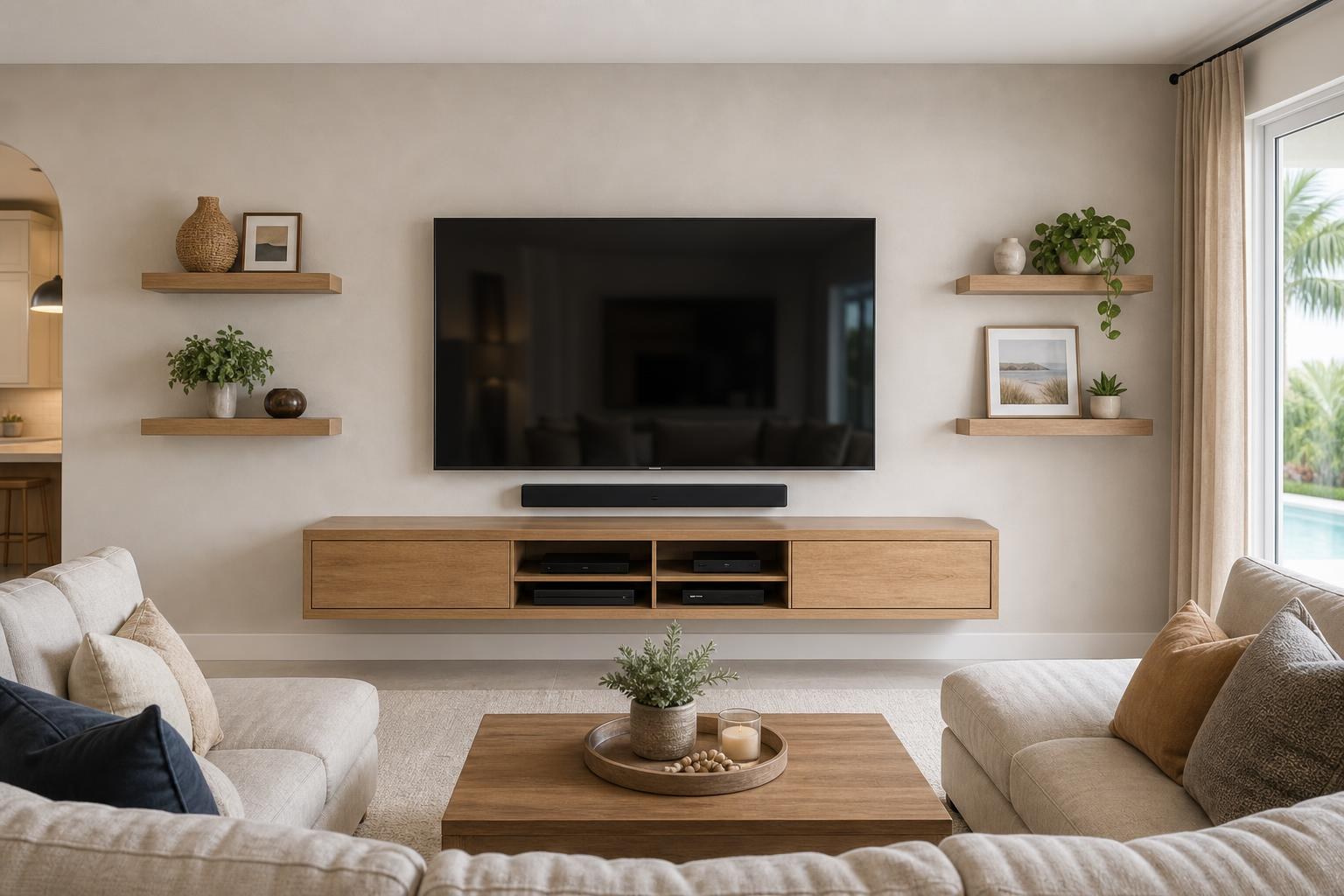
How to Plan a Family-Room Media Wall With a TV, Soundbar, and Floating Console
September 7, 2026
A family-room media wall can look beautifully simple: one mounted TV, a slim soundbar, and a floating console with no visible cable clutter. Achieving that simplicity, however, requires several decisions before anything is placed on the wall.
The TV must be comfortable from the seats people actually use. The soundbar needs to align with the screen without appearing squeezed between components. Floating furniture has to provide practical storage while leaving the wall visually balanced. Streaming players, game consoles, remotes, and media cables all need somewhere to go.
Instead of choosing each item separately, plan the media wall as one connected family entertainment system.
Start With How Your Family Uses the Room
A formal media room may be organized around one primary viewing position. Family rooms are usually more complicated. Someone may watch from a sectional while another person uses a side chair. Children might sit closer to the screen for gaming, and adults may want to see the TV from an adjoining kitchen or dining area.
Before settling on a layout, consider the room’s most common activities:
- Everyday streaming and television viewing
- Family movie nights
- Console gaming
- Sports viewed from multiple seats
- Music played through the TV or soundbar
- Blu-ray players and other media devices
- Storage for controllers, remotes, movies, and accessories
These habits affect the ideal screen position, mount style, soundbar placement, console design, and device connections. A wall designed only around appearance can become frustrating if frequently used equipment is difficult to access or control.
Choose the TV Position Before Designing Around It
The mounted TV is the visual and functional center of the media wall. Its position should respond to viewing distance, furniture height, screen size, and the family’s natural sightline—not simply the center point of the available wall.
A common planning mistake is placing the screen unusually high to create space for decorative objects or a tall console. That can produce a polished photograph but uncomfortable everyday viewing. The better approach is to establish a comfortable TV position first, then select the soundbar and floating furniture dimensions that fit beneath it.
Room conditions also influence whether a fixed or articulating mount makes sense. A fixed installation can create a close-to-the-wall appearance when seating is centered. A mount with movement may be useful when the family watches from different parts of an open room. The mount still needs to suit the TV, intended movement, and wall conditions.
Treat the TV and Soundbar as a Visual Pair
A soundbar should look intentionally connected to the television rather than like an unrelated shelf beneath it. Width, depth, mounting method, and the location of the TV’s connection ports can all affect the finished result.
Some homeowners prefer the soundbar mounted directly beneath the TV so both components maintain a consistent relationship. This can be especially helpful with a TV that changes position. Others prefer the soundbar aligned independently on the wall or placed on the floating console.
Whichever arrangement is selected, allow enough visual breathing room to keep the components from looking crowded. Also consider whether the soundbar could block the bottom of the picture or the TV’s control sensor. Connection compatibility matters as well: the television, soundbar, streaming devices, and remotes should work together as conveniently as possible.
Professional TV mounting and home entertainment services can combine physical placement with soundbar setup, device hookup, and programming instead of treating each component as a separate project.
Select Floating Furniture for Storage, Not Just Style
Floating consoles make family rooms feel more open because the floor remains visible. They also provide a clean horizontal line beneath the TV. Yet a console that looks ideal in a product image may not support the devices and accessories used in your home.
Check what must fit inside
List every item that needs a permanent or occasional home, including streaming players, game systems, Blu-ray players, controllers, remotes, headphones, and media collections. Confirm that enclosed sections have appropriate interior dimensions and that doors will not interfere with device control.
Think about device access
Frequently handled equipment should remain reasonably accessible. A console can hide clutter without making every cable change or controller retrieval inconvenient. Media devices also should not be packed tightly into compartments without adequate open space around them.
Compare the console and TV widths
A console that is much narrower than a large screen can make the wall feel top-heavy. One that overwhelms a modest TV may make the display look undersized. The goal is not a universal measurement but a composition that feels stable in the specific room.
If the console arrives unassembled, its construction and wall placement should be coordinated with the TV plan. TV Mounting Ocala handles floating entertainment-center installation and media-furniture assembly as part of its related home entertainment scope.
Plan Media-Cable Routing Before Final Placement
Cable organization is one of the biggest differences between a collection of mounted products and a finished media wall. The planning should account for every connected component, not just the television and soundbar.
Consider the path of HDMI cables, soundbar connections, streaming-device leads, console cables, and any other media connections. The selected route may influence where equipment sits inside the console and how easily a device can be replaced later.
It is also worth anticipating future additions. A family may add a game system, upgrade a streaming player, or reconnect a Blu-ray player after the initial installation. Thoughtful cable organization can keep the setup adaptable without leaving unnecessary wires visible.
Keep Daily Family Use in the Design
A media wall must survive more than movie night. In a busy family room, controllers get returned quickly, cabinet doors are opened frequently, and younger children or pets may interact with nearby furniture.
Furniture anchoring can be considered for compatible pieces where added stability is appropriate. Sharp furniture corners, low decorative objects, and loosely placed devices also deserve attention when planning a child- or pet-conscious room.
Remote operation is another practical concern. Decide whether the family expects one remote to control basic viewing or is comfortable switching between several. Compatible TV, soundbar, and media-device features may be programmed to make common activities easier, although the available control options depend on the specific equipment.
Add Shelves and Décor Without Competing With the Screen
Floating shelves, framed pictures, and mirrors can make a media wall feel integrated with the rest of the home. They work best when they support the composition rather than crowding the screen.
Keep frequently changed décor away from areas that need access for TV movement, connections, or device signals. Avoid placing deep shelves where they visually press into the display. If the family uses an articulating mount, the TV’s potential range should be considered before nearby shelves or artwork are positioned.
Asymmetrical arrangements can feel relaxed and contemporary, while matching shelves create a more formal look. Either can work when the visual weight of the TV, soundbar, console, and décor remains balanced.
What to Decide Before Requesting a Quote
You do not need to solve every installation detail before contacting a professional. A few pieces of information will make the planning conversation more productive:
- TV brand, model, and screen size
- Soundbar brand and model
- Preferred wall and primary seating area
- Whether you already own a compatible mount
- Floating console dimensions and assembly status
- Devices that need connection or programming
- Desired media-cable concealment and organization
- Any shelves, pictures, mirrors, or anchored furniture included in the project
Photos of the wall, seating, TV, and furniture can also clarify the scope. Final pricing depends on the current online quote and selected service options rather than a single standard media-wall price.
Bring the Entire Media Wall Together
The strongest family-room media walls are comfortable, organized, and easy for everyone in the household to use. TV placement establishes the viewing experience, the soundbar supports clear audio, and the floating console provides the visual foundation and storage. Cable organization, device setup, and thoughtful décor complete the room.
TV Mounting Ocala serves homeowners and residents across Marion, Orange, Alachua, Sumter, and Citrus counties. If you are planning a coordinated TV, soundbar, floating console, or media-device setup, you can get an instant online quote or contact TV Mounting Ocala to discuss the project.
Ready to Get the Setup Off Your To-Do List?
Whether you are planning a new TV, soundbar, streaming setup, floating entertainment center, media furniture, pictures, mirrors, shelves, or another related mounting project, TV Mounting Ocala can help you turn the plan into a clean finished setup.
TV Mounting Ocala
(352) 462-1913
Project details, equipment, wall conditions, compatibility, availability, and final pricing can vary. Confirm your exact scope and quote before booking.
Related local services: Furniture Assembly Ocala