
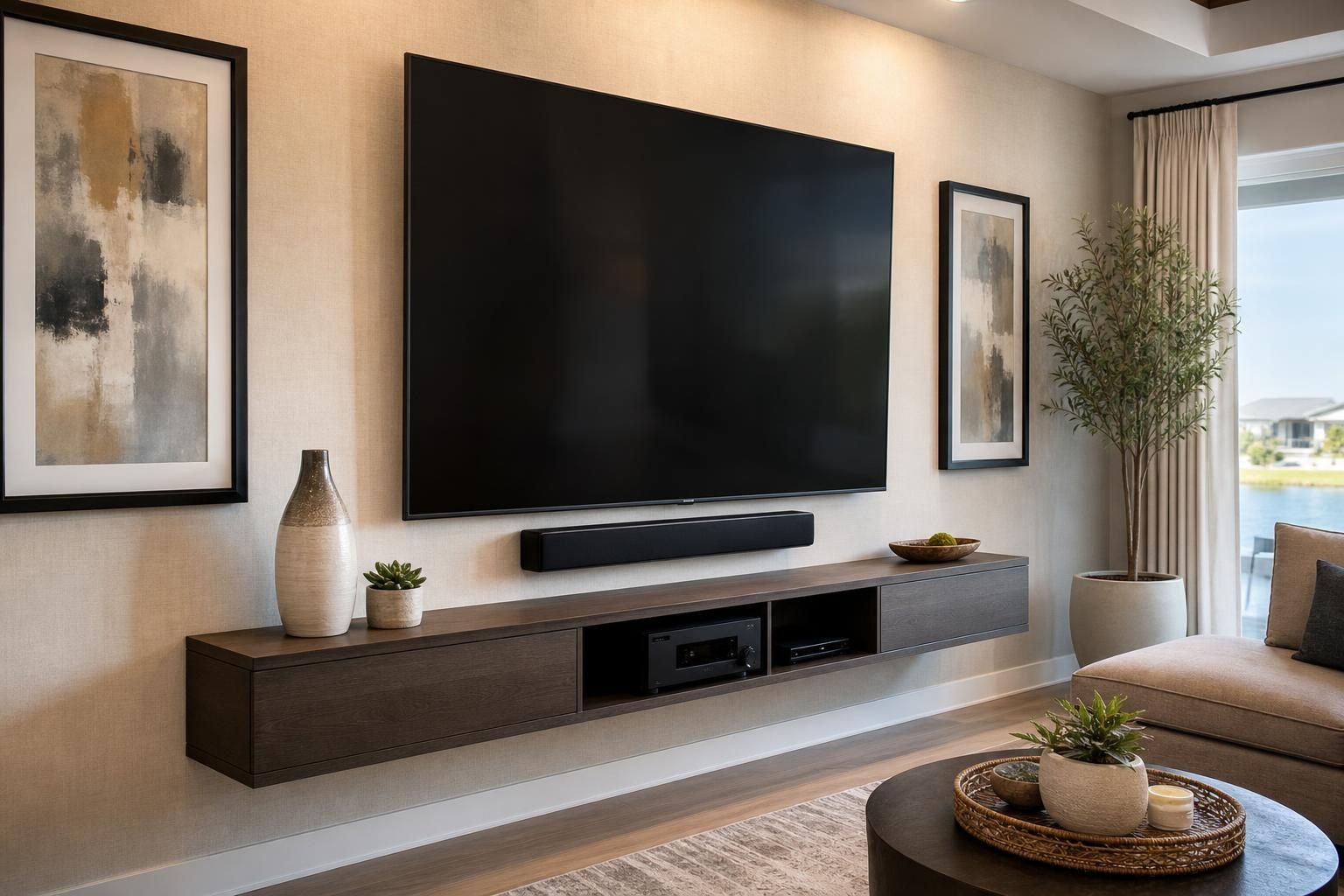
How Far Should an 85-Inch TV Sit From the Wall? Compare Mount Depth, Tilt, and Extension
November 6, 2026
An 85-inch TV can look impressively streamlined in a showroom, yet the finished result at home depends heavily on one overlooked measurement: how far the screen will sit from the wall.
A low-profile mount may create the cleanest silhouette, but it can also reduce access to rear-facing ports. A tilting mount adds useful viewing flexibility. A full-motion mount can improve sightlines from multiple seating areas, although its folded and extended positions require more wall and room clearance.
For Ocala homeowners comparing mount styles, the right choice is not simply the thinnest or most flexible option. It is the mount that supports the TV’s size and weight while fitting the room, viewing plan, soundbar, devices, and preferred cable appearance.
Why Mount Depth Matters More With an 85-Inch Screen
The depth of a mount affects the visual relationship between the TV and everything around it. On a large screen, even a modest gap from the wall can be noticeable from the side. That gap may be desirable if it creates room for cable connections, ventilation, tilt, or occasional device access.
Mount depth also influences where the front surface of the TV ends up in relation to a console, floating entertainment center, soundbar, doorway, or adjacent wall. A plan based only on the wall’s width can miss these three-dimensional relationships.
Before selecting a mount, consider both its listed folded depth and the TV’s own cabinet thickness. Together, those dimensions give a more realistic picture of how the installation will look from nearby seating and side approaches.
Low-Profile Mounts: A Sleek Look With Less Working Room
A fixed, low-profile mount keeps an 85-inch TV relatively close to the wall. It can suit a room with one primary seating area where the screen does not need to tilt or turn. It also creates a visually simple result above a wide console or floating media unit.
The tradeoff is reduced space behind the screen. Port direction becomes especially important. Side-facing connections may remain convenient, while rear-facing connections can be harder to reach after mounting. Thick connector ends and media cables may also require more clearance than the mount’s published depth initially suggests.
A low-profile option is usually most practical when the input plan is settled in advance. Homeowners should know which streaming device, soundbar, Blu-ray player, game system, or other media components will connect to the TV and whether those components are likely to change.
Tilting Mounts: Added Viewing Flexibility Without a Wide Swing
A tilting mount generally places the screen farther from the wall than a very slim fixed mount, but that added depth can be useful. Tilt may improve the viewing angle when the TV must sit higher than the ideal straight-ahead position. It can also provide better access to some connections, depending on the TV and mount design.
The amount of usable tilt is affected by the TV’s size, lower edge, wall clearance, and anything mounted beneath it. An 85-inch screen occupies substantial vertical space, so the bottom of the TV can move closer to a soundbar or furniture surface as the screen tilts downward.
This is why the soundbar should be part of the mount decision rather than an accessory added at the end. If the soundbar will be wall mounted, its height and spacing need to preserve a clean visual gap while allowing the TV to move as intended.
Full-Motion Mounts: Extension Changes the Whole Room Plan
A full-motion mount can pull an 85-inch TV away from the wall and angle it toward a secondary seating area. That flexibility may help in open living and dining rooms, wide great rooms, or layouts where viewers are not centered directly in front of the screen.
However, maximum extension is not automatically the best choice. As a large screen moves outward and turns, its edges sweep through more space. Nearby shelves, art, tall furniture, curtains, and adjoining walls may limit the useful turning angle. The screen can also become more visually prominent from side viewpoints when left extended.
Evaluate full-motion options by asking:
- How far does the mount sit from the wall when fully folded?
- How much extension is genuinely needed for the seating layout?
- Can the TV turn without approaching an adjacent wall or décor?
- Will the cable plan accommodate the intended movement without looking strained or disorganized?
- Will a mounted soundbar move with the TV, or remain in a fixed position?
A professional room assessment can help distinguish useful movement from extra range that the layout cannot take advantage of. The available TV mounting services can be coordinated with soundbar setup, media-device hookup, cable organization, and entertainment furniture so the moving screen is not planned in isolation.
Confirm Weight and VESA Compatibility Before Comparing Features
Depth, tilt, and extension only matter after basic compatibility is established. The mount must be rated for the TV’s screen size and actual weight. Model families can vary, so assumptions based on “85-inch” alone are not enough.
VESA compatibility is equally important. VESA refers to the spacing pattern of the mounting points on the back of the television. A mount must support the specific pattern listed for the TV model, not merely a broad screen-size range.
It is also worth noting whether the TV’s mounting area is flat, recessed, or interrupted by changes in cabinet shape. Port locations, speaker areas, and the position of the lower edge can affect how the mount interfaces with the screen and how the completed installation functions.
Plan Port Access Before the TV Reaches the Wall
An 85-inch TV is not something most homeowners want moved repeatedly just to add a streaming device or change a media cable. A complete connection plan can prevent that frustration.
List every source and audio component expected to connect to the TV. Include the soundbar, streaming player, Blu-ray player, game system, and any other approved media device. Then consider which ports they use, where those ports sit, and whether occasional access will be necessary.
Mount selection can affect whether connections remain reachable from the side, from below, or only after the screen is pulled forward. A full-motion mount may offer convenient access, but it also requires a cable arrangement that can accommodate movement. A fixed mount provides fewer moving variables but may require more advance planning.
TV Mounting Ocala can coordinate TV setup, compatible media-device hookup, soundbar setup, and home entertainment programming as part of a cohesive installation plan.
Measure the Wall as a Composition, Not Just an Empty Rectangle
An 85-inch screen needs visual breathing room. The wall may technically be wide enough while still feeling crowded by door trim, windows, shelves, speakers, pictures, or tall storage furniture.
Consider the TV’s full outside dimensions rather than relying on the diagonal screen measurement. Then account for any sideways movement created by a full-motion mount. The screen should look intentional both when centered and when angled toward the intended viewing position.
The furniture below the TV matters too. A console that is much narrower than the screen can make the wall feel top-heavy. If the room needs a new media unit, Furniture Assembly Ocala can help coordinate entertainment-center assembly and furniture anchoring with the TV-wall plan.
Do Not Let the Mount Dictate an Uncomfortable Viewing Height
Large TVs often get placed too high because homeowners try to fit the screen above existing furniture or create extra room for a soundbar. Mount type cannot fully correct a poor height decision.
Downward tilt may make a higher screen easier to see, but it does not change how the TV relates to the room or how viewers hold their heads during longer viewing sessions. Seating distance, typical eye line, reclining positions, furniture height, and soundbar placement should all inform the final location.
In The Villages, Ocala, and other Central Florida communities, room layouts vary from compact living rooms to wide open-plan spaces. The correct position should be based on the actual seating arrangement rather than a universal measurement.
What to Have Ready for an 85-Inch TV Mounting Quote
A few details make it easier to evaluate the installation and available service options:
- The exact TV brand and model number
- The mount model, if one has already been purchased
- Photos showing the full TV wall and primary seating area
- The desired viewing positions and whether the screen should turn
- Soundbar, streaming device, Blu-ray player, and game-system details
- Preferences for media-cable routing and concealment
- Information about consoles, floating entertainment centers, or shelves planned for the same wall
If you are uncertain which mount profile fits the room, avoid choosing solely from a screen-size label. The TV model, wall space, movement needs, device connections, and finished appearance should be considered together.
Choose the Mount Around the Complete Viewing Experience
For an 85-inch TV, a fixed mount offers a clean profile, a tilting mount provides controlled angle adjustment, and a full-motion mount supports more varied sightlines. None is universally better. The right option is the one that safely matches the television while preserving useful port access, comfortable viewing, soundbar clearance, organized cables, and balanced wall proportions.
TV Mounting Ocala serves homeowners and property residents across Marion County and surrounding service areas with TV mounting, setup, soundbar integration, media-device hookup, and related entertainment-wall services. To discuss your 85-inch TV and room plan, get an instant quote online or use the contact page to share your project details.
Serving another priority local market: TV Mounting The Villages.
Ready to Get the Setup Off Your To-Do List?
Whether you are planning a new TV, soundbar, streaming setup, floating entertainment center, media furniture, pictures, mirrors, shelves, or another related mounting project, TV Mounting Ocala can help you turn the plan into a clean finished setup.
TV Mounting Ocala
(352) 462-1913
Project details, equipment, wall conditions, compatibility, availability, and final pricing can vary. Confirm your exact scope and quote before booking.