
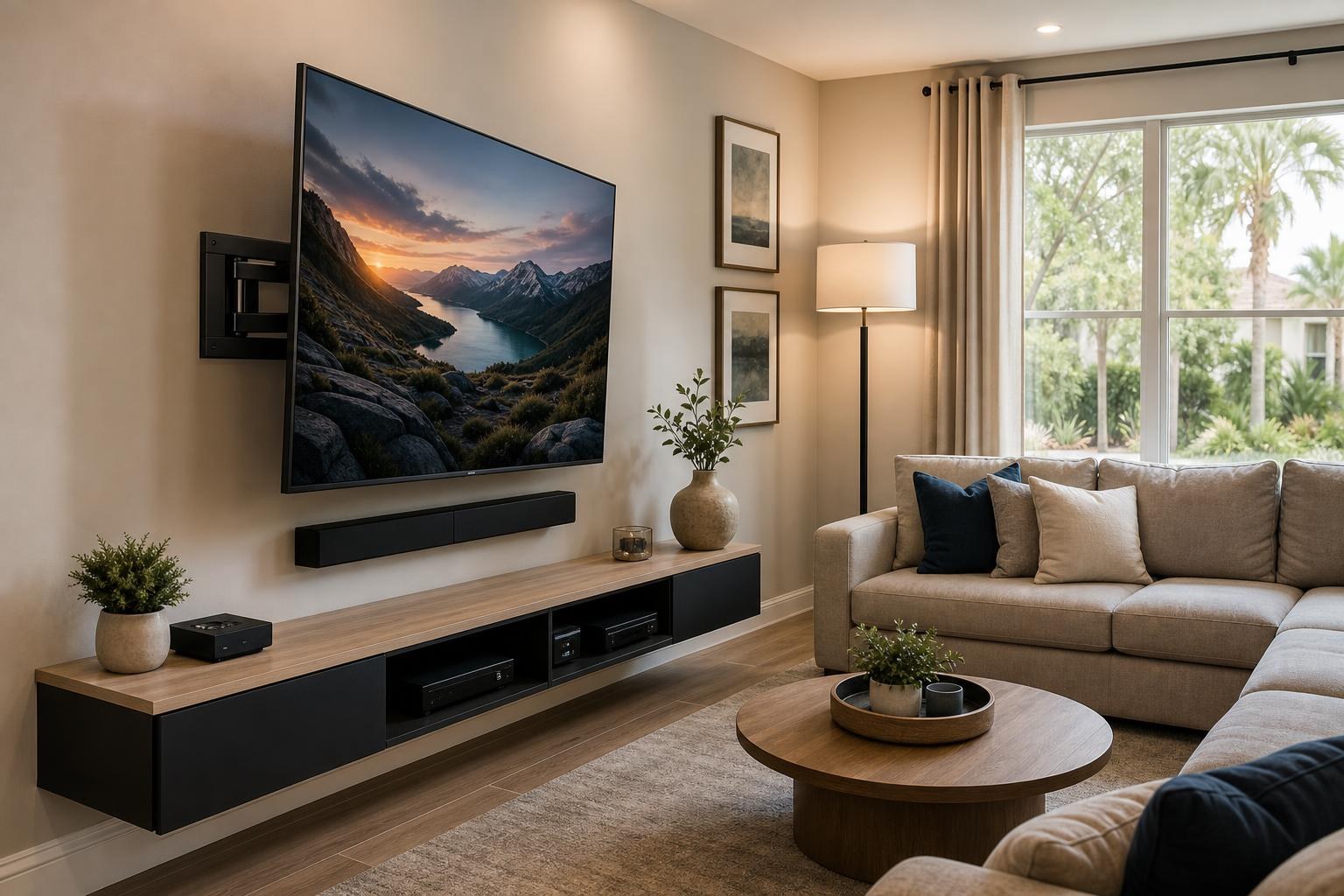
Fixed, Tilting, or Full-Motion Mount for a 65-Inch TV? An Ocala Decision Guide
November 4, 2026
A 65-inch TV may fit your wall perfectly, yet the wrong mounting hardware can make the finished setup frustrating. The screen might face the main sofa but not the dining area. Daytime reflections may interfere with viewing. A low-profile mount may leave too little room to reach a media connection after installation.
The decision is not simply whether a mount can hold a 65-inch screen. It is whether a fixed, tilting, or full-motion design matches how you use the room. Before booking TV Mounting Ocala, consider the following differences so the hardware, placement, soundbar, devices, and furniture can work as one setup.
The Quick Difference Between the Three Mount Types
Each mounting style solves a different room-planning problem. None is automatically the best choice for every 65-inch TV.
- Fixed mounts keep the TV close to the wall in one viewing position. They suit rooms with a clear, centered seating area and predictable viewing conditions.
- Tilting mounts allow the screen angle to be adjusted vertically. They can help when the TV must sit somewhat above the ideal eye line or when changing the angle may reduce reflections.
- Full-motion mounts can extend, swivel, and tilt. They are useful for multiple viewing areas, corner-oriented layouts, and installations where occasional access behind the screen matters.
Those movement differences affect more than the view. They also influence how far the TV projects into the room, how media cables move, how a soundbar aligns, and whether nearby shelves or furniture could limit the screen’s range.
Choose a Fixed Mount When the Room Already Has One Clear Viewing Direction
A fixed mount is often the cleanest choice when the main sofa is centered across from an open, unobstructed wall. Because the screen remains close to the wall, the result can look especially streamlined above a low console or floating entertainment center.
This style works best when the TV height and horizontal position can be settled before mounting. It offers little ability to compensate later for off-center seating, a changing room layout, or troublesome reflections.
Device access also deserves attention. If HDMI and other media connections face the back of the TV rather than the side, a close wall position may make future changes less convenient. Planning the streaming device, Blu-ray player, soundbar connection, and other components in advance can reduce the need to reach behind the screen later.
A fixed mount is a strong candidate when:
- The primary seats face the TV directly.
- The room does not require viewing from a second area.
- Reflections are already manageable from the intended position.
- The connected-device plan is unlikely to change frequently.
- A slim, stationary appearance is the main visual priority.
Choose a Tilting Mount for Height or Reflection Control
A tilting mount adds vertical adjustment without requiring the TV to swing far into the room. It can be useful when furniture, wall features, or the room arrangement place the screen slightly higher than the preferred viewing line.
Tilting can also help with some reflections by changing the screen angle. It should not be treated as a universal fix, however. A reflection from a large window may shift rather than disappear, and the effectiveness can vary throughout the day. Before selecting the mount, look at the proposed wall during the hours when the TV is used most often.
For a 65-inch TV, even a modest tilt changes how the screen relates visually to the wall and furniture below it. A sharply tilted screen may feel top-heavy, especially if the console or soundbar is narrow. If the TV can be placed at a comfortable height without tilting, a fixed position may produce a more balanced result.
When comparing TV mounting services, explain why you are considering tilt. The answer may affect the recommended screen height, soundbar position, and cable-routing plan.
Choose Full Motion for Multiple Seats, Corners, or Flexible Viewing
A full-motion mount makes the most sense when a stationary TV would force someone to watch from a poor angle. In an open living and dining room, for example, the screen could face the sofa during a movie and swivel toward the kitchen or dining area at another time.
It can also help when the usable wall is near a corner rather than directly opposite the seating. The TV does not necessarily need to sit inside the corner; a nearby wall position may allow the screen to pivot toward the room while keeping the installation visually grounded.
That flexibility requires more planning. A 65-inch screen is wide, so its corners travel through a larger arc as it swivels. Nearby shelves, framed art, curtains, tall furniture, and wall returns can limit movement. The mount’s centered position on the wall may also differ from the screen’s apparent position when it is turned toward the seats.
Media cables need an organized route with enough flexibility for the intended movement. The goal is to avoid visible loops, pulling, or pinching as the TV extends and returns. A professional setup can coordinate the mount movement with cable organization and connected devices rather than treating each item separately.
Do Not Choose Hardware by Screen Size Alone
“Fits 65-inch TVs” is only a starting point. Two TVs with the same diagonal size can have different weights, mounting patterns, connection locations, stand-removal details, and rear-panel shapes.
The exact TV model helps confirm whether the mounting interface and rated compatibility suit the screen. It also reveals whether a portion of the mount could interfere with recessed connections or a raised section of the TV’s back panel. For thin displays, including many OLED models, handling and hardware fit deserve particular care because the screen profile can affect how it is safely positioned and supported during installation.
The wall and room matter too. A mount recommendation should account for the mounting surface, intended screen position, viewing direction, surrounding objects, and the amount of movement expected in everyday use. This evaluation is part of planning the installation—not a reason for a homeowner to experiment with drilling locations or hardware combinations.
Consider the Soundbar Before Finalizing the Mount
A soundbar can change which mount type feels most cohesive. With a fixed TV, the soundbar can remain centered below the screen on the wall or on the media console. With a moving TV, decide whether the sound should remain stationary or move with the screen.
If the TV swivels toward a second seating area while the soundbar stays facing forward, the picture and sound may feel disconnected. A moving screen also needs adequate clearance from a wall-mounted soundbar. The TV’s lower edge, mount movement, soundbar height, and remote-sensor locations should be reviewed together.
Furniture is another part of the composition. A wide console can visually anchor a 65-inch screen, while a floating entertainment center can create a lighter look. If the furniture still needs to be assembled or anchored, coordinating Furniture Assembly Ocala with the TV setup can help settle the overall centerline and spacing before the room is considered finished.
Match the Mount to How the Room Is Actually Used
Do not base the decision only on how the room looks when everything is quiet and staged. Think about real viewing habits. Do people watch from a sectional with seats at several angles? Is the TV also visible from the kitchen? Does someone regularly connect a game system or media player? Will a seasonal furniture change alter the main viewing direction?
In many Ocala homes, a fixed mount is the right answer because the seating and TV wall are already aligned. In open-plan homes or rooms with limited wall choices, full motion may provide meaningful flexibility. Tilting hardware occupies the practical middle ground when the main concern is vertical angle rather than side-to-side viewing.
The same decision framework applies across the company’s service area. Homeowners arranging TV Mounting The Villages, for example, may prioritize straightforward controls, clear viewing from favorite chairs, and an organized streaming setup. The hardware choice should support those habits rather than add movement that will rarely be used.
Details to Have Ready Before Requesting a Quote
A few accurate details make it easier to discuss the right mounting and setup scope. Have the TV brand and exact model number available, along with a straight-on photo of the proposed wall and a wider room photo showing the seating.
Also note whether you already own a mount, whether the TV will be fixed or adjusted regularly, and which equipment must connect to it. Include the soundbar, streaming device, Blu-ray player, game system, media furniture, and any floating shelves that could influence placement. If glare is a concern, mention where it comes from and when it is most noticeable.
You can send room-specific questions through the contact page or call (352) 462-1913. Final recommendations can then reflect the actual screen, room, viewing plan, and connected components.
Plan the Mount and the Complete Setup Together
For a centered sofa and a controlled viewing environment, fixed hardware may deliver the cleanest result. If the TV needs a modest vertical adjustment, tilting hardware may be more practical. If the screen must serve multiple seating areas or angle away from the wall, full motion is usually the option worth discussing.
The best choice is the one that supports comfortable viewing without creating conflicts with the soundbar, furniture, devices, or cable organization. TV Mounting Ocala can coordinate the 65-inch TV, compatible mount, soundbar, streaming devices, media players, programming, and finished cable appearance as one home-entertainment plan.
When you are ready to compare options for your room, get an instant online quote and include your TV model, preferred wall, seating arrangement, and desired mount movement.
Ready to Get the Setup Off Your To-Do List?
Whether you are planning a new TV, soundbar, streaming setup, floating entertainment center, media furniture, pictures, mirrors, shelves, or another related mounting project, TV Mounting Ocala can help you turn the plan into a clean finished setup.
TV Mounting Ocala
(352) 462-1913
Project details, equipment, wall conditions, compatibility, availability, and final pricing can vary. Confirm your exact scope and quote before booking.