
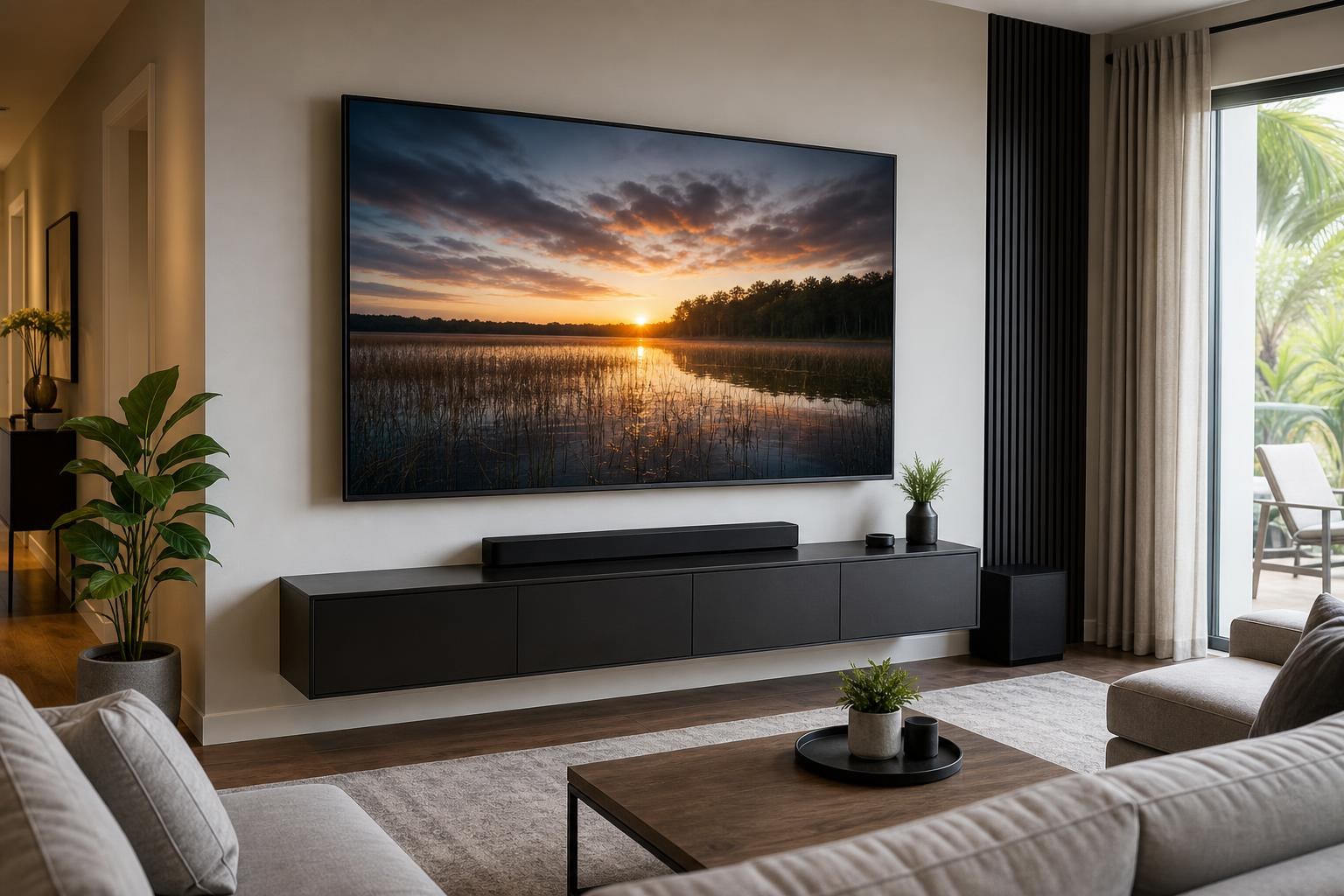
Does TV Size Change Mounting Height? How to Position a Bigger Screen Comfortably
September 19, 2026
You replaced a 55-inch TV with a 75-inch model, but the marks left by the old mount no longer seem right. Should the larger screen stay centered at the same point, move upward to clear the console, or sit lower because it fills more of your field of view?
The answer depends on more than the diagonal screen size. A comfortable mounting position comes from balancing the TV’s actual height, your normal eye level, viewing distance, furniture, soundbar placement, and the way people use the room. Planning those elements together helps a larger screen feel immersive without making viewers look upward for an entire movie.
Does a Bigger TV Need to Be Mounted Higher?
Not automatically. Screen size changes the amount of wall the TV occupies, but it does not mean the center of the picture should keep moving higher.
If two TVs share a similar center point, the larger model expands both above and below that point. That often produces a more comfortable result than keeping the bottom edges aligned, which would push the center of the larger screen upward.
This distinction matters when upgrading from a smaller television. Reusing the old TV’s bottom position can make the new screen look visually top-heavy and create a steeper viewing angle. Reusing the old center point may work better, but only if the larger cabinet still clears the media console, soundbar, decorative items, and other parts of the entertainment wall.
Diagonal Size Is Not the Measurement That Determines Wall Position
TVs are marketed by diagonal screen size, yet diagonal size does not tell you exactly how tall or wide the complete television will be. Bezel thickness, stand design, speaker placement, and model-specific proportions can affect the exterior dimensions.
Before deciding on placement, consider the exact dimensions of the TV rather than relying only on “65-inch” or “75-inch” labels. The location of the mounting points on the back also matters. Those points are not always centered vertically on the television, so the wall plate position cannot be assumed from the desired center of the screen.
For homeowners preparing for professional TV mounting services, the model number is especially useful. It helps connect the planned viewing position with the television’s real cabinet dimensions and mounting layout.
The Screen Center Matters More as the TV Gets Larger
A smaller screen mounted slightly high may be noticeable but tolerable. On a very large screen, the same placement error becomes more obvious because viewers spend more time looking toward areas farther above their natural sightline.
The goal is not to follow one universal height for every room. It is to place the main viewing area where it feels natural from the seats used most often. In many living rooms, that means keeping the central portion of the picture reasonably close to seated eye level rather than positioning the TV according to empty-wall symmetry.
A larger television may therefore need its lower edge closer to the console than expected. That can look low while standing in the room, but feel correct once seated. Since television viewing happens from furniture—not from the doorway—the seated perspective should guide the decision.
Viewing Distance Changes How Screen Size Feels
A 75-inch TV viewed from across a deep family room creates a different experience than the same TV placed near a sofa in a compact bedroom. As the screen occupies more of your field of view, excessive mounting height becomes harder to ignore.
Consider these room-specific questions:
- Which seat is used most often for movies, sports, gaming, or everyday viewing?
- How far is that seat from the planned TV wall?
- Do viewers sit upright, recline, or watch from a bed?
- Will the screen also be viewed from a kitchen, dining area, or side seating?
- Does the room need a fixed position or controlled movement from a swivel mount?
A close viewing distance usually makes neck comfort and screen-center placement especially important. At a longer distance, a modest height difference may feel less pronounced. However, raising a TV simply so it can be seen from another room can compromise comfort at the primary sofa. An open-concept space often requires a deliberate choice about which viewing location takes priority.
Seating Style Can Change the Best Position
Standard sofas, reclining sectionals, bar-height seating, and beds create different sightlines. There is no single mounting height that fits all of them.
Living rooms and family rooms
Start with the main seated position. Deep cushions can lower the viewer, while reclining seats can make a slightly elevated screen feel more natural. If several seats matter equally, placement may need to balance direct and angled views.
Bedrooms
Bedroom viewing is often more reclined, so a position that would feel high over a living-room console may be appropriate from a bed. Screen size still matters: a larger television extends farther in every direction and can crowd nearby furniture or decor if its full dimensions are not considered.
Open-concept rooms
A TV may need to serve the sofa first while remaining visible from a nearby kitchen or dining area. In this situation, mount type and horizontal viewing angles may solve more problems than simply moving the screen higher.
Furniture and Soundbars Set Practical Boundaries
Comfort is central, but the TV also has to fit into a complete entertainment arrangement. A media console or floating entertainment center establishes a lower boundary. A shelf, artwork grouping, or architectural feature may establish an upper boundary.
If a soundbar will sit or mount below the television, it needs intentional space rather than whatever gap remains after the TV is positioned. Crowding the soundbar against the screen can make the wall look unfinished and may interfere with access to the television’s lower edge or sensors. An oversized gap can make the TV and soundbar look disconnected.
The cleanest approach is to plan the TV, soundbar, furniture, devices, and visible media-cable routes as one composition. This is particularly important when installing a floating console because its height affects every component above it. If the furniture is not assembled or mounted yet, finalizing the TV position in isolation can create avoidable conflicts.
Why Aligning the Top or Bottom Edge Can Backfire
Homeowners often want a new television to align with an existing reference point. That might be the bottom of the old TV, the top of a cabinet, a row of shelves, or a nearby window. Visual alignment is useful, but it should not override viewing comfort.
Keeping the same bottom edge during a size upgrade pushes more of the new screen above eye level. Keeping the same top edge lowers the center and may eliminate needed space above a console or soundbar. Centering the TV on the wall itself can also be misleading if the seating is centered somewhere else.
A professional placement conversation considers both the elevation and the viewing axis. The best location may be centered on the primary seating area rather than the entire wall, especially in rooms with off-center fireplaces, doorways, or built-in furniture.
When a Swivel Mount Helps—and When It Does Not
A swivel mount can improve side-angle viewing in an open room and provide useful screen positioning around furniture. It does not, however, correct a TV that is fundamentally too high for its main viewers.
Mount movement also affects wall clearance, soundbar alignment, and media-cable organization. If the soundbar is intended to visually follow the television, that relationship should be planned before installation. Device connections need enough organized routing to accommodate the intended movement without looking loose or strained.
The mount should therefore be selected around the room’s actual viewing needs, not just the size printed on its packaging.
What to Decide Before Requesting a Quote
You do not need to calculate the final wall position before booking. A few details will make the planning process more productive: the TV brand and model, approximate seating distance, primary viewing seat, existing console dimensions, desired soundbar location, mount preference, and any streaming or media devices that need to be connected.
It also helps to mention whether you are replacing an existing television or creating a new entertainment wall. An upgrade may involve evaluating whether the current mount, furniture arrangement, and cable organization still fit the larger screen. A new setup can be planned around the room from the beginning.
TV Mounting Ocala serves homeowners and property residents across Marion, Orange, Alachua, Sumter, and Citrus counties. Services can include TV mounting and setup, soundbar setup, media-device hookup, cable concealment, floating entertainment-center installation, and media-furniture assembly when relevant to the room.
Plan the Position Around How You Actually Watch
Screen size absolutely affects mounting position, but the correct response is not simply “bigger TV, higher mount.” The larger the screen becomes, the more important its center, lower-edge clearance, viewing distance, and relationship to the rest of the wall become.
If you are planning a new TV or upgrading to a larger model, TV Mounting Ocala can help coordinate the screen, mount, soundbar, devices, furniture, and cable presentation. Visit the TV Mounting Ocala website to review the service scope, or get an instant online quote when you are ready to plan your installation.
Ready to Get the Setup Off Your To-Do List?
Whether you are planning a new TV, soundbar, streaming setup, floating entertainment center, media furniture, pictures, mirrors, shelves, or another related mounting project, TV Mounting Ocala can help you turn the plan into a clean finished setup.
TV Mounting Ocala
(352) 462-1913
Project details, equipment, wall conditions, compatibility, availability, and final pricing can vary. Confirm your exact scope and quote before booking.
Related local services: Furniture Assembly Ocala