
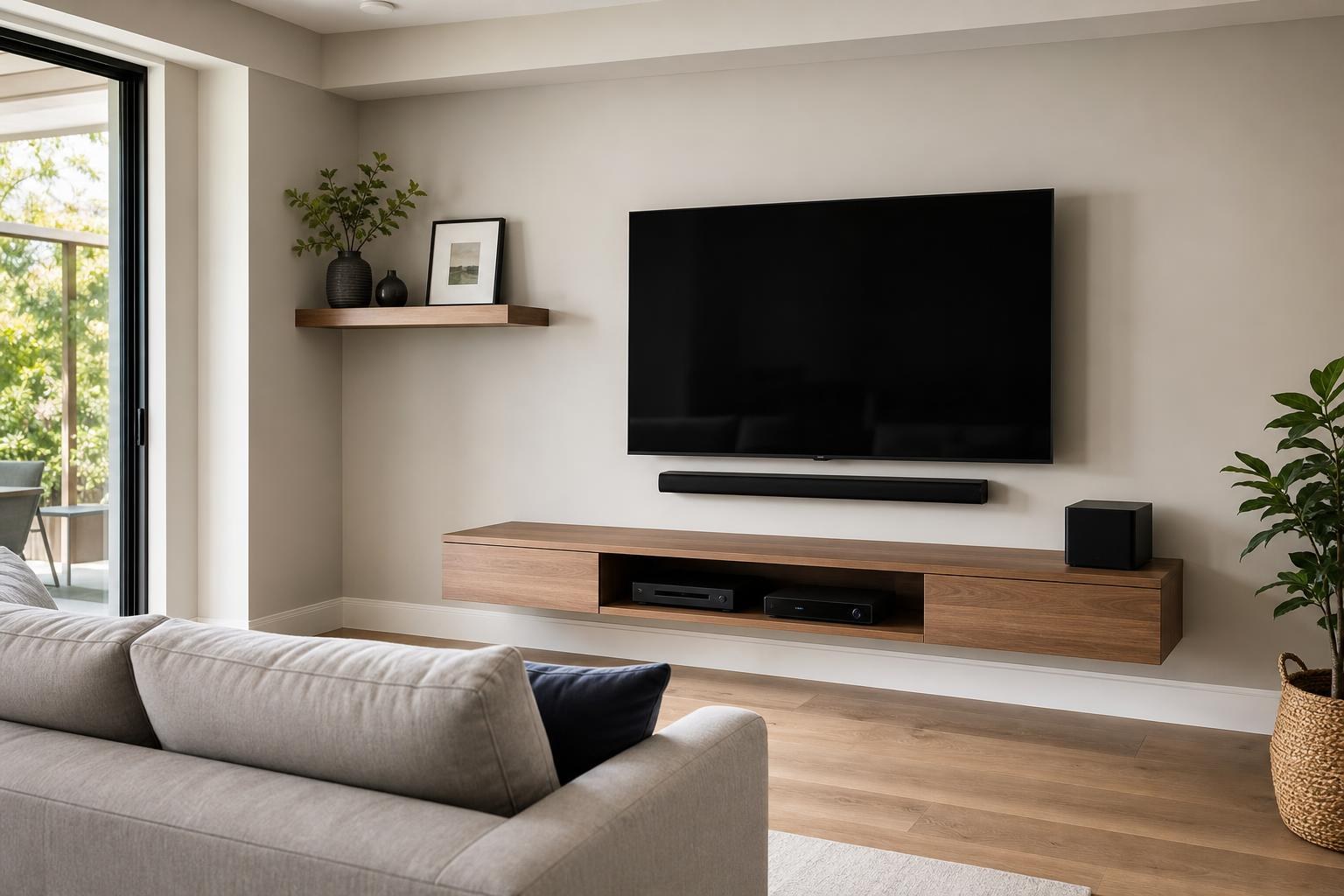
Compact Living Room TV Wall: Coordinate the Screen, Furniture, Shelves, and Cables
October 23, 2026
A wall-mounted TV can free up visual and physical space in a compact living room, but mounting the screen alone does not guarantee that the room will feel less crowded. An oversized console, shelves packed around the display, visible cable loops, or devices placed wherever they fit can make the finished wall look busier than before.
The better approach is to plan the TV wall as a complete composition. The screen, soundbar, media furniture, devices, shelves, and cable paths should support the room without overwhelming it. For homeowners considering TV Mounting Ocala, these decisions are worth making before the appointment—not after the TV is already positioned.
Start With the Room’s Footprint, Not Just the TV Size
Compact rooms often have competing priorities. The TV needs to be comfortable from the main seat, but the room may also include a walkway, patio door, dining area, window, or angled furniture arrangement. A TV wall that looks centered from one position can feel awkward from another.
Begin by identifying the primary viewing seat and the routes people regularly use through the room. Then consider how far the media furniture projects into those routes. A shallow console or floating entertainment center may preserve more usable floor area than a deep cabinet, even when both are similar in width.
Also look at the wall as a whole. A large TV does not automatically make a small room feel cramped. In many cases, the crowded feeling comes from too many separate objects competing around the screen. A clear visual hierarchy—TV first, furniture second, accessories third—usually creates a calmer result.
Choose Media Furniture by Visual Weight
Storage capacity matters, but it should not be the only reason to choose a media console. In a small living room, the furniture’s height, depth, leg style, color, and number of open compartments all affect how substantial it appears.
A low console can create breathing room beneath a mounted TV. Furniture with visible floor space below it may feel lighter than a solid cabinet extending to the floor. A floating entertainment center can reduce floor-level bulk further, provided its dimensions, wall placement, device access, and relationship to the TV are planned together.
Before selecting or assembling furniture, compare these details:
- The console’s actual width and depth, not only the product photo
- Whether doors and drawers can open without hitting nearby seating
- Space for a soundbar, Blu-ray player, streaming device, or game system
- Ventilation and practical access for connected media equipment
- How visible open shelves and stored items will be from the main seat
- Whether the furniture should be anchored as part of the room plan
If the console arrives boxed or requires multiple sections to be aligned, Furniture Assembly Ocala can be coordinated with the entertainment-wall setup. This helps avoid planning the TV around furniture that later proves deeper, taller, or visually heavier than expected.
Decide Whether Floating Furniture Actually Saves Space
Floating furniture can make more floor visible, which often helps a compact room feel open. It can also simplify cleaning around the entertainment wall. However, “floating” does not automatically mean minimal.
A tall or very deep wall-mounted cabinet can still dominate a narrow room. Multiple cabinet sections may also create more visual lines than one restrained piece. The best choice depends on the wall, TV size, required storage, seating distance, and the equipment that must remain accessible.
Think about the entire vertical stack: furniture, soundbar, TV, and any shelf or artwork above. If every element is given generous spacing independently, the composition can become too tall. Planning those elements together produces a more intentional result than treating each item as a separate mounting project.
Use Floating Shelves Selectively
Floating shelves are useful for a small number of decorative objects, framed photos, compact media items, or accessories that would otherwise occupy the console. The problem begins when shelves are used to fill every blank area around the TV.
In a tight living room, one or two well-positioned shelves can provide balance without framing the screen too aggressively. Asymmetrical placement may feel lighter than identical shelves on both sides, especially if one side of the wall already includes a doorway, window, or tall plant.
Before adding shelves, consider whether they will interfere visually with the TV, soundbar, or mount movement. Shelf depth matters too: a shelf that projects far into the room may feel intrusive along a walkway, even if it looks slim from the front.
Control Cable Visibility and Device Clutter Together
A compact room makes small details easier to notice. One hanging cable, a cluster of adapters, or several devices stacked on top of a console can interrupt an otherwise clean TV wall.
Plan the media-cable route at the same time as the TV and furniture placement. Device locations affect how much cable remains visible, where excess length can be organized, and whether connections remain reachable. If a streaming device can be placed discreetly while maintaining reliable control, it may not need to occupy an open shelf. Equipment that requires regular disc, button, or port access should remain convenient rather than being hidden solely for appearance.
It is also helpful to decide which equipment is staying. Removing an unused player or older streaming box can reduce both cable volume and remote confusion. TV setup and home entertainment programming can then focus on the devices the household actually uses.
Coordinate the TV and Soundbar as One Viewing Zone
A soundbar introduces another horizontal element to the wall. Its position should make sense in relation to the screen and furniture, rather than being squeezed into whatever gap remains.
Allow for the TV’s lower edge, soundbar dimensions, mount style, and any furniture below. If the TV mount moves, consider how the soundbar will relate to the screen when it turns or extends. If the soundbar sits on the console, confirm that it will not block the screen or compete with decorative items.
The cleanest compact-room layouts usually avoid unnecessary layering. For example, a mounted TV, mounted soundbar, floating cabinet, and two shelf rows may be too many horizontal lines for one small wall. Removing one element can improve the composition more than adding another accessory.
Adapt the Plan to the Room Type
Central Florida homes include everything from narrow living rooms to open living-and-dining spaces. A compact TV wall in an Ocala home may need to preserve a path to the lanai, while a villa in The Villages may require comfortable viewing from both a sofa and an adjacent dining area.
For residents considering TV Mounting The Villages, it is useful to share all intended viewing positions before choosing a fixed or movable mount. The mount decision can influence screen alignment, soundbar planning, furniture clearance, and how visible the TV appears from the rest of the home.
Rooms with strong daylight also benefit from evaluating reflections before final placement. The most visually balanced wall is not always the one that provides the easiest viewing throughout the day.
Book the Complete Scope the Room Needs
A coordinated appointment can include more than placing the television on the wall. Depending on the room, the relevant TV mounting services may include:
- TV wall mounting and initial TV setup
- Soundbar mounting and setup
- Media-cable concealment, routing, and organization
- Streaming-device or Blu-ray hookup
- Home entertainment programming
- Floating entertainment-center or shelf installation
- Media-furniture assembly and furniture anchoring
Combining related tasks helps keep the dimensions and spacing consistent. It also gives the installer a clearer picture of which devices need access, which cables must connect, and how the completed wall should function.
Prepare a Few Details for a More Useful Quote
Before requesting a quote, take clear photos of the full wall and the room from the main seating position. Note the TV size and model, the type of mount if already purchased, and the dimensions of any console, floating cabinet, soundbar, or shelves.
Include the devices you want connected and mention whether furniture is assembled. If you are uncertain about the final arrangement, say so. A quote request can describe the desired result—such as a cleaner wall with less floor-level bulk—even if every placement detail has not been decided.
Homeowners in Ocala and surrounding Central Florida communities can get an instant quote online. For questions about a combined TV, furniture, shelf, soundbar, or media-device project, use the contact page or call TV Mounting Ocala at (352) 462-1913. A coordinated plan can make a compact room feel calmer without sacrificing comfortable viewing or useful storage.
Ready to Get the Setup Off Your To-Do List?
Whether you are planning a new TV, soundbar, streaming setup, floating entertainment center, media furniture, pictures, mirrors, shelves, or another related mounting project, TV Mounting Ocala can help you turn the plan into a clean finished setup.
TV Mounting Ocala
(352) 462-1913
Project details, equipment, wall conditions, compatibility, availability, and final pricing can vary. Confirm your exact scope and quote before booking.