
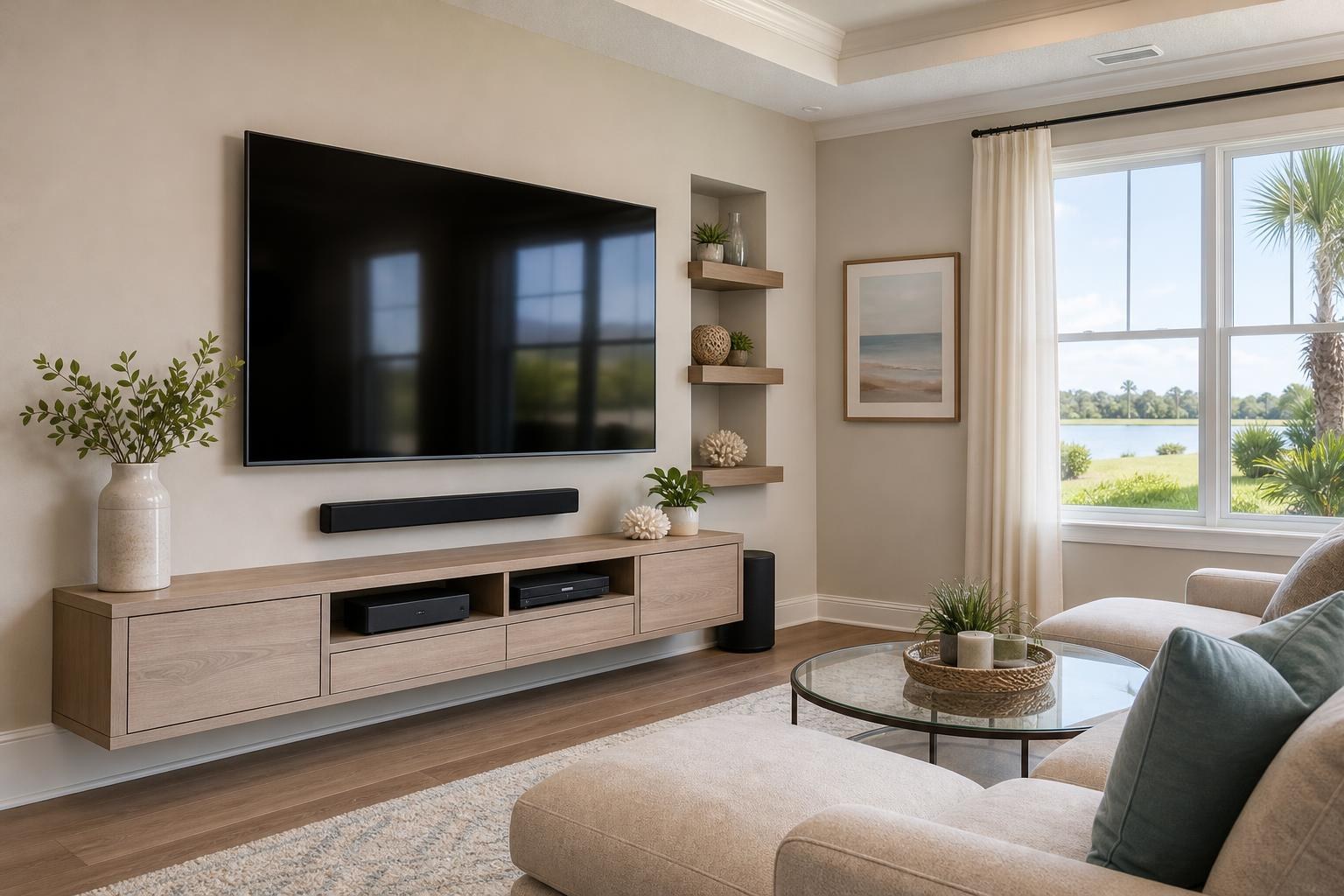
Citrus County Media-Room Checklist for One Cohesive TV and Device Setup
November 1, 2026
A mounted TV can look finished while the rest of the room still feels unresolved. The soundbar may block the screen, a streaming device may be difficult to access, the Blu-ray player may not fit the console, or several remotes may be needed just to watch a movie.
For Citrus County homeowners, the most effective approach is to treat the TV, sound, media devices, furniture, controls, and cables as one connected project. That does not mean every component must be new. It means the room should be planned around how the existing and new equipment will work together.
This checklist will help you define that complete service scope before requesting a quote or booking an appointment.
1. Start With How the Media Room Will Actually Be Used
Before choosing the final TV position, identify the room’s primary use. A family room used for casual streaming has different priorities from a dedicated movie room with a Blu-ray collection and multiple connected devices.
Consider who will use the system and what they watch most often. A simple streaming-focused setup may prioritize easy app access and straightforward controls. A room used for movies, gaming, sports, and physical media may need more device space, additional connections, and a clearer input plan.
It also helps to identify the main seating position. In an Inverness living room, that might be a centered sofa. In a Crystal River open-plan space, viewers may watch from a sectional, dining area, or adjacent kitchen. Those sightlines can affect TV height, mount movement, soundbar placement, and furniture alignment.
2. Confirm the TV, Mount, and Viewing Plan
Record the TV brand, model, and screen size when possible. If a mount has already been purchased, include its model information as well. These details help determine whether the TV and mount are compatible and whether the planned position supports the intended viewing angles.
Room photos are also useful. Include a full view of the TV wall, the seating area, and any nearby openings or furniture. For a complete assessment, note whether the screen will be mounted above a console, paired with a floating entertainment center, or placed on a wall that requires viewing from multiple areas.
A good TV position should coordinate with the entire room—not just the available section of wall. The console height, soundbar dimensions, seated sightline, and screen movement all influence the final layout.
Homeowners comparing options can review the company’s TV mounting services to identify which setup elements belong in the same appointment.
3. Measure the Soundbar Before Finalizing Screen Spacing
A soundbar should not be treated as a late addition. Its width, height, control location, and mounting method can change the spacing below the TV.
Decide whether the soundbar will be mounted or placed on the media console. If it will sit on furniture, check that it will not cover the lower portion of the TV or interfere with the TV’s controls. If it will be mounted, the plan should preserve a visually balanced gap while accounting for the way the TV mount moves.
Also identify how the soundbar will communicate with the TV and whether any other components connect through it. Sharing the TV and soundbar model numbers before the appointment can make compatibility planning more productive.
4. Make a Complete Device List
Small devices are easy to overlook during room planning. Once the TV is mounted, however, every streaming player, Blu-ray player, game system, media box, and accessory still needs an appropriate location and connection.
Create one list that includes:
- The TV and soundbar models
- Streaming sticks, streaming boxes, or other media players
- Blu-ray or disc players
- Game systems and frequently used accessories
- Any existing control devices or remotes
- The media console, floating center, shelves, or device holders
- The media cables currently available for each component
This inventory helps expose common conflicts early. For example, the TV may not have enough suitable connections for every component, or a streaming stick may need physical clearance that the planned mount position does not provide. A Blu-ray player may also be too deep for a narrow cabinet once its rear cable connections are considered.
If the room includes several components, label which devices are used daily and which are occasional. Frequently used equipment should be easier to reach and control than a device that is only used a few times a year.
5. Choose Media Furniture Around the Equipment
A console should do more than fill the area below the TV. It needs suitable width, interior space, ventilation, cable access, and door clearance for the equipment it will hold.
If the furniture is not yet assembled, compare its interior dimensions with the Blu-ray player, game system, streaming box, and other components. Exterior dimensions alone do not show whether shelves, dividers, doors, or back panels will limit usable space.
For a floating entertainment center, placement should be coordinated with TV height and soundbar position before anything is mounted. The visual gaps between the screen, soundbar, and furniture should feel intentional rather than compressed.
TV Mounting Ocala can also coordinate media-furniture assembly as part of the broader room setup. Homeowners looking for combined assembly and entertainment-room help can learn more through Furniture Assembly Ocala.
6. Plan Cable Organization as Part of the Layout
Cable organization is most successful when the device locations are settled first. Moving the streaming box or Blu-ray player after the layout has been finalized can create visible loops, cables that do not reach, or crowded openings behind the console.
Separate the plan into two areas: the cables traveling between the TV and the furniture, and the shorter connections grouped around the devices. Decide which media cables should be visually concealed, which can be routed behind the console, and which need enough flexibility for a moving mount.
A clean result should still allow reasonable access to devices. Concealing every connection so tightly that equipment cannot be adjusted or serviced may make the setup frustrating later. The goal is an organized appearance with a practical path to each component.
7. Decide How Simple the Controls Need to Be
A complete media-room setup is not finished if the household cannot reliably switch between streaming, Blu-ray, gaming, and regular TV viewing.
Before the appointment, identify your preferred level of simplicity:
- Use the TV interface for most streaming
- Keep a separate streaming device as the primary source
- Switch regularly between several connected devices
- Have the soundbar activate with normal TV use when compatible
- Reduce unnecessary remote switching where the equipment allows
Home entertainment programming and device setup can help organize inputs, streaming access, and compatible control features. Results depend on the models involved, so it is useful to provide equipment details rather than assuming every TV, soundbar, and remote will behave the same way.
8. Set Up Account Access Before the Appointment
Streaming setup often pauses because an account password, email address, or verification method is unavailable. Confirm that the person attending the appointment can access the accounts intended for the TV.
It is also useful to know the home Wi-Fi name and password and to decide which household profile should be used for each service. Keep private credentials in your control; they do not need to be included in an online quote.
If a device is being moved from another room, check whether its remote, cable, and account information will move with it. A small missing accessory can prevent an otherwise complete system from being ready for use.
9. Define One Appointment Scope
Before requesting a quote, separate what is already complete from what still needs attention. A clear scope could include TV wall mounting, soundbar mounting, streaming-device setup, Blu-ray hookup, media-furniture assembly, cable organization, and entertainment programming.
Also mention whether the TV is new or already in the home, whether furniture is boxed or assembled, and whether existing equipment needs to be removed from another location in the room. Photos of the wall, seating, devices, furniture packaging, and current cable arrangement provide useful context.
TV Mounting Ocala serves Citrus County as part of its Central Florida service area, including homeowners in communities such as Inverness, Crystal River, and Citrus Springs. You can explore TV Mounting Ocala for an overview of available home entertainment and related mounting services.
Bring the Whole Citrus County Media Room Into One Plan
The best time to resolve spacing, device access, furniture fit, soundbar placement, and cable routing is before the TV becomes the fixed center of the wall. A complete equipment list and a few useful room photos can make the intended result much easier to communicate.
When you are ready to coordinate the screen, sound, devices, media furniture, and cable appearance, use the Get an Instant Quote form. You can also contact TV Mounting Ocala or call (352) 462-1913 to discuss the planned service scope.
Serving another priority local market: TV Mounting The Villages.
Ready to Get the Setup Off Your To-Do List?
Whether you are planning a new TV, soundbar, streaming setup, floating entertainment center, media furniture, pictures, mirrors, shelves, or another related mounting project, TV Mounting Ocala can help you turn the plan into a clean finished setup.
TV Mounting Ocala
(352) 462-1913
Project details, equipment, wall conditions, compatibility, availability, and final pricing can vary. Confirm your exact scope and quote before booking.