
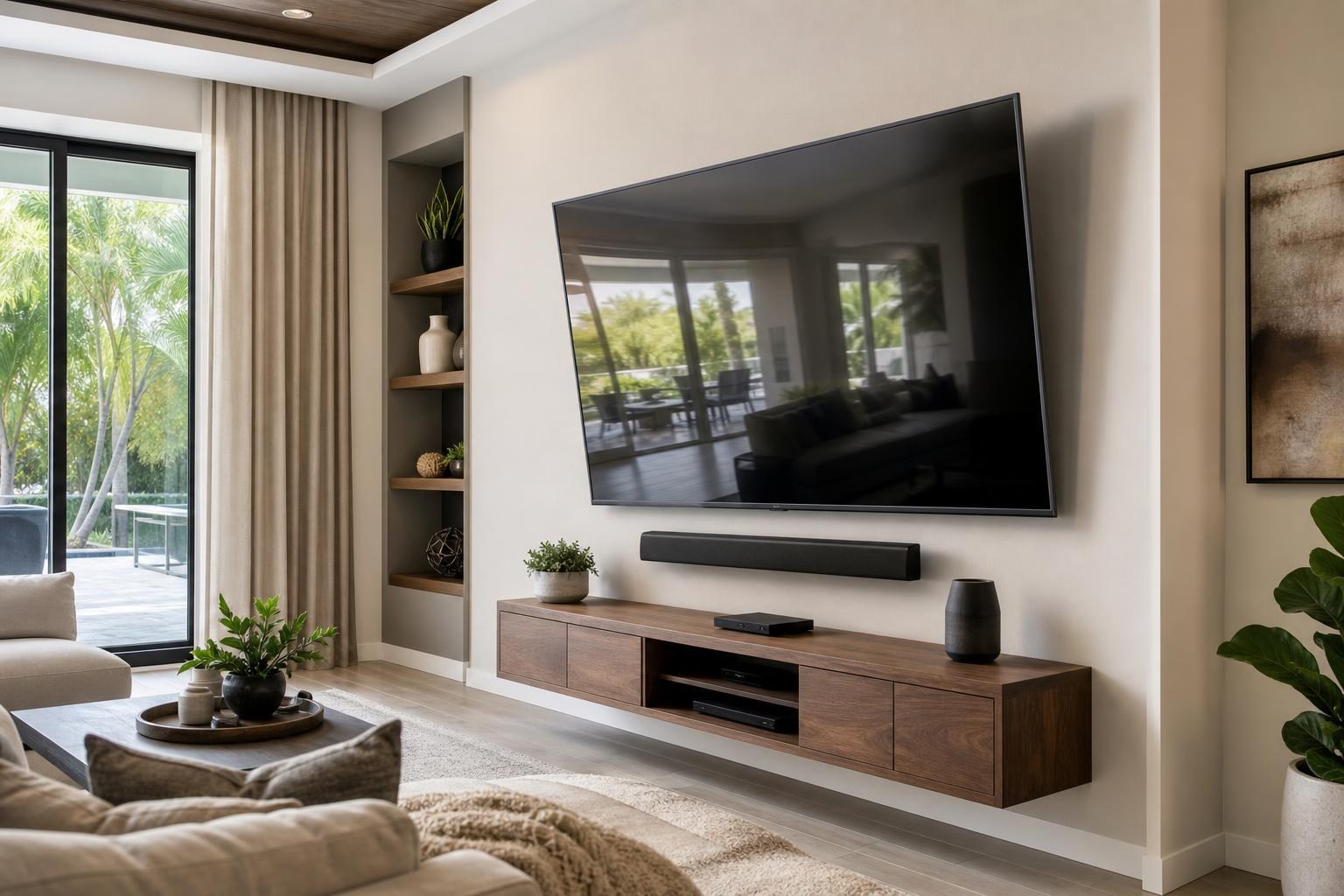
Choosing a Mount for an 85-Inch TV: A Compatibility Checklist for Ocala Homes
October 9, 2026
An 85-inch TV can fit the wall beautifully and still be paired with the wrong mount. The bracket may match the advertised screen-size range but conflict with the TV’s mounting pattern, limit access to rear connections, position the screen too close to a soundbar, or provide more movement than the room actually needs.
That is why mount selection should happen before the installation appointment—not when a large television is already waiting beside the wall. If you are planning an 85-inch TV installation in Ocala or elsewhere in Central Florida, use the following compatibility checklist to narrow the options and provide better information when requesting a quote.
1. Confirm the TV’s exact model before comparing mounts
“85-inch TV” describes the screen class, not a universal mounting configuration. Two televisions with the same diagonal size can have different weights, cabinet depths, mounting-hole locations, port layouts, and stand designs.
Start with the complete model number from the TV’s documentation, packaging, or product information label. A partial product name is not always enough because manufacturers may offer several closely related versions.
The exact model allows the installer to review the factors that matter most:
- The TV’s weight without its tabletop stand
- The VESA mounting pattern
- The location and orientation of rear or side-facing connections
- The screen’s depth and any raised areas on the rear cabinet
- Manufacturer guidance relevant to wall mounting
If the TV has not been purchased yet, share the product listing or proposed model when asking about TV Mounting Services. That makes it easier to evaluate the screen and mount as a pair.
2. Match the mount to the TV’s VESA pattern
VESA compatibility describes the spacing between the mounting points on the back of the television. It is generally shown as a horizontal-by-vertical measurement in millimeters.
A mount must support the specific pattern used by the TV. An advertised size range such as “up to 85 inches” does not establish that compatibility by itself. The bracket arms must align properly without blocking connections or interfering with the shape of the rear cabinet.
This is especially important with larger screens because mounting points may sit higher, lower, or farther apart than expected. Their position can also affect where the television ultimately rests relative to the wall plate. A professional can review the TV and bracket specifications together instead of relying on the front-of-box screen size.
3. Check both the weight rating and screen-size range
The mount’s published weight capacity and supported screen-size range are separate specifications. Both should be considered, but neither should be treated as a shortcut for verifying the complete fit.
Use the television’s documented weight without the removable tabletop stand when comparing it with the mount manufacturer’s stated capacity. Accessories should not be assumed to share the TV bracket’s support unless the selected mounting system is specifically designed for them.
A conservative, specification-based choice is more useful than choosing a bracket simply because it looks substantial. The wall, mounting surface, bracket design, movement range, and television must be assessed as one system. This becomes particularly important with articulating mounts because moving a large screen away from the wall changes how the installation behaves.
4. Decide how much movement the room actually needs
An 85-inch television does not automatically need a full-motion mount. The right style depends on seating, glare, room layout, connection access, and how the screen will be used.
Fixed mounts
A fixed mount can create a close, streamlined appearance when the viewing position is centered and the screen does not need routine adjustment. The tradeoff is reduced working room behind the TV, which can make rear-facing connections and device changes less convenient.
Tilt mounts
A tilt mount may help when the screen needs to sit somewhat above the ideal straight-ahead viewing position. It can also provide more practical access than some very low-profile fixed designs. The available tilt range may be affected by the size of the TV, wall clearance, and nearby furniture.
Full-motion mounts
A full-motion mount can help in open-concept rooms, corner-influenced layouts, or spaces with more than one viewing area. Before selecting one, consider whether the extended screen could interfere with shelving, doorways, curtains, artwork, or a nearby wall.
Large TVs also require adequate room to turn without an edge contacting the wall. For many Ocala and The Villages living rooms, the best choice is the mount that supports the normal viewing plan—not necessarily the bracket with the longest feature list. Homeowners planning a large screen in Sumter County can discuss the room layout through TV Mounting The Villages.
5. Make sure a low-profile mount leaves usable clearance
A television positioned close to the wall may look polished, but the smallest advertised profile is not always the most practical choice. Clearance is needed for the shape of the TV, bracket hardware, media cables, and connected devices.
Rear-facing ports deserve particular attention. A stiff HDMI cable or other media connection should not be forced into an awkward bend simply to achieve a slimmer appearance. Side-facing connections are often easier to reach, but their position may still overlap with vertical mounting arms.
If you expect to add a streaming device, Blu-ray player, game system, or soundbar later, plan for those connections now. TV Mounting Ocala can combine mounting with TV setup, streaming-device setup, media-device hookup, cable organization, and home entertainment programming when requested.
6. Evaluate how the mount will interact with the soundbar
The television mount and soundbar plan should be considered together. A soundbar placed on a console needs enough open space beneath the screen. A wall-mounted soundbar needs appropriate separation from the TV and any floating furniture. A soundbar designed to move with the television requires a compatible arrangement that does not obstruct the screen or its controls.
Check whether the bottom edge of the TV will remain clear throughout the mount’s intended tilt or swivel range. Also consider upward-firing speakers, top-mounted controls, and the soundbar’s overall depth. If the TV moves but the soundbar stays fixed on the wall, alignment may look different when the screen is angled toward another seating area.
This coordination can influence the screen height. Selecting a mount without accounting for the soundbar may lead to a crowded arrangement or a television positioned higher than expected.
7. Plan access to rear connections and media devices
Think beyond the initial hookup. Will you need to reach an HDMI input, reconnect a streaming device, add a media player, or troubleshoot a cable later? An attractive installation should still support reasonable access to the equipment the household uses.
Device placement matters as much as port access. Some components belong in a media console, while compact devices may be organized out of normal view when their design and control method permit it. Remote signals, Wi-Fi performance, ventilation needs, and cable reach can all influence that decision.
If a floating entertainment center or media cabinet is part of the project, establish its position before finalizing the screen and soundbar arrangement. Assembly, anchoring, shelf mounting, and TV installation may need to be coordinated so the full wall feels centered rather than pieced together afterward.
8. Consider the wall and the mount together
A compatible TV bracket is only one part of the installation plan. The mounting surface, wall construction, selected location, screen movement, and nearby architectural features all affect whether a particular mount is appropriate.
This is one reason an 85-inch full-motion installation should not be planned solely from an online bracket listing. The wall needs to be evaluated for the selected configuration, especially when the screen will extend and rotate. Brick, standard interior walls, fireplace areas, and walls with built-in features present different planning considerations.
For homes outside Marion County, TV Mounting Ocala also serves Orange, Alachua, Sumter, and Citrus counties. Homeowners comparing large-screen placement in Orange County can learn more through TV Mounting Orlando, while Alachua County residents can start with TV Mounting Gainesville.
What to provide when requesting your 85-inch TV mounting quote
A few clear details can make the quote and appointment scope more accurate. Before submitting your request, gather:
- The television’s full model number
- The mount brand and model, if already purchased
- Photos showing the entire wall and nearby furniture
- Your preferred viewing position and whether the TV should tilt or swivel
- Soundbar details and the preferred soundbar location
- A list of streaming devices, media players, consoles, and other connected equipment
- Any requested media-cable concealment, floating furniture, shelf mounting, or programming
If you are unsure whether an existing bracket is suitable, include it in the photos rather than assuming it will fit. The same applies to soundbar brackets and accessories supplied with the TV.
Choose the mount as part of the complete viewing setup
The best 85-inch TV mount is not simply the one with the highest rating or widest range of motion. It is the mount that matches the exact television, works with the wall, supports comfortable viewing, preserves connection access, and leaves the soundbar and media furniture enough room.
TV Mounting Ocala can help coordinate the screen, bracket, soundbar, streaming devices, media connections, cable appearance, and entertainment furniture within one planned service scope. To begin, Get an Instant Quote online or call (352) 462-1913 with your TV model and room details.
Ready to Get the Setup Off Your To-Do List?
Whether you are planning a new TV, soundbar, streaming setup, floating entertainment center, media furniture, pictures, mirrors, shelves, or another related mounting project, TV Mounting Ocala can help you turn the plan into a clean finished setup.
TV Mounting Ocala
(352) 462-1913
Project details, equipment, wall conditions, compatibility, availability, and final pricing can vary. Confirm your exact scope and quote before booking.