
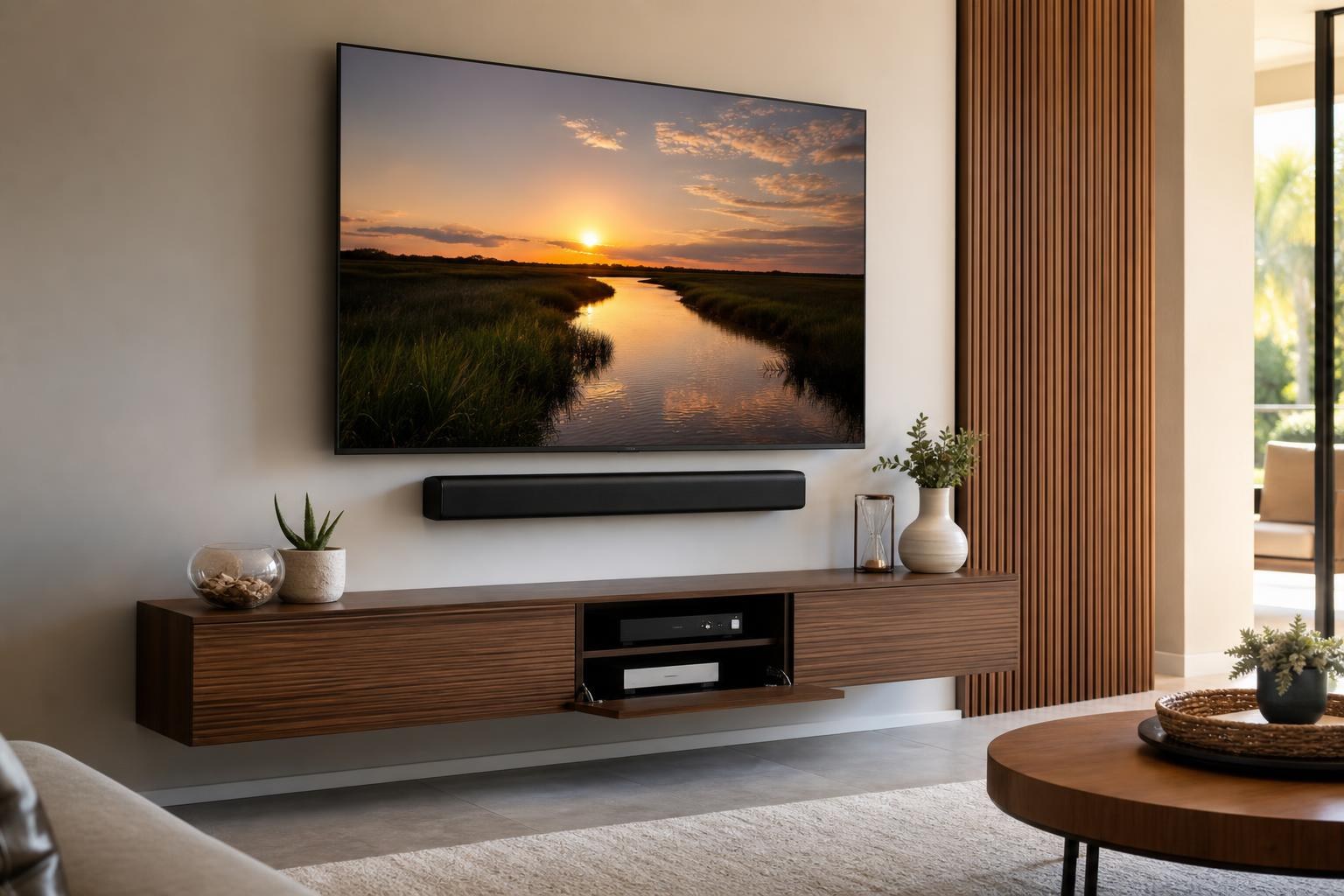
Can All TV Wires Be Hidden? Plan a Cleaner Mounted-TV Setup in Ocala
September 29, 2026
You want the TV on the wall, the soundbar aligned beneath it, and none of the usual cable clutter hanging down toward the console. The question is whether every wire can actually disappear.
The realistic answer is: not always, and not always in the same way. A polished result depends on the wall, mount style, connected devices, furniture, cable types, and how often you need to reach the equipment. Planning those details before installation is the best way to avoid a mounted TV that still looks unfinished.
For homeowners comparing TV wire concealment in Ocala, it helps to understand the difference between organizing visible cables, hiding cables behind furniture, and planning more complete concealment as part of a professional installation.
“Hidden” can mean three different things
Homeowners often use “hidden wires” to describe several visual outcomes. Clarifying your preferred result makes it easier to select the right services and receive a useful quote.
- Organized and visually minimized: Cables follow a clean route, stay grouped together, and blend into the entertainment wall rather than hanging loosely.
- Concealed behind the TV or furniture: Media cables and compact devices sit out of normal view but remain accessible when needed.
- Routed within the wall: Compatible media cables follow a concealed path where the wall, connection points, and overall setup allow it.
These approaches can also be combined. For example, some cables may be routed out of sight while short device leads are organized behind a floating console. The cleanest solution is not necessarily the one that hides every inch. It is the one that looks intentional while preserving access, ventilation, movement, and reliable connections.
Which TV and media cables can often be concealed?
HDMI, optical audio, Ethernet, coaxial, USB, and other removable media cables may be candidates for concealment. The appropriate route depends on where each cable begins and ends.
An HDMI cable running from a receiver in a media cabinet to the TV has different planning needs than a short HDMI lead connected to a streaming device behind the screen. A soundbar cable may need to travel only a short distance, while a game console or Blu-ray player could be positioned several feet away in an entertainment center.
Cable condition matters as well. A cable that is too short, unusually thick, damaged, or incompatible with the connected equipment may limit the available routing options. It is often better to identify these issues during setup than to conceal a cable and discover later that the TV cannot deliver the expected picture or sound.
TV mounting services can be coordinated with soundbar setup, streaming-device setup, Blu-ray hookup, and cable organization so that the finished wall is planned as one system.
What may need to remain visible or accessible?
Some components work best when they are not completely enclosed. “Accessible” does not have to mean messy, but it may mean leaving a small portion visible or placing equipment where it can be reached without removing the TV.
Cables that move with an articulating mount
A swivel or full-motion mount needs enough cable flexibility for the TV to extend, turn, and return to the wall without pulling on its connections. That necessary movement may make a short section of organized cable visible from certain side angles. Trying to eliminate every trace of slack can create tension at the ports.
Device sensors and control points
Some media devices rely on an unobstructed control point. If a component is hidden too deeply behind the TV or inside furniture, the remote may become less responsive. Device placement should account for how the equipment is controlled, not just how it looks.
Frequently changed connections
A game console, laptop connection, camera, or temporary streaming device may need regular access. These connections can still be neatly organized, but burying them behind other equipment may make ordinary use frustrating.
Antennas and signal-dependent accessories
Certain accessories need a particular orientation or open position to perform reliably. Hiding them solely for appearance may affect reception or connectivity. A better plan balances discreet placement with function.
Device placement often determines the final look
Many “wire problems” are actually device-placement problems. If the cable box, streaming device, console, and sound equipment do not have planned homes, their cables will naturally cross the wall or collect on top of the nearest cabinet.
Common placement options include:
- Compact devices positioned behind the television when size, access, signal, and ventilation permit
- Components arranged inside or on top of a media console
- A floating entertainment center that visually connects the TV wall with device storage
- A floating shelf for equipment that should remain open and reachable
- A combination of hidden devices and accessible equipment based on how each item is used
If the room still needs a console or media cabinet, coordinating mounting with Furniture Assembly Ocala can prevent an awkward gap, off-center furniture, or device storage that conflicts with the TV position.
Soundbar placement needs its own cable plan
A soundbar can make an otherwise clean TV wall look cluttered if its placement is treated as an afterthought. The soundbar needs to align visually with the screen while leaving appropriate clearance and preserving access to both devices.
The preferred cable route depends on whether the soundbar is attached in relation to the TV, mounted separately, or placed on furniture below. A soundbar that moves with an articulating TV creates a different routing challenge than one mounted in a fixed position on the wall.
Setup is equally important. After the equipment is positioned, the correct TV output, soundbar input, and remote behavior should be confirmed. A visually hidden cable is not a successful result if the soundbar does not connect consistently.
The wall and mount can limit concealment choices
Wall material, fireplace placement, corner configurations, built-ins, and the selected mount all influence what can be hidden. A straightforward wall with a fixed mount presents different options than masonry, an angled corner, or a full-motion installation.
Viewing angle also matters. Cable organization that appears invisible from the sofa may be noticeable from an adjoining kitchen or hallway. This is especially relevant in open-concept Ocala homes, where the side of the TV wall can remain in view throughout the room.
For a corner setup, cables must be considered from multiple sightlines. For a fireplace installation, the TV, soundbar, mantel, and nearby media furniture need to be evaluated together. Outdoor or lanai installations introduce additional equipment-placement and exposure considerations. These situations benefit from an on-site visual plan rather than assumptions based only on a product photo.
What should a clean finished setup look like?
A professionally planned entertainment wall should look balanced from the room’s main viewing positions. The TV should appear centered and level, the soundbar should relate visually to the screen, and the cable route should not draw attention.
Behind the scenes, the setup should still allow reasonable access to ports and devices. Cables should not be sharply bent, stretched across moving parts, or packed around equipment in a way that interferes with normal operation. If a device needs future attention, its location should be understood before everything is concealed.
This is why a clean result involves more than adding a cover over a bundle of wires. TV Mounting Ocala can combine mounting, device hookup, soundbar setup, cable concealment, and home entertainment programming according to the room and equipment involved.
Questions to answer before requesting a quote
A few clear details can help determine the level of concealment your setup may need:
- Will the TV use a fixed, tilting, or full-motion mount?
- Which devices will connect to the television or soundbar?
- Where do you want the cable box, streaming player, game console, or Blu-ray player located?
- Will a floating console, shelf, or entertainment center be part of the installation?
- Which devices need frequent hands-on access?
- From which rooms or side angles will the TV wall be visible?
- Are you trying to organize visible cables or create a more fully concealed appearance?
Photos of the wall, TV, soundbar, mount, furniture, and devices can also help communicate the desired result. If you are uncertain which service combination fits, use the contact page or call (352) 462-1913 to discuss the project.
Plan the complete entertainment wall before installation
Cable concealment works best when it is planned alongside TV position, soundbar spacing, device storage, furniture height, and mount movement. Addressing each piece separately can leave you with a mounted screen but no sensible place for the equipment below it.
TV Mounting Ocala serves homeowners and property residents across Marion County and surrounding Central Florida service areas. When you are ready to compare mounting, setup, device hookup, and cable-management options, get an instant quote and describe the clean visual outcome you want for the room.
Serving another priority local market: TV Mounting The Villages.
Ready to Get the Setup Off Your To-Do List?
Whether you are planning a new TV, soundbar, streaming setup, floating entertainment center, media furniture, pictures, mirrors, shelves, or another related mounting project, TV Mounting Ocala can help you turn the plan into a clean finished setup.
TV Mounting Ocala
(352) 462-1913
Project details, equipment, wall conditions, compatibility, availability, and final pricing can vary. Confirm your exact scope and quote before booking.