
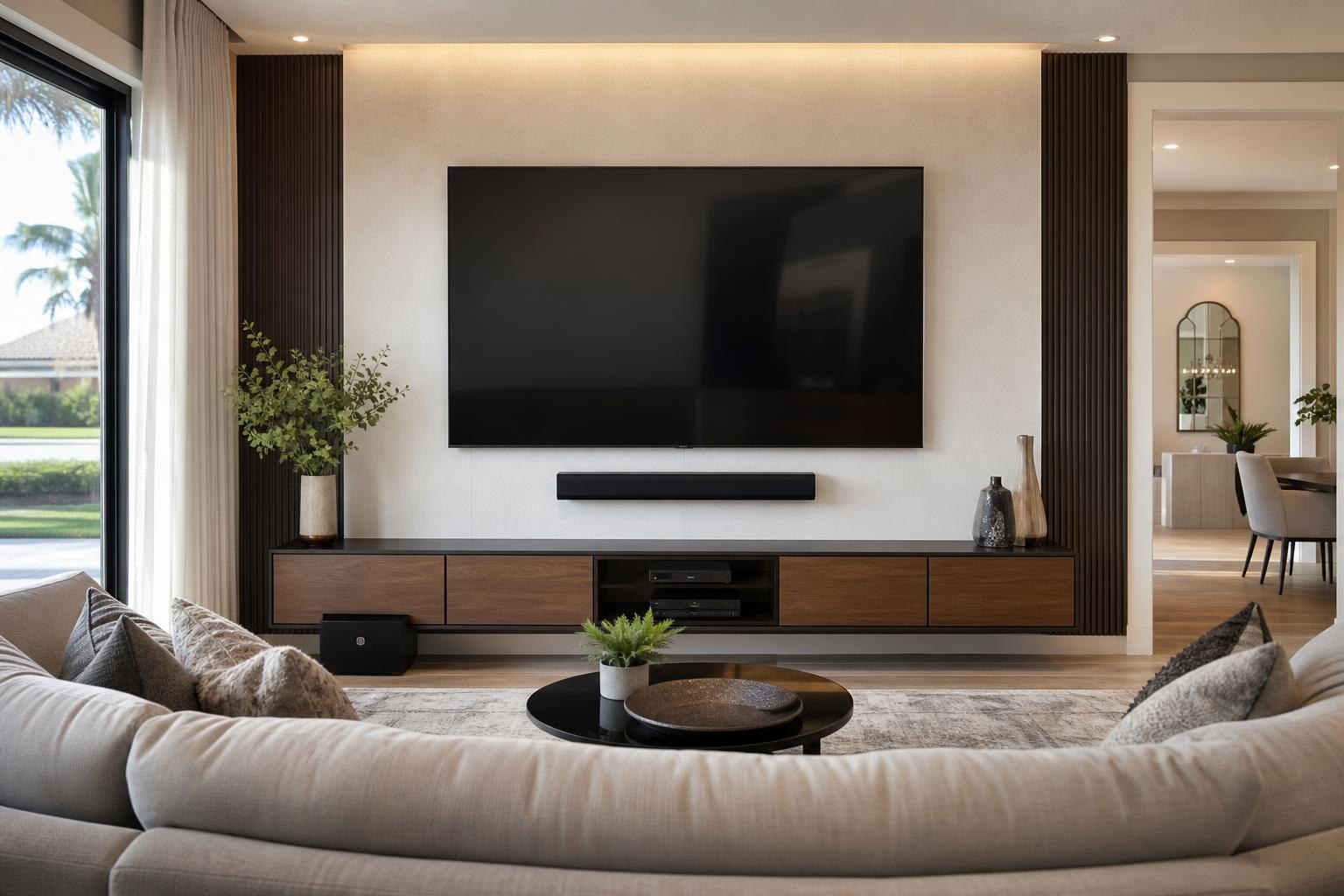
Before Mounting an 85-Inch TV: Check the Room, Wall, Mount, and Delivery Path
September 24, 2026
An 85-inch TV may look perfect in a showroom or product photo, but bringing one into a real home raises practical questions that do not come up with smaller screens. Will the boxed television fit through the entry? Is the intended wall wide enough? Can the mount support that specific model? Where will the soundbar, streaming devices, and media cables go?
These decisions are easier—and usually produce a cleaner result—when they are made before the television is unpacked. If you are planning an 85-inch, 98-inch, or similarly oversized screen, consider the entire entertainment wall rather than treating the TV as a single item.
Start With the TV’s Actual Dimensions, Not Its Advertised Size
The advertised screen size is measured diagonally. It does not tell you the television’s exact width, height, depth, or weight. Two 85-inch models may have different bezels, stand designs, rear profiles, and mounting-hole positions.
Check the manufacturer’s specifications for the exact model you purchased or plan to purchase. The most useful details include:
- Overall width and height without the tabletop stand
- TV weight without the stand
- VESA mounting pattern
- Rear-panel shape and connection locations
- Included hardware or model-specific mounting requirements
- Clearance recommendations supplied by the manufacturer
It also helps to mark the screen’s approximate outer dimensions on the wall with removable painter’s tape. This is not an installation guide; it is a simple visual planning tool. A large screen can feel balanced on an empty wall yet overwhelm the same wall once a media console, soundbar, doorway, or nearby artwork is considered.
Confirm That the Wall Works for an Oversized Screen
With an 85-inch or larger TV, wall construction and condition matter as much as wall width. The installation approach may differ based on whether the surface is drywall, brick, masonry, or another finish. Decorative wall panels, built-ins, fireplace surrounds, and uneven surfaces can also affect mount placement and clearance.
A professional should evaluate the intended mounting area rather than making assumptions from the room alone. Photos are useful for an initial quote, but they should clearly show the entire wall, nearby corners, furniture, and any surface features—not only a close-up of the TV location.
Large TVs also leave less room for placement adjustments. A few inches can determine whether the screen looks centered between architectural features or appears noticeably off balance. If the wall includes a window, opening, fireplace, or built-in cabinet, decide what the TV should be centered on: the wall itself, the seating area, the console, or the main viewing position.
Make Sure the Mount Matches the Exact TV
“Fits up to 85 inches” is not enough information to confirm compatibility. A suitable mount must accommodate the television’s weight, VESA pattern, and intended viewing position. The mount’s design also affects how far the TV projects from the wall and whether there is enough space to reach rear-facing connections.
Fixed, tilting, or full-motion?
A fixed mount creates a low-profile appearance when the TV can face the main seating area directly. A tilting mount may help when the screen must sit somewhat higher. A full-motion mount can serve rooms with multiple viewing positions, but an oversized television creates additional projection and clearance considerations when extended or turned.
Do not select a full-motion mount solely because it offers the most movement. Consider whether the room genuinely needs that range and whether nearby walls, shelves, curtains, or furniture could interfere. The wider the television, the more space its edges need when it changes angles.
If you already own a mount, provide its model number when requesting service. TV Mounting Ocala can then review the mount and television details as part of the planning conversation. You can also explore the company’s TV mounting and home entertainment services before booking.
Plan Viewing Comfort Around the Room You Actually Have
An 85-inch television needs enough viewing distance to feel immersive without dominating every seat. There is no single distance that works for every room because comfort depends on picture resolution, content, personal preference, and seating arrangement.
Instead of relying only on a chart, sit in the main viewing position and consider the full field of view. Can you comfortably take in the entire screen without repeatedly moving your eyes or head? Will side seats still have a usable angle? Does the TV compete with a bright window or strong reflection?
Mounting height should also be based on seated comfort, not on the amount of empty wall available. Oversized screens extend much farther vertically than smaller models. If the center is placed too high, the top edge can end up uncomfortably elevated. Recliners and deeper seating may affect the preferred sightline, but the result should still feel natural during a full movie or game.
Check the Delivery and Unboxing Path
One of the most overlooked parts of mounting an 85-inch TV happens before the screen reaches the wall. The shipping carton can be considerably larger than the television itself. Measure the route from the entry to the installation room, including doorways, tight turns, hallways, stair landings, and low overhead obstacles.
Keep the TV in its protective packaging until there is a clear plan for handling and placement. Oversized screens can be awkward even when their listed weight seems manageable. Some premium TVs also have exceptionally thin panels or delicate edges that should not become grip points.
Clear floor space in front of the wall before the appointment. Move small tables, décor, toys, and loose rugs out of the work area. If a large entertainment center must be assembled or positioned first, mention that while booking so the room can be completed in a logical order.
Treat the Soundbar, Console, and Devices as One Layout
A large television can make an existing soundbar look undersized or leave it positioned too far from the screen. Decide whether the soundbar will be wall-mounted, attached in relation to the TV, or placed on furniture. Its location affects the spacing below the screen and the final TV height.
The entertainment console deserves the same attention. Check its width, height, door clearance, and ventilation needs. A narrow console is not automatically wrong, but the proportions should look intentional. A floating entertainment center can create a streamlined result, provided the TV, soundbar, furniture, and open space are planned together.
List every connected component before installation day: streaming devices, game consoles, Blu-ray players, soundbars, media boxes, and other sources. Their connection locations may influence cable routing and device placement. TV Mounting Ocala can assist with device hookup, streaming setup, soundbar setup, and home entertainment programming in addition to mounting the screen.
Decide How Media Cables Should Be Organized
An 85-inch screen naturally becomes the room’s focal point, so dangling or stretched cables are especially noticeable. Think about which devices will connect to the TV, where those devices will live, and whether the screen needs to move after mounting.
A fixed installation may have a different routing plan than a full-motion setup. Moving mounts require enough cable flexibility for the intended range without creating visible loops or tension. Very slim TVs can also leave limited space behind the panel for bulky connectors.
If cable concealment is part of your goal, include it in the quote rather than treating it as an afterthought. Share photos of the wall and note the planned locations of the console, soundbar, and media devices. That information helps define a cleaner, more cohesive setup.
What to Have Ready When Requesting a Quote
A few specific details can make an online quote more useful:
- The TV brand, model number, screen size, and whether it has arrived
- The mount model, if you already purchased one
- Wide photos of the wall and main seating area
- The wall surface and any decorative features you know about
- Your preferred mount style and viewing positions
- Soundbar, console, streaming device, and cable-concealment plans
- Any tight delivery areas or unusually large furniture near the wall
Final pricing depends on the current online quote and the options selected for your specific setup. Supplying complete information helps distinguish a straightforward oversized-TV installation from a more involved media-wall project.
Plan the Big Screen Before It Takes Over the Room
An 85-inch or larger TV can look refined rather than overwhelming when the wall, mount, seating, soundbar, furniture, and cables are planned as one system. The best time to resolve compatibility and layout questions is before the screen is lifted into position.
TV Mounting Ocala serves homeowners and property residents across Marion, Orange, Alachua, Sumter, and Citrus counties. If your large TV is on the way—or already waiting in its box—you can get an instant online quote or contact TV Mounting Ocala to discuss the wall, mount, soundbar, devices, and preferred finished look.
Ready to Get the Setup Off Your To-Do List?
Whether you are planning a new TV, soundbar, streaming setup, floating entertainment center, media furniture, pictures, mirrors, shelves, or another related mounting project, TV Mounting Ocala can help you turn the plan into a clean finished setup.
TV Mounting Ocala
(352) 462-1913
Project details, equipment, wall conditions, compatibility, availability, and final pricing can vary. Confirm your exact scope and quote before booking.
Related local services: Furniture Assembly Ocala