
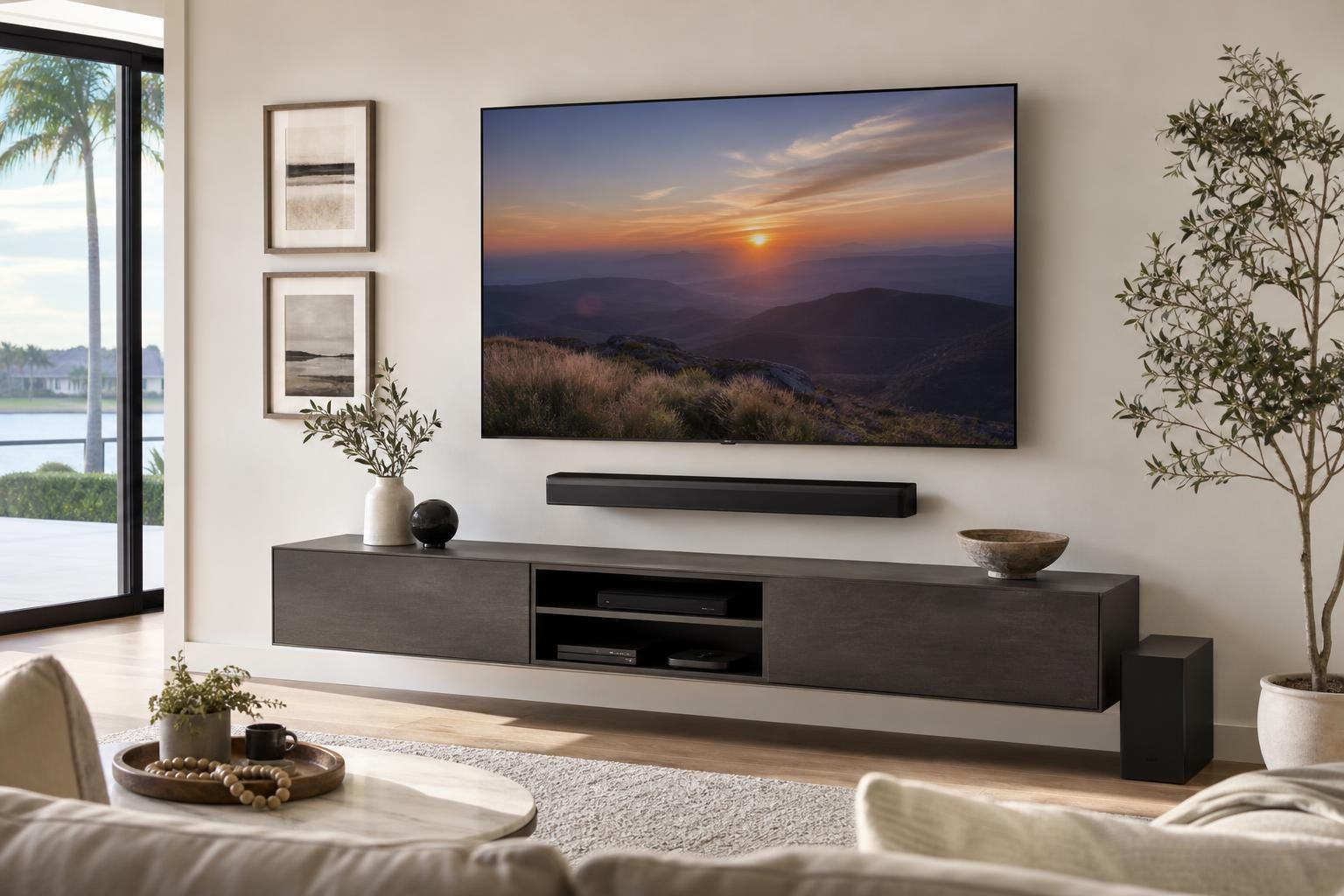
Before Mounting a Soundbar Below Your TV: Check These 6 Clearances
October 8, 2026
A soundbar can look perfectly centered beneath a TV and still be in the wrong position. It may block the TV’s remote sensor, sit too close to upward-firing speakers, interfere with a moving mount, or create an awkward gap above the media console.
That is why soundbar placement should be planned as part of the complete entertainment wall—not treated as a final accessory decision. Before booking TV Mounting Services, consider these six clearances that affect appearance, operation, and everyday use.
1. Clearance Between the TV and Soundbar
There is no single gap that works for every TV and soundbar combination. The right spacing depends on the TV’s lower frame, the location of its remote sensor, the soundbar’s speaker layout, and whether either component needs room to move.
A narrow gap can create a clean, integrated appearance, especially when the soundbar is close to the TV’s width. However, placing the components too close together can make the wall look crowded and may obstruct features on either device.
A larger gap may be appropriate when the TV has a prominent lower edge, a center-mounted sensor, or connections that need accessible cable routing. The soundbar should still feel visually connected to the screen rather than floating in an unrelated position.
For planning purposes, look at the actual dimensions and component locations on both products. Product photos alone often hide the depth of a soundbar, the position of its controls, and the way its mounting hardware affects the finished placement.
2. Open Space Above Upward-Firing Speakers
Some soundbars use speakers that direct sound upward. Mounting the bar immediately beneath a projecting TV edge or shelf can obstruct that open space and work against the soundbar’s intended design.
Check whether your model has drivers, vents, or controls on its top surface. If it does, the soundbar needs enough unobstructed space to function as designed and to keep those controls accessible. The manufacturer’s placement guidance should take priority over a purely decorative preference for the smallest possible gap.
Depth matters here as much as height. A TV may sit several inches away from the wall while a low-profile soundbar sits closer to it, leaving the TV projecting over the top of the bar. Aligning the front planes more thoughtfully can help preserve clearance and produce a more cohesive side view.
3. The TV’s Remote-Sensor and Status-Light Area
Many TVs place the remote receiver or status light along the bottom edge. Depending on the model, it may be centered or located near one corner. A soundbar mounted too high can partially or completely block that area.
This issue is easy to miss when the TV is off. After the room is assembled, the homeowner may find that remote commands work only from certain angles or that a status indicator is difficult to see.
Before choosing the soundbar position, identify the sensor location on the actual TV. Also consider how the system will be controlled. A complete setup may involve the TV remote, soundbar remote, streaming-device remote, or programmed control features. Thoughtful positioning and TV Mounting Ocala setup can reduce avoidable control conflicts.
4. Movement From a Tilting or Full-Motion TV Mount
A soundbar and TV may have adequate clearance while the screen is flat against the wall, yet collide when the TV tilts or swings. This is particularly relevant in rooms with multiple seating angles, corner-oriented furniture, or an open-concept layout.
Consider the TV’s full intended range of movement:
- Will the bottom of the screen move closer to the soundbar when tilted?
- Could the TV cross in front of the soundbar when turned toward another seat?
- Should the soundbar move with the TV, or remain fixed on the wall?
- Will cable slack remain organized throughout normal movement?
A soundbar attached through a compatible mounting arrangement can maintain a consistent relationship with the screen as it moves. A wall-mounted soundbar remains visually aligned with the entertainment wall instead. The better choice depends on the equipment, room layout, and how often the screen will be repositioned.
5. Visual Balance With the Console or Floating Entertainment Center
Soundbar placement affects the entire vertical composition of the wall. Even when the TV-to-soundbar gap is appropriate, the setup may look unfinished if the bar sits uncomfortably close to the console or leaves an oversized empty band beneath it.
Evaluate the TV, soundbar, and furniture as three related layers. The soundbar usually looks most intentional when it is centered to the screen, while the console provides a wider visual base. Exact widths do not need to match, but each piece should appear connected to the same arrangement.
A tall console may limit how low the soundbar can sit without making the wall feel compressed. A low floating entertainment center creates more vertical freedom but also makes inconsistent spacing more noticeable. If the furniture still needs to be assembled or secured, coordinating Furniture Assembly Ocala with the mounting plan can help establish the final dimensions before component placement is confirmed.
In homes around Sumter County, where flexible living-room layouts are common, TV Mounting The Villages planning can also account for seating comfort, furniture proportions, and straightforward device control in one appointment.
6. Cable Routing and Device Access
A clean soundbar position still needs practical access to media connections. The cable path should reach the TV without hanging loosely between components, becoming pinched by a moving mount, or creating a visible loop beside the soundbar.
Confirm which connections the soundbar uses and where those ports are located. Some ports face the wall, while others face downward or to the side. That orientation can affect how close the soundbar can sit to another surface and whether connectors remain accessible.
Also decide where related devices will live. A streaming device, Blu-ray player, media hub, or other component may sit in the console and connect to the TV as part of the same system. Planning device hookup, media-cable concealment, streaming setup, and home entertainment programming together usually creates a more coherent result than treating each component as a separate project.
What to Have Ready Before Requesting a Quote
You do not need to determine the finished mounting measurements yourself. A few details will make the scope easier to evaluate and help identify potential compatibility questions before the appointment:
- The TV and soundbar brand and model numbers
- The type of TV mount or a photo of the existing mount
- A straight-on photo of the entertainment wall
- A side-angle photo showing the TV’s depth and nearby furniture
- The console or floating entertainment center dimensions
- A list of streaming, Blu-ray, gaming, or other media devices
- Your preference for a fixed screen, tilt, or side-to-side movement
If a soundbar mount is already available, include its model or packaging in the photos. Compatibility depends on more than screen size, and not every mounting arrangement works with every combination of TV, soundbar, and wall mount.
When an Integrated TV and Soundbar Appointment Makes Sense
Planning the screen and soundbar together is especially useful when the TV has not yet been mounted, a moving mount is involved, media cables need cleaner organization, or the console position is still changing. The installer can assess the components as one visual and functional system rather than working around decisions that were made separately.
An integrated appointment can also include TV setup, soundbar setup, streaming-device connection, Blu-ray or media-device hookup, programming, and entertainment furniture assembly when selected for the project. Final scope and pricing depend on the options included in the current online quote.
TV Mounting Ocala serves homeowners and residents across Marion, Orange, Alachua, Sumter, and Citrus counties. To plan a cleaner TV and soundbar arrangement, Get an Instant Quote online. You can also contact TV Mounting Ocala or call (352) 462-1913 with questions about your setup.
Ready to Get the Setup Off Your To-Do List?
Whether you are planning a new TV, soundbar, streaming setup, floating entertainment center, media furniture, pictures, mirrors, shelves, or another related mounting project, TV Mounting Ocala can help you turn the plan into a clean finished setup.
TV Mounting Ocala
(352) 462-1913
Project details, equipment, wall conditions, compatibility, availability, and final pricing can vary. Confirm your exact scope and quote before booking.