
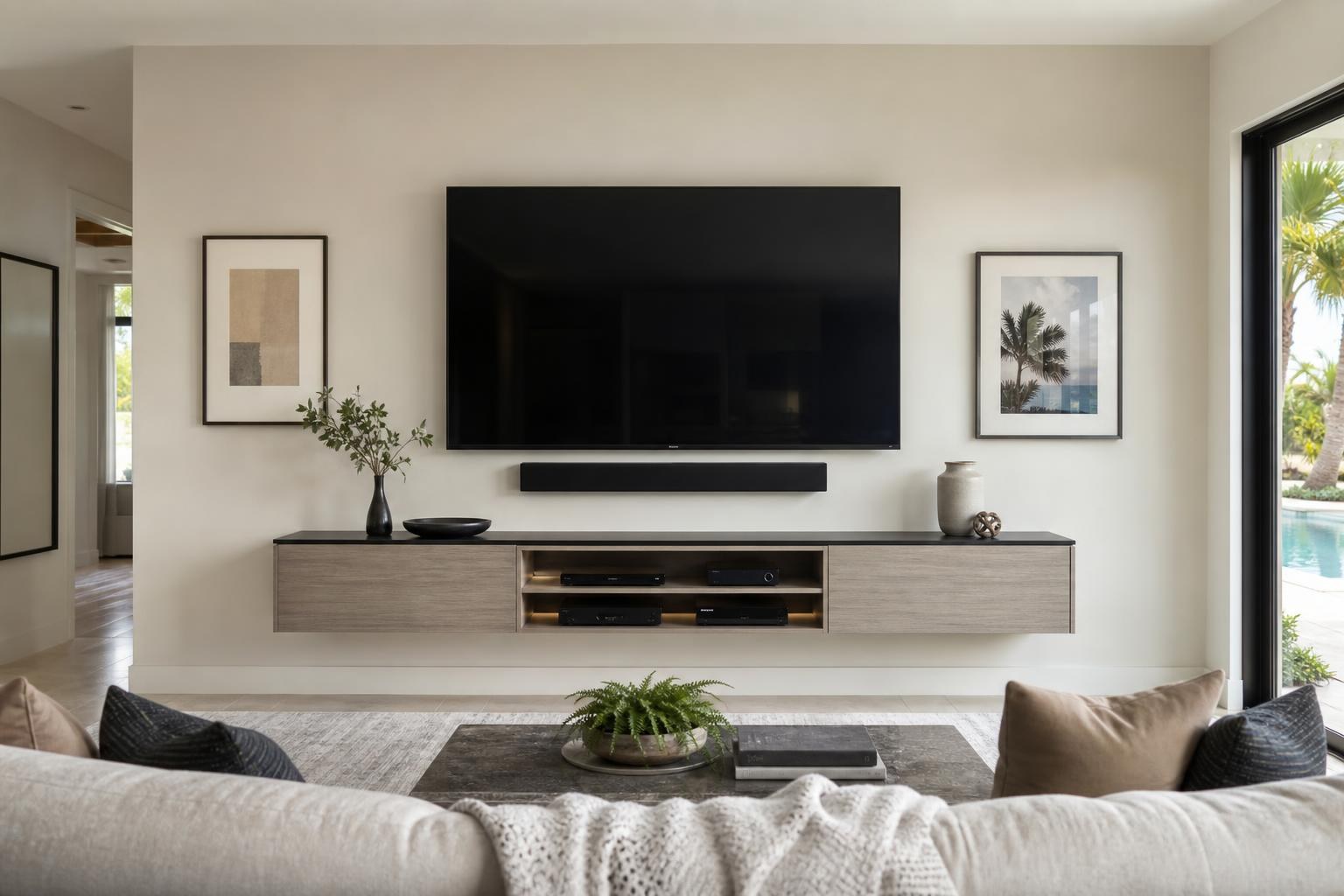
What to Include in Your Ocala TV Mounting Quote: A Room-Ready Checklist
September 28, 2026
You know the TV needs to go on the wall. The harder part is deciding what else to request with the installation.
Should the quote include TV setup? Does mounting a soundbar count as a separate part of the project? What if you have a streaming device, Blu-ray player, game system, or floating console? And how do you describe the clean, cable-free appearance you want without knowing every technical detail?
A well-prepared quote request helps define the complete entertainment area, not just the screen. Before booking TV Mounting Ocala, use the following guide to identify which services fit your room and what information is worth including.
Start With the Result You Want From the Room
It is easy to treat TV mounting as a single task, but homeowners often have several goals at once. You may want a comfortable viewing height, better sound, fewer visible cables, reliable access to streaming apps, or a media console assembled beneath the screen.
Describe that finished result when requesting your quote. For example, “Mount a 65-inch TV and connect a soundbar” provides more useful context than “Hang my TV.” If you also want media cables organized or a streaming device configured, include those details from the beginning.
The available TV mounting services can be combined based on the equipment you own and how complete you want the room to feel after the appointment.
Choose TV Wall Mounting When Placement Is the Main Need
TV wall mounting is the foundation of the project. This option focuses on placing the screen on a suitable wall with the selected fixed, tilting, or articulating mount.
Your quote request should identify the TV size, room, wall surface, and whether you already own a compatible mount. It also helps to explain how the room is used. A living-room TV viewed from one central sofa may have different placement needs than a screen serving an open seating area or multiple viewing angles.
Include any visual constraints, such as a fireplace, nearby window, existing console, doorway, corner, or soundbar. These features influence the practical screen position even when the request is for mounting only.
Add Full TV Setup When You Want the Screen Ready to Use
Mounting places the TV. Setup addresses what happens after it is positioned.
TV setup is useful when you want help with initial menus, internet connectivity, source selection, app access, or basic entertainment programming. It can also make sense when the TV is new, has been moved from another room, or needs to work with equipment that was previously connected to a different screen.
Consider adding setup if any of these situations apply:
- The TV is new and has not completed its initial on-screen configuration.
- You want to use built-in streaming apps or connect the TV to your home Wi-Fi.
- You are moving an existing entertainment system and want the components reconnected.
- You are unsure which input or control should operate each device.
- You want to confirm that the TV, soundbar, and media devices work together before the appointment is complete.
If your screen is already configured and you only want it moved from a stand to the wall, mounting alone may be enough. The quote should reflect the actual level of assistance you want rather than assuming every installation includes the same setup tasks.
Include Soundbar Mounting and Setup as a Separate Decision
A soundbar affects both the appearance and operation of the entertainment wall. Decide whether it will sit on a console, mount directly below the TV, or move with an articulating screen.
If you want the soundbar mounted, provide its brand or model when possible and mention whether you already have mounting hardware. Also note any competing features beneath the TV, including a floating console, fireplace mantel, shelf, or decorative objects. These details help preserve comfortable spacing and a balanced layout.
Soundbar setup is equally important. A bar can be physically positioned correctly but still require connection, source selection, or control coordination. Include setup in the quote if you want help getting TV sound to play through the bar or simplifying how the equipment is controlled.
List Every Streaming and Media Device
Small devices are easy to forget during quote planning. They can also determine how many media cables need to be routed, where components can sit, and whether the completed system is convenient to use.
List each item you want connected, including streaming players, Blu-ray players, game systems, cable boxes, and other media devices. If a device will be placed inside a cabinet or on a floating shelf, say so. Remote access, ventilation, cable reach, and everyday accessibility should be considered before deciding where equipment belongs.
You do not need to diagnose connection problems before requesting service. A straightforward description such as “The streaming device works, but the soundbar does not play audio from it” can help define the need for device hookup and home entertainment programming.
Request Wire Concealment Based on the Finish You Expect
“Hide the wires” can mean different things to different homeowners. One person may want loose media cables gathered into a cleaner route. Another may expect the TV wall to look minimal, with device and soundbar cables kept as unobtrusive as the room allows.
When requesting cable concealment, mention the equipment involved and share a photo of the entire wall if the quote form allows it. The image should show the TV location, nearby furniture, soundbar position, and the devices that need to connect.
Also identify whether you plan to add equipment later. Leaving room for a future game system or streaming player may be more practical than planning cable organization around today’s devices alone.
Do Not Forget the Furniture Beneath the TV
The media console is part of the visual composition. Its width, height, and position affect where the screen and soundbar look balanced on the wall.
If the furniture is still boxed, include assembly in the project instead of planning the TV location around estimated dimensions. Furniture Assembly Ocala may be relevant for entertainment centers, media stands, and related furniture that should be completed before final screen placement.
Your request can also cover a floating entertainment center, floating shelves, or furniture anchoring when these items are part of the same room. Combining related tasks gives a clearer picture of the finished wall and helps avoid positioning one item without accounting for another.
What Information Makes an Online Quote More Useful?
You do not need a technical project description. A few accurate details and clear photos are more valuable than guesses.
- TV brand and screen size
- Room and intended wall location
- Wall surface, if known
- Whether you already have a TV mount
- Preferred fixed, tilting, or articulating movement
- Soundbar brand, model, and desired position
- Streaming, Blu-ray, gaming, or other media devices
- Desired level of media-cable concealment
- Existing or unassembled entertainment furniture
- Photos showing the full wall and surrounding room
For homes with unusual layouts, include the viewing position and any concern about glare, corners, windows, or multiple seating areas. Residents planning TV Mounting The Villages can use the same checklist for living rooms, dens, bedrooms, and other entertainment spaces.
Build the Quote Around the Complete Appointment
The most useful quote request accounts for everything you want addressed during the visit. Adding soundbar setup, device hookup, cable organization, or media-furniture assembly at the planning stage reduces ambiguity and helps you select the appropriate service combination.
Final pricing depends on the current online quote and the options selected for your project. If you are uncertain about how to categorize a device or room feature, describe it in plain language and provide photos rather than leaving it out.
Ocala homeowners can get an instant quote and choose the services that match their entertainment space. For questions before booking, contact TV Mounting Ocala or call (352) 462-1913.
Ready to Get the Setup Off Your To-Do List?
Whether you are planning a new TV, soundbar, streaming setup, floating entertainment center, media furniture, pictures, mirrors, shelves, or another related mounting project, TV Mounting Ocala can help you turn the plan into a clean finished setup.
TV Mounting Ocala
(352) 462-1913
Project details, equipment, wall conditions, compatibility, availability, and final pricing can vary. Confirm your exact scope and quote before booking.