
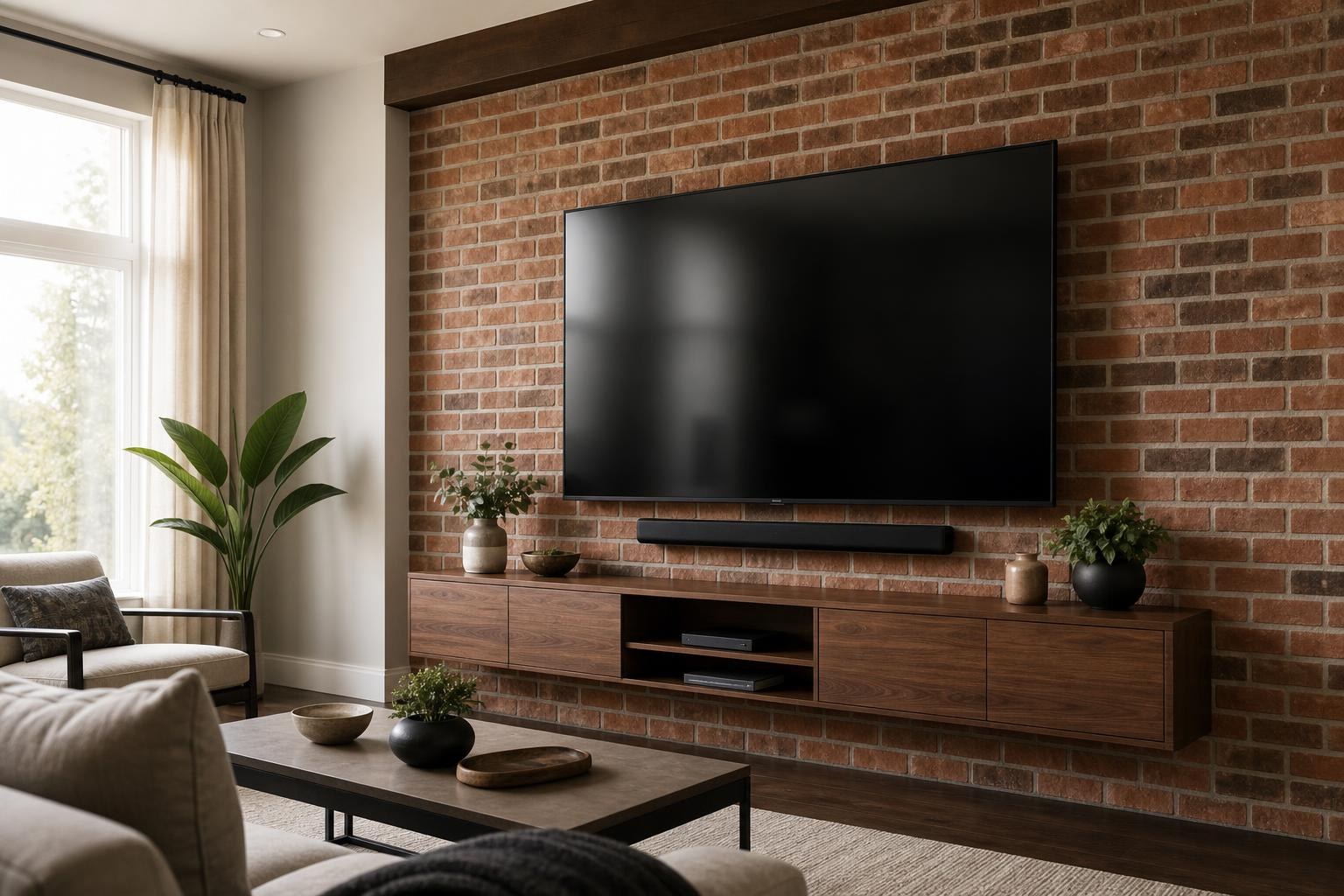
Mounting a TV on Brick vs. Drywall: What Homeowners Should Plan Differently
September 10, 2026
You have chosen the wall, measured the TV, and pictured the finished room—but the surface is brick rather than standard drywall. Does that change the installation?
Yes. A brick wall can support a clean, polished entertainment setup, but it requires different planning. The wall’s construction and condition matter, mounting decisions are less forgiving, and cable concealment may need a more visible but carefully designed solution.
Before booking, it helps to understand which decisions stay the same and which deserve extra attention.
The wall itself becomes a bigger part of the installation plan
With standard drywall, the installer evaluates the supporting structure behind the finished surface. Brick and masonry walls present a different set of variables because the visible surface may also be part of the mounting structure.
Not every brick wall is identical. A home may have solid masonry, brick veneer, concrete block beneath a finished surface, or an older brick feature with irregular joints. Painted brick and decorative brick can introduce additional finish concerns. An installer needs to understand what is actually present rather than treating every red wall as the same material.
The brick’s condition also matters. Crumbling joints, previous holes, uneven faces, and loose decorative material can affect where a mount should be positioned. These conditions are especially important when the desired TV location leaves little room for adjustment.
Placement decisions are less forgiving on brick
Drilling into a finished brick wall creates a lasting change. That makes careful placement especially valuable before installation begins.
The TV should be planned around comfortable viewing, furniture position, room layout, reflections, and nearby components—not simply centered on the brick feature. A television can look centered on the wall yet feel awkward from the primary seating position.
Before the appointment, consider these questions:
- Where is the main viewing seat?
- Will the TV be watched from more than one part of the room?
- Is there enough space below it for a soundbar or media console?
- Will the screen encounter daytime glare?
- Do you expect to replace the current furniture with a taller console later?
- Where will streaming devices, a Blu-ray player, game consoles, or other media equipment sit?
A few minutes spent resolving those questions can prevent a TV from being mounted at an uncomfortable height or too close to another feature.
Mount selection matters even more on masonry
The basic mount categories are the same for brick and drywall: fixed, tilting, and full-motion. The difference is that a moving mount places changing forces on the mounting surface as the TV extends and pivots.
Fixed and tilting mounts
A fixed mount keeps the TV close to the wall and creates a streamlined appearance. A tilting mount offers some vertical adjustment, which may help when the television must sit higher than ideal or when reflections need to be managed.
Both are popular for brick feature walls because they can maintain a relatively simple silhouette.
Full-motion mounts
A full-motion mount can be useful when the screen needs to face different seating zones. However, the TV’s size, weight, mount design, extension distance, and the condition of the masonry all need to be considered together.
This is not a decision to make based only on the mount’s advertised screen-size range. The wall and the way the television will be used are equally relevant. TV Mounting Ocala can evaluate these factors as part of its TV mounting services.
Brick changes the cable-concealment conversation
Homeowners often expect the finished result to show a screen with no loose media cables beneath it. On a standard framed wall, there may be more flexibility for concealing compatible media connections. Exposed masonry often calls for a different visual strategy.
Possible approaches may include organized surface routing, a low-profile cable channel selected to blend with the room, routing behind a properly placed soundbar, or using a floating console to hide devices and cable transitions. The best option depends on the brick profile, component locations, desired appearance, and which cables must reach the TV.
Planning the connected equipment in advance is important. An installation may need to account for:
- HDMI connections for a soundbar, Blu-ray player, or game console
- Streaming-device placement and remote access
- Network or antenna cables already present in the room
- Future access for replacing or troubleshooting a device
- Enough cable length for a full-motion mount to move properly
A route that looks clean while the TV is flat against the wall may become tight or visible when a full-motion arm extends. Cable organization should match how the mount will actually be used.
Soundbars and floating furniture need coordinated placement
A brick entertainment wall often includes more than the television. A soundbar, floating entertainment center, shelves, framed art, or a media cabinet may all share the same visual field.
If a soundbar will be mounted, its width and attachment method should be considered before the TV height is finalized. Some soundbars move with the television when attached through a compatible mounting arrangement, while others remain independently mounted on the wall. The right layout depends on the equipment and viewing plan.
Floating furniture introduces another set of dimensions. The console should have enough visual breathing room beneath the screen while remaining practical for devices and cable routing. On brick, the furniture’s mounting requirements also need to be evaluated independently rather than assumed to match the television mount.
Coordinating these elements from the beginning usually creates a more intentional result than mounting the TV first and trying to fit everything else around it later.
The brick finish affects the finished appearance
Brick is rarely perfectly flat. Texture, recessed joints, rounded edges, and uneven courses can influence how closely a mount or soundbar bracket sits against the surface. These details may be subtle from across the room but noticeable around the edges of mounted components.
Painted brick requires particular visual care because a misplaced hole or chipped finish may stand out. Older masonry may also show previous mounting locations or areas with inconsistent surfaces. A professional assessment helps identify a suitable mounting area while respecting the wall’s appearance.
If the brick is part of a fireplace feature, heat exposure, viewing height, mantel depth, and the room’s seating arrangement create additional planning concerns. In that situation, the brick material is only one part of the decision.
What affects the quote for brick TV mounting?
Brick mounting is not priced accurately by screen size alone. The final quote can depend on the wall material, TV size, mount type, desired placement, cable-organization approach, soundbar plans, device setup, and whether additional entertainment-wall items are included.
A straightforward fixed-mount installation with an existing mount is a different project from a full-motion TV installation that also includes a soundbar, streaming-device setup, media-furniture assembly, and cable organization.
Providing clear project details helps identify the appropriate options. Homeowners can use the instant online quote and booking form rather than relying on a generic estimate that may not reflect the wall or equipment.
How to prepare before your appointment
You do not need to determine the brick’s exact construction yourself, but a few preparation steps can make the planning conversation more productive.
Have the TV model, screen size, mount information, and soundbar model available if possible. Take a clear photo of the entire wall rather than only a close-up of the brick. Include the seating area, furniture, and nearby device locations so the installer can understand the room as a complete entertainment space.
It is also useful to decide which equipment must be connected and ready to use. TV setup, streaming-device hookup, Blu-ray or media-device connections, soundbar setup, and home entertainment programming can be coordinated with the physical mounting rather than handled as unrelated tasks.
A clean brick installation starts with the whole room
The main difference between mounting a TV on brick and mounting one on drywall is not simply the drilling surface. Brick makes early decisions about placement, mount movement, cable visibility, nearby components, and future changes more consequential.
TV Mounting Ocala serves homeowners and property residents across Marion, Orange, Alachua, Sumter, and Citrus counties. If you are planning a brick-wall TV, soundbar, floating console, or connected media setup, you can contact TV Mounting Ocala with project questions or request an instant online quote when you are ready to book.
Ready to Get the Setup Off Your To-Do List?
Whether you are planning a new TV, soundbar, streaming setup, floating entertainment center, media furniture, pictures, mirrors, shelves, or another related mounting project, TV Mounting Ocala can help you turn the plan into a clean finished setup.
TV Mounting Ocala
(352) 462-1913
Project details, equipment, wall conditions, compatibility, availability, and final pricing can vary. Confirm your exact scope and quote before booking.
Related local services: Furniture Assembly Ocala
Serving another priority local market: TV Mounting The Villages.