
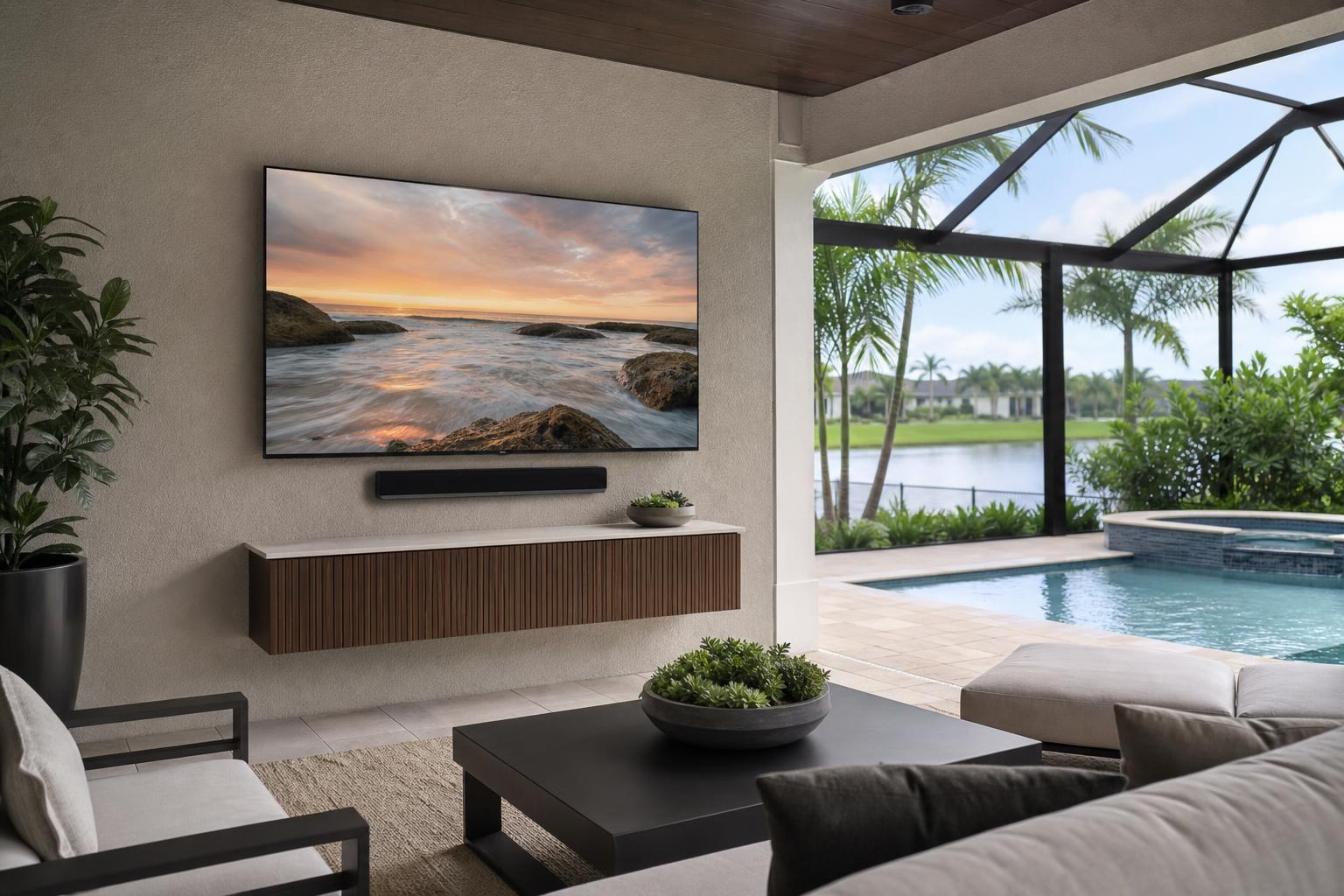
Outdoor Lanai TV Mounting in Central Florida: Plan for Glare, Weather, Sound, and Viewing
September 9, 2026
A covered lanai may look like an easy place to mount a TV, but the best wall is not always the first open wall you see. Afternoon glare can overwhelm the picture, wind-driven rain may reach farther than expected, and a fixed screen can feel awkward when people watch from a dining table, pool deck, and seating area.
Central Florida homeowners also need to account for humidity, heat, changing sun angles, outdoor noise, and the way the lanai connects to the rest of the home. Planning these factors together produces a TV setup that looks intentional and is more comfortable to use.
Start With the Lanai’s Real Exposure
“Covered” does not automatically mean the same thing as an indoor environment. A TV under a deep roof may still encounter humidity, temperature changes, airborne moisture, dust, pollen, and occasional wind-driven rain. Conditions can also vary considerably from one end of the lanai to the other.
Before choosing equipment or placement, consider what reaches the wall during a typical Central Florida storm. Look at roof coverage, nearby screens, open sides, pool proximity, roof runoff, and the direction from which rain commonly enters. A wall that remains shaded and protected usually presents a different equipment decision than one facing an open pool deck.
An outdoor-rated TV is designed for conditions that an indoor model may not be intended to handle. Outdoor models may also be categorized for shaded, partial-sun, or brighter environments. The manufacturer’s stated location and temperature guidance should match the actual lanai—not simply the fact that the television fits the wall.
A weather-resistant cover can help protect a compatible TV when it is not being used, but it does not change an indoor television into an outdoor-rated model. It can also become inconvenient when the screen is used frequently. Equipment choice should come before assumptions about what a cover can solve.
Watch the Wall at the Time You Expect to Use the TV
Glare is one of the most common reasons an outdoor television disappoints. A wall that looks ideal at 9 a.m. may receive direct or reflected sunlight during an afternoon game. Pool water, pale decking, glass doors, and light-colored neighboring walls can all send brightness toward the screen.
Observe the space during the hours when you are most likely to watch. If weekend sports are the priority, evaluate the wall in the afternoon. If the lanai is mainly used for evening movies, check reflections from interior rooms, landscape lighting, and glass doors after sunset.
Screen brightness matters, but placement still does much of the work. Shade, screen orientation, and the relationship between the TV and reflective surfaces can affect visibility as much as screen size. A professional planning conversation can help compare two possible walls before mounting makes the choice permanent.
Choose a Viewing Position, Not Just a Mounting Height
Lanai seating is often less predictable than living-room seating. People may watch from a sofa, outdoor dining chairs, bar stools, or a nearby pool. Mounting the TV around only one seat can make the picture uncomfortable or difficult to see from the rest of the space.
Think about the primary viewing zone first. The preferred height should reflect normal seated eye level, the distance to the screen, furniture placement, and whether people will frequently watch while standing. Mounting higher solely to make the TV visible from everywhere can create an uncomfortable upward angle for the seats used most often.
Screen size should also make sense for the distance. A very large television can dominate a compact lanai, while a small screen may be hard to follow from a poolside seating area. Exact dimensions, wall width, and seating distances are more useful than estimating from a product photo.
Fixed, Tilting, or Full-Motion Mount?
The mount affects both the viewing experience and how the TV sits when it is not in use. It also needs to be compatible with the television and suitable for the intended environment.
- Fixed mounts keep the TV close to the wall and can create a streamlined appearance when the seating faces the screen directly.
- Tilting mounts can help when the television must sit somewhat higher than the primary seats.
- Full-motion mounts can support multiple viewing areas, such as a dining table and lounge seating, but require enough surrounding clearance for controlled movement.
A full-motion mount is not automatically the best lanai option. The screen may project farther from the wall, cable movement must remain organized, and the TV should not interfere with doors, curtains, furniture, or walking paths when angled. Mount selection should account for the TV’s specifications, intended exposure, wall conditions, and desired range of motion.
The Mounting Surface Changes the Plan
Central Florida lanais may include concrete block, stucco finishes, framed walls, stone or tile accents, and other finished surfaces. These are not interchangeable from an installation standpoint. The visible finish does not always reveal what is behind it, and decorative cladding can complicate how the TV aligns with the finished wall.
This is an area where photos and accurate details are especially useful before an appointment. A close view of the wall, a wider photo of the entire lanai, and information about the surface can help clarify the likely scope. Professional installation avoids treating every outdoor wall as though it were a standard interior wall.
Plan Sound Around Outdoor Noise
A TV that sounds acceptable in a quiet family room may be difficult to hear beside a pool, ceiling fan, conversation area, or open yard. Turning the television louder does not always improve dialogue clarity, especially when listeners sit off to the side.
A compatible soundbar can create more focused audio and a more finished-looking setup. Placement should preserve clear sound output, avoid crowding the television, and move appropriately if paired with a full-motion mount. Equipment suitability for the location still matters; indoor audio equipment should not be assumed appropriate for every lanai.
Connection compatibility should be reviewed before installation. The TV and soundbar models determine available audio options, remote-control behavior, and whether the system can be simplified for everyday use. TV Mounting Ocala can provide TV mounting, soundbar setup, and home entertainment programming as part of a coordinated project.
Streaming Reliability Deserves an Early Check
Outdoor streaming problems are often discovered only after the TV is on the wall. A phone showing a Wi-Fi signal on the lanai does not necessarily mean a television or streaming device will perform consistently in the same location. Exterior materials, distance from the router, glass doors, and competing household activity can affect performance.
Test your normal streaming services near the proposed TV location at the time of day you expect to use them. If a separate streaming device, Blu-ray player, or media box will be connected, decide where it will sit and how its remote will operate. This prevents a clean mounted screen from becoming an afterthought surrounded by loose devices.
Professional TV setup and media-device integration can include input organization, streaming-device hookup, soundbar setup, and programming so the lanai system is easier for the household to use.
Keep Media Cables Deliberate and Serviceable
Cable planning should balance appearance with access. Media cables may need to move with an articulating mount, reach a soundbar, or connect to a nearby streaming or Blu-ray device. Tight, improvised routing can restrict mount movement or make future device changes frustrating.
The cleanest approach depends on the wall finish, mount type, equipment arrangement, and desired level of concealment. Outdoor conditions can also affect where accessories and connection points should be positioned. Discuss cable appearance and device placement during quoting rather than waiting until the TV is mounted.
What to Prepare Before Requesting a Quote
A few details can make an online quote more useful and help identify questions before the appointment:
- TV brand, model, and screen size
- Whether the TV and mount are rated for the intended location
- Wide and close-up photos of the lanai wall
- The known wall or finish type
- Primary seating locations and approximate viewing distances
- Desired fixed, tilting, or full-motion movement
- Soundbar, streaming device, Blu-ray player, or other media equipment
- Preferred media-cable routing and concealment appearance
- Potential exposure to sun, moisture, pool splash, and wind-driven rain
Final pricing depends on the current online quote and selected options, including the mount, wall conditions, equipment setup, soundbar work, and cable-organization needs.
Plan the Lanai as One Entertainment Space
The strongest outdoor TV setups are planned as a complete system: screen location, viewing angles, environmental suitability, mount movement, sound, streaming, devices, and cable appearance. Solving those decisions before installation reduces compromises and creates a lanai that feels finished rather than improvised.
TV Mounting Ocala serves homeowners and property residents across Marion, Orange, Alachua, Sumter, and Citrus counties. If you are planning an outdoor lanai TV in Ocala, Gainesville, The Villages, Inverness, Orlando, or a nearby community in the service area, gather your equipment details and wall photos, then get an instant online quote or call (352) 462-1913 to discuss your setup.
Ready to Get the Setup Off Your To-Do List?
Whether you are planning a new TV, soundbar, streaming setup, floating entertainment center, media furniture, pictures, mirrors, shelves, or another related mounting project, TV Mounting Ocala can help you turn the plan into a clean finished setup.
TV Mounting Ocala
(352) 462-1913
Project details, equipment, wall conditions, compatibility, availability, and final pricing can vary. Confirm your exact scope and quote before booking.
Related local services: Furniture Assembly Ocala
Serving another priority local market: TV Mounting The Villages.