
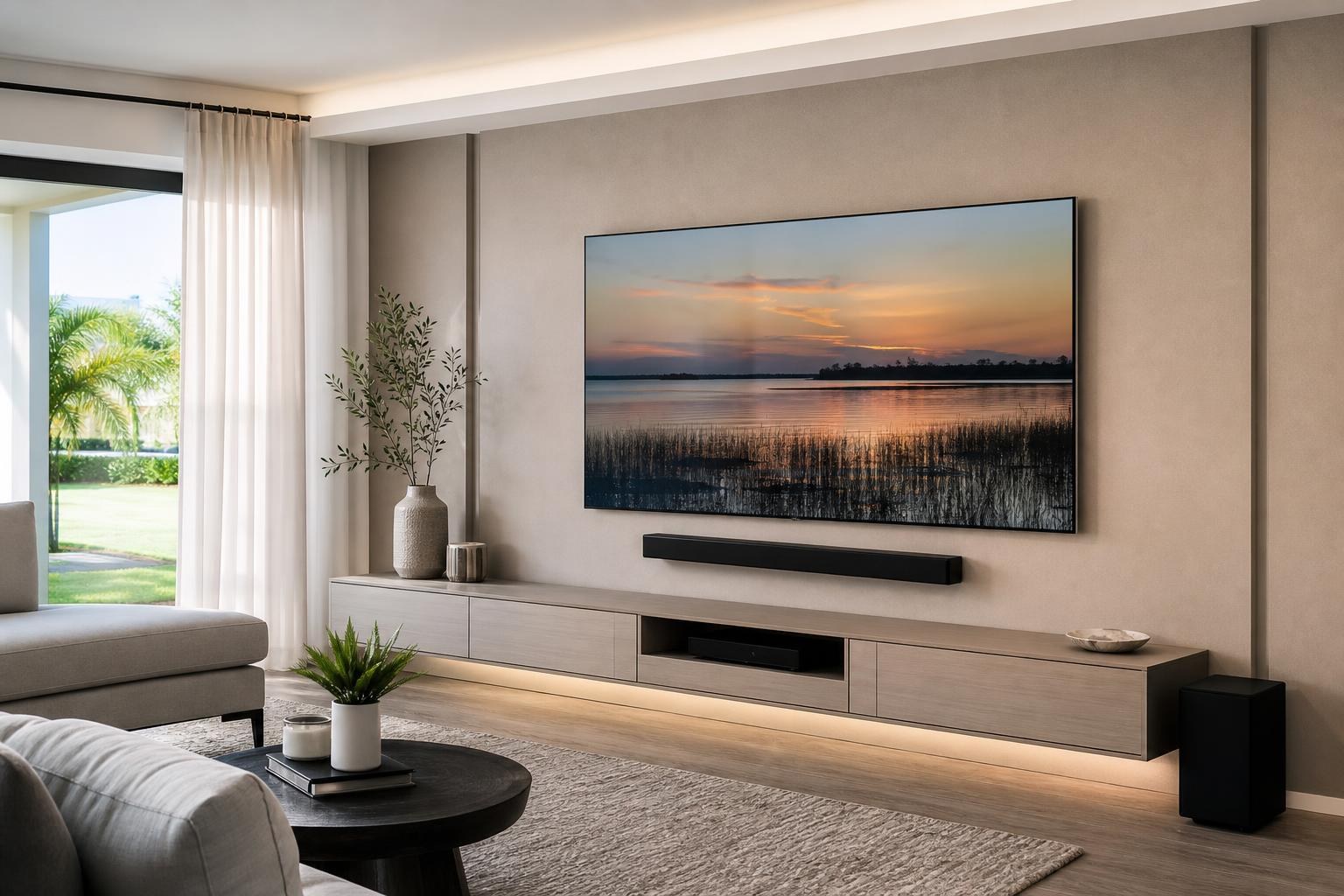
Mounting an OLED TV: What Needs Extra Care Before It Goes on the Wall
September 5, 2026
An OLED TV may look perfect in the box, yet the decisions made before it reaches the wall can determine whether the finished installation feels polished or awkward. The panel is unusually thin, the connection area may have limited clearance, and even a small placement mistake can become obvious once the screen is centered over furniture.
For homeowners, the goal is not simply to get the TV off its stand. It is to protect a premium display while coordinating the mount, viewing height, soundbar, media devices, cables, and furniture as one complete entertainment setup.
Why OLED TV mounting deserves extra planning
Many OLED models combine a very thin upper panel with a thicker lower section that contains the connections and internal components. That uneven profile affects how the TV can be held, supported, and positioned during installation.
Pressure that might seem harmless on a heavier, more rigid television can be risky on a thin OLED screen. The panel should not be treated like a large handle, leaned against an unsuitable surface, or squeezed while being lifted. Model-specific handling guidance matters because the safe support points can vary between manufacturers and screen designs.
The concern is not limited to lifting. The mounting bracket must align correctly with the attachment points on the back of the TV without interfering with its shape, connection ports, or ventilation areas. A careful installation accounts for these details before the television is moved into position.
Confirm the mount fits the TV and the way you want to use it
Screen size alone does not determine mount compatibility. The TV’s mounting pattern, weight, rear-panel shape, and port locations all matter. So does the homeowner’s preferred viewing experience.
A fixed or low-profile mount can complement the slim appearance of an OLED TV, but tight wall clearance may make some HDMI and media connections less accessible. A tilting mount can help in rooms where the television must sit somewhat higher. A full-motion mount provides more viewing flexibility, although its extended position makes careful handling and balanced movement especially important.
Before the appointment, consider whether the TV will usually remain flat against the wall or be moved to face different seats. A mount should support the actual room layout rather than adding motion that will rarely be used.
Useful compatibility details to have ready
- The full OLED TV model number, not only the brand and screen size
- The mount brand or model if a bracket has already been purchased
- Whether a soundbar will attach below the TV or mount separately
- Which streaming devices, game consoles, Blu-ray players, or other components will connect
- Whether the screen needs to swivel or tilt for the intended seats
If the bracket has not been selected, sharing these details during the quote process can help clarify what the finished setup needs to accomplish. TV Mounting Ocala includes OLED installations within its broader TV mounting and home entertainment services.
Choose viewing height before centering the screen on the wall
A common planning mistake is centering the TV within the open wall area without considering how people will actually watch it. The best placement depends on seated eye level, viewing distance, furniture height, screen size, and whether the room is used mainly for relaxed viewing or entertaining.
OLED TVs often look sleek above a floating console, but the space between the screen and furniture must still accommodate a soundbar, decorative items, and comfortable viewing. Mounting too high can make a thin display feel disconnected from the rest of the room. Mounting too low can create conflicts with furniture or limit future soundbar options.
Fireplace walls require especially careful visual planning. The available wall area may encourage a higher position than homeowners expect, and the display can compete with the fireplace rather than feeling integrated with it. An installer can discuss the intended seating and wall arrangement before placement is finalized.
Glare and room lighting still matter with OLED
OLED displays are known for deep black levels and strong contrast, but a glossy screen can still reflect windows, lamps, and bright room surfaces. Mount location should therefore be evaluated during the hours when the TV is most often used.
In an open-concept Central Florida home, a screen may face sliding glass doors, a bright dining area, or several windows at once. A slight change in wall position or viewing angle can sometimes improve the experience. If reflections vary throughout the day, a carefully selected tilting or articulating mount may provide useful adjustment without making the installation look bulky.
It is also worth checking what the screen reflects when it is off. A premium television mounted directly opposite a busy hallway or bright window may dominate the room differently than expected.
Plan the soundbar, devices, and media cables together
The cleanest OLED installations are designed as complete entertainment systems. If the soundbar, streaming player, console, or media furniture is considered afterward, the wall may end up with uneven spacing, visible cable loops, or components that are difficult to reach.
Before mounting, decide where each connected device will live. A compact streaming device may fit discreetly behind the screen when model clearance allows, while a Blu-ray player or game console usually needs an accessible place in a console or entertainment center. HDMI cable length and routing should reflect those final device locations.
Soundbar planning is equally important. The bar can be mounted on the wall or, with a compatible arrangement, positioned to move with the TV. The right choice depends on the mount style, soundbar shape, screen movement, and visual spacing. The soundbar should not block the bottom edge of the display or appear stranded too far below it.
TV Mounting Ocala can coordinate TV setup, soundbar mounting and setup, streaming-device connection, Blu-ray and media-device hookup, home entertainment programming, and media-cable organization. This can be especially helpful when several devices need to start on the correct inputs and work together cleanly.
Consider the entire entertainment wall
An OLED screen may be the focal point, but surrounding furniture establishes whether the wall looks balanced. Before choosing the final TV position, confirm the width and height of the media console, floating entertainment center, shelves, and nearby artwork.
A useful planning review includes:
- Whether the TV is centered on the main seating area, the wall, or the furniture
- Enough visual space for a soundbar without crowding the screen
- Clearance for cabinet doors, shelves, and device ventilation
- Media-cable routes that avoid distracting lines across the wall
- Whether furniture should be assembled or anchored before final TV placement
If a new floating entertainment center or media console is part of the project, assembling and positioning it first can provide a reliable reference for the TV. Floating shelves, pictures, and mirrors should be planned around the final screen dimensions rather than the size of the empty wall.
What to prepare before an OLED mounting appointment
Keep the TV in secure packaging until the installation area is ready, particularly if it has not yet been unboxed. Clear small furniture and decorative objects from the immediate work area, and identify the seats used most often for viewing.
Have remotes, device cables, login details for streaming apps, and any separately purchased mounting accessories available. If an entertainment center still needs assembly, mention that when requesting the quote so the project can be considered in the right order.
It also helps to note any specific concerns in advance: a narrow wall, an off-center seating area, several connected devices, a soundbar that must move with the display, or a preference for minimal visible cabling. These details can affect the mounting and setup plan.
Professional mounting protects more than the screen
Careful OLED TV mounting is about the complete result: safe panel handling, compatible mounting hardware, comfortable placement, balanced spacing, organized media cables, and devices that are ready to use. Rushing any one of those decisions can compromise the appearance or convenience of an otherwise premium setup.
TV Mounting Ocala serves homeowners and property residents in Marion, Orange, Alachua, Sumter, and Citrus counties. If you are preparing to mount an OLED TV in Ocala, Gainesville, The Villages, Inverness, or another community within the service area, you can get an instant online quote based on your selected options. For questions about the TV, mount, soundbar, devices, or furniture involved, contact TV Mounting Ocala or call (352) 462-1913.
Ready to Get the Setup Off Your To-Do List?
Whether you are planning a new TV, soundbar, streaming setup, floating entertainment center, media furniture, pictures, mirrors, shelves, or another related mounting project, TV Mounting Ocala can help you turn the plan into a clean finished setup.
TV Mounting Ocala
(352) 462-1913
Project details, equipment, wall conditions, compatibility, availability, and final pricing can vary. Confirm your exact scope and quote before booking.
Related local services: Furniture Assembly Ocala
Serving another priority local market: TV Mounting The Villages.