
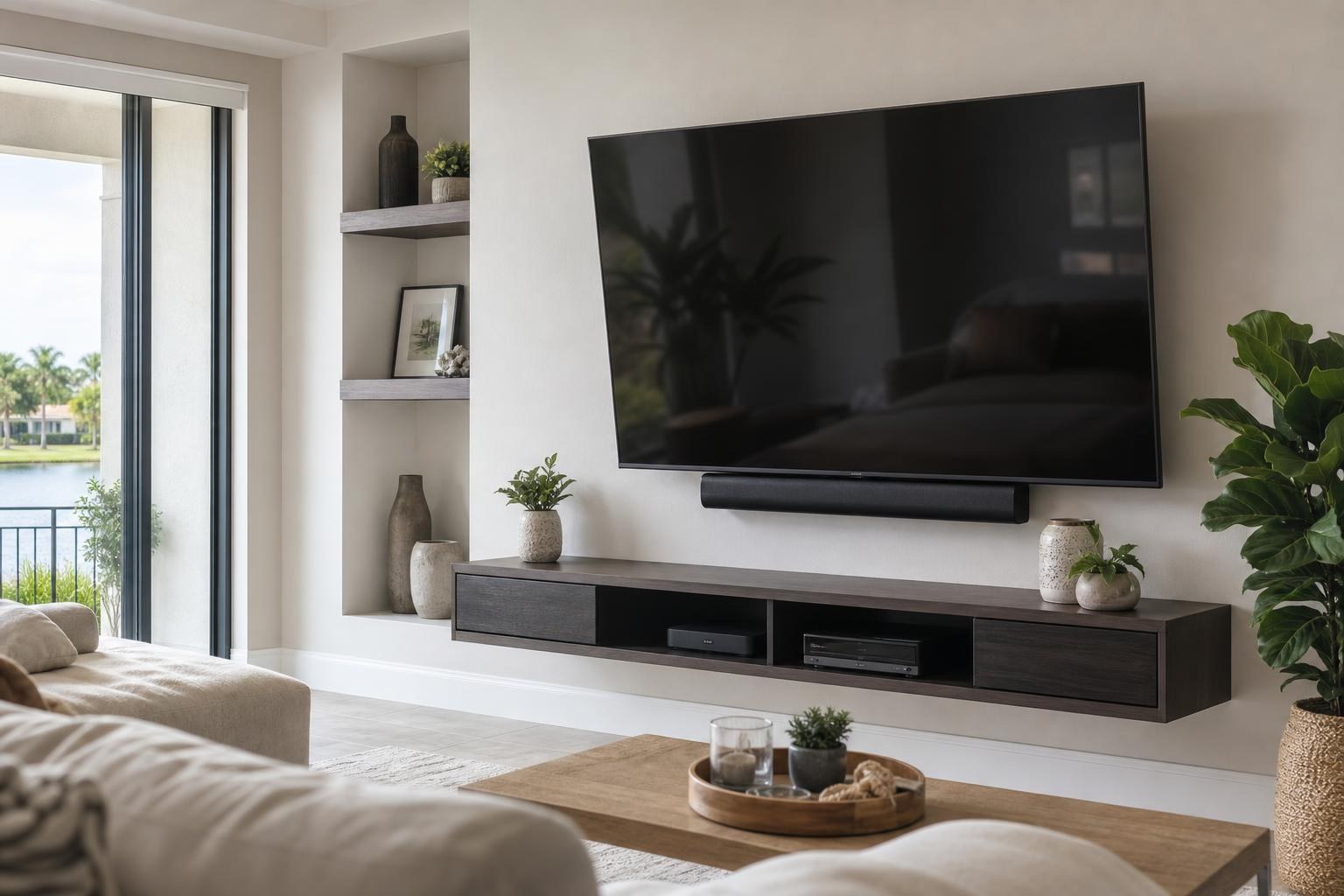
Is Your Mounted Soundbar Blocking the TV? What to Assess Before Repositioning
November 11, 2026
Your TV is mounted, the soundbar looks centered, and the room appears finished—until the remote stops responding from the sofa or the screen will not swivel without touching the speaker.
A soundbar can interfere with more than the bottom edge of a television. Depending on the TV model, mount style, speaker shape, and cable locations, a tight placement can block the remote sensor, cover part of the picture, restrict access to ports, or reduce the useful movement of a tilting or full-motion mount.
Before repositioning either component, identify which clearance is actually causing the problem. Moving the soundbar without evaluating the complete setup can solve one issue while creating another.
First, identify what the soundbar is blocking
The visible gap between the TV and soundbar is only one part of the assessment. The most useful starting point is the specific symptom you notice during everyday use.
- The TV remote works inconsistently: The soundbar may be covering the television’s infrared sensor, often located along the lower bezel.
- The bottom of the picture looks obstructed: A tall soundbar or upward-angled speaker enclosure may sit in front of the active screen area.
- A cable cannot be connected or removed: The soundbar, its bracket, or the TV mount may be limiting access to side-facing or downward-facing ports.
- The TV will not tilt or swivel freely: The screen, soundbar, bracket, furniture, or nearby wall may be colliding somewhere in the mount’s travel.
- The sound changes when the screen moves: A wall-mounted soundbar may no longer remain aligned with a TV that swivels toward another seating area.
These problems require different placement decisions. A remote-sensor conflict may call for a small change in vertical relationship, while restricted swivel movement may require reviewing the TV mount, soundbar attachment method, and cable routing together.
Check the TV’s remote-sensor location
Many TV remotes communicate through an infrared signal that needs a reasonably clear path to a sensor on the television. That sensor may be centered below the screen, placed near one corner, or integrated into a small housing beneath the bezel. Its location varies by model.
If the remote responds when held higher, closer, or off to one side—but not from the normal seating position—the soundbar may be interrupting that path. Compare the TV remote with the soundbar remote as well. If only the television has trouble responding, the issue is more likely related to the TV sensor than to the entire entertainment system.
Some remotes use other connection methods for certain functions, so inconsistent behavior does not automatically prove the soundbar is responsible. Confirming the TV and remote models helps avoid repositioning hardware for a pairing, programming, or device-control problem. The TV mounting services available through TV Mounting Ocala can include TV setup, soundbar setup, device hookup, and home entertainment programming when the problem extends beyond physical placement.
Look closely at the screen edge—not just the bezel
Modern TVs often have narrow borders, making a soundbar placed directly beneath the television look farther from the picture than it really is. From a standing position, the setup may appear clear. From a reclined sofa or lower chair, however, the soundbar can overlap the bottom portion of the image.
Evaluate the view from the seats people actually use. Pay particular attention to subtitles, sports graphics, menus, and playback controls, which frequently appear near the bottom of the screen. Also consider whether the soundbar has upward-facing speakers that need open space above them. A narrow visual gap is not always enough for the speaker to perform as intended.
For an Ocala living room, bedroom, or media space, TV Mounting Ocala can assess the screen height and soundbar relationship as one arrangement rather than treating each item separately.
Assess port and device access before moving anything
A mounted TV may connect to a soundbar, streaming device, Blu-ray player, game system, or other media equipment. Repositioning the soundbar can affect the cables serving several of those components.
Check whether the current arrangement leaves practical access to the TV’s media ports and whether connectors have room to sit naturally. Tight clearances can place pressure on a connector or create sharp cable bends. A bracket that looks unobtrusive from the front may also overlap a port area behind the screen.
This is especially important if you expect to add or replace devices. The best final position should support the complete setup, not merely the equipment connected today. Homeowners arranging TV Mounting Gainesville service can include streaming-device setup, media-player hookup, cable organization, and soundbar placement in the same project scope.
Test the mount’s usable movement range
A full-motion TV mount needs clearance throughout its intended range—not only when the screen is flat against the wall. A soundbar attached independently to the wall may be clear when the TV is centered but interfere as the screen tilts down or turns toward another seating area.
A soundbar attached to a compatible mounting arrangement may move with the television, helping the sound remain aligned with the screen. Even then, the combined setup must be evaluated for bracket compatibility, screen clearance, speaker clearance, cable movement, and nearby furniture.
Do not force the TV past a point of resistance. Note where contact or tension begins and return the screen to a comfortable position. In homes with open living and dining areas, the desired viewing angles should be discussed before any component is repositioned. This is a useful consideration for residents planning TV Mounting The Villages, where a screen may need to serve multiple seating areas.
Decide whether the TV, soundbar, or bracket relationship should change
The soundbar is not automatically the component that should move. The right correction depends on screen height, seating sightlines, the soundbar’s dimensions, the remote-sensor location, mount type, and the finished appearance you want.
Repositioning may be appropriate when:
The current speaker placement visibly covers the picture, blocks the sensor, prevents normal port access, or conflicts with the movement you use regularly. The placement should also be reconsidered if the TV or soundbar was recently replaced and the existing brackets were designed around different dimensions.
A broader setup review may be better when:
The TV is already too high or low, the media furniture is out of proportion with the screen, several cables are strained or visible, or the soundbar loses alignment whenever the television swivels. In those situations, a small isolated move may preserve the larger layout problem.
If a floating entertainment center, shelves, or assembled media furniture also defines the available spacing, include those items in the assessment. Furniture Assembly Ocala services can be coordinated with related home entertainment work when the room needs a more cohesive arrangement.
What to prepare for a professional assessment
A few details can make an online quote or service conversation more useful:
- The TV and soundbar model numbers
- Photos showing the wall straight on and from the main seating position
- A side photo showing the gap between the screen, soundbar, and wall
- The type of TV mount and whether it tilts, extends, or swivels
- A description of the exact symptom and when it occurs
- A list of connected streaming devices, media players, or game systems
- Your preferred screen position and viewing areas
These details help determine whether the project involves soundbar repositioning alone or a coordinated update to the TV, mount, devices, remotes, and media-cable organization.
Resolve the obstruction without compromising the whole TV wall
A blocked remote sensor can look like a device failure. Restricted movement can seem like a mount problem. A hidden port conflict may not become apparent until new equipment is connected. Treating the TV, soundbar, mount, and devices as one system makes it easier to identify the real cause.
TV Mounting Ocala serves homeowners and property residents across Marion, Orange, Alachua, Sumter, and Citrus counties. If your soundbar is interfering with the screen, remote, ports, or mount movement, you can contact TV Mounting Ocala with your setup details or get an instant quote and select the services that fit your project.
Ready to Get the Setup Off Your To-Do List?
Whether you are planning a new TV, soundbar, streaming setup, floating entertainment center, media furniture, pictures, mirrors, shelves, or another related mounting project, TV Mounting Ocala can help you turn the plan into a clean finished setup.
TV Mounting Ocala
(352) 462-1913
Project details, equipment, wall conditions, compatibility, availability, and final pricing can vary. Confirm your exact scope and quote before booking.