
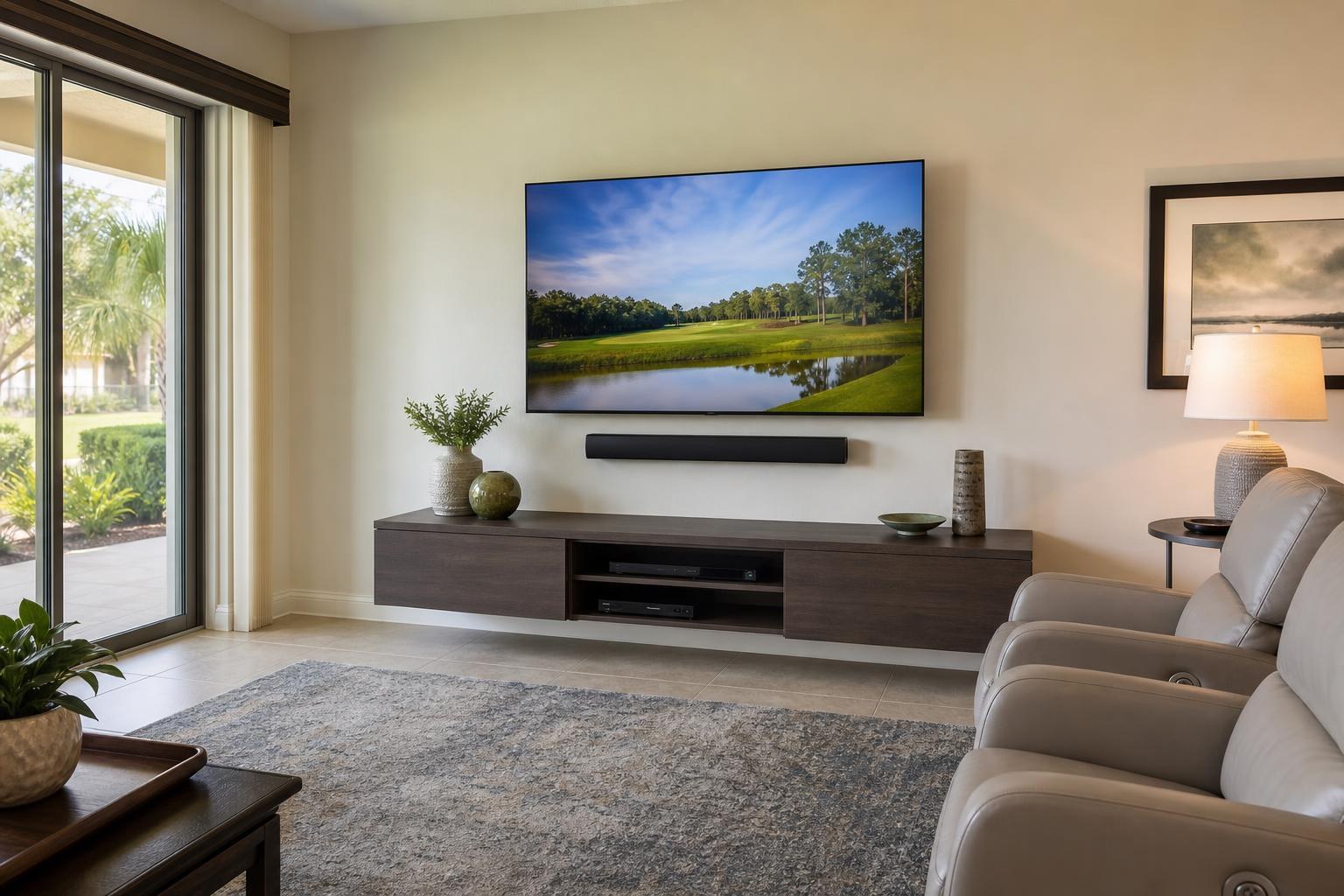
Replacing a TV in The Villages? What to Confirm Before Keeping Your Current Soundbar and Devices
November 10, 2026
Your current TV may be the only component you intend to replace, but it is rarely the only part of the setup affected. A larger screen can alter mounting height, soundbar clearance, cable reach, device access, furniture proportions, and even how your remotes control the room.
That is why replacing a TV in The Villages should begin with a quick inventory of what you want to keep. The goal is not simply to put the new screen where the old one was. It is to make sure the replacement works naturally with your existing soundbar, streaming device, cable box, media furniture, and everyday viewing habits.
Use this pre-booking checklist to define the project clearly and help your installer understand the complete setup you want.
Start With the New TV and the Existing Wall Position
Record the new TV’s brand, model number, and screen size before requesting a quote. Screen size alone does not establish how the TV will fit. Two televisions with the same advertised size can have different dimensions, mounting-pattern locations, edge profiles, and connection layouts.
Also note whether the replacement is larger, smaller, or approximately the same size as the current screen. If it is larger, consider whether the old center point will still provide a comfortable view from your primary seats. A bigger television mounted at the same top-edge height can place the center of the picture lower than expected. Keeping the old center point, by contrast, may make the top of the new screen noticeably higher.
Photos are useful here. Take one straight-on image showing the entire TV wall and another from the main seating position. If the room includes recliners, a dining area, or seating at different angles, include those sightlines as well. These details help turn a basic replacement request into a properly planned TV Mounting The Villages project.
Do Not Assume the Existing Mount Fits the New TV
Keeping an existing wall mount may be possible, but compatibility should be confirmed rather than assumed. The installer will need to consider the mount’s design, condition, supported TV range, mounting pattern, and available hardware. The new TV’s connection locations also matter, especially if mount components could limit access to an input.
Decide whether you still like the way the current mount functions. A replacement is an opportunity to reconsider a mount that sits farther from the wall than you prefer, does not tilt as needed, or lacks the movement required for a secondary viewing area.
Before booking, gather any mount brand or model information you have. If that information is unavailable, photograph the screen from the side and, only if it can be done without moving the TV, capture any visible mount details. The mount can then be included as an item to assess rather than treated as automatically reusable.
Measure the Relationship Between the TV and Soundbar
A new television can change the visual and physical relationship between the screen and soundbar. A wider TV may look better over the same soundbar, while a TV with a deeper lower edge or different mounting pattern may reduce the available gap.
Confirm whether the soundbar is currently attached beneath the TV, mounted independently on the wall, or placed on the media console. Then note whether you want it to stay in that exact arrangement.
Useful questions include:
- Will the new TV’s lower edge leave enough visual separation above the soundbar?
- Could the soundbar interfere with the TV’s remote sensor or bottom edge?
- Should the soundbar move with the TV if a full-motion mount is used?
- Are the existing audio and control cables compatible with the new television?
- Do you want the TV and soundbar configured for simpler everyday control?
If the current soundbar has been unreliable, describe the symptoms before the appointment. Problems such as sound coming from the wrong device, inconsistent volume control, or repeated input switching may point to a setup or programming issue that should be included in the service scope.
List Every Device You Plan to Keep
It is easy to say “keep everything connected,” but a specific device list makes the project easier to plan. Include your streaming device, cable box, Blu-ray player, game system, soundbar, and any other media component that needs to communicate with the new TV.
For each item, note where it currently sits and whether you want it to remain visible. A streaming device may be positioned behind the television, while a cable box or Blu-ray player may need accessible shelf space. Device placement affects media-cable routing, remote performance, ventilation, and how cleanly the finished wall can be organized.
Check how many devices need direct TV connections and whether the soundbar uses one of the new TV’s inputs. If the number of devices exceeds the practical connection layout, the setup may require a different plan rather than simply transferring every cable from the old screen.
TV Mounting Ocala can include TV setup, soundbar setup, streaming-device setup, Blu-ray and media-device hookup, and home entertainment programming within the planned project. You can review the available TV Mounting Services before selecting the scope that matches your room.
Check Whether Your Media Furniture Still Fits the New Screen
Even when the television remains wall-mounted, the furniture below it shapes the finished appearance. Compare the width of the new screen with the width of your console or entertainment center. A substantial increase in TV size can make previously balanced furniture look undersized or cause the screen to crowd tall shelving.
Inspect the available space for the cable box, media player, soundbar, remotes, and decorative items. If doors or drawers are difficult to use now, replacing the TV alone will not solve the room’s organization problem.
Tell the installer if the project includes a new floating entertainment center, replacement console, furniture assembly, floating shelves, or furniture anchoring. Combining related work can help establish the right sequence: furniture placement influences TV centering, soundbar position, and visible cable organization. For projects extending beyond the screen itself, TV Mounting Ocala also handles entertainment-center and media-furniture assembly.
Decide What “Keep My Current Setup” Actually Means
Some homeowners want the new TV to behave exactly like the old one. Others want to use the replacement as an opportunity to simplify the room. Before booking, identify which outcome matters to you.
- Same layout: Keep the TV, soundbar, devices, and furniture in their current general positions.
- Cleaner presentation: Reconsider visible media cables, excess cable length, and device placement.
- Simpler control: Coordinate TV, soundbar, streaming, and cable-box settings to reduce input confusion.
- Updated room balance: Adjust screen or soundbar positioning to suit the new TV’s dimensions.
- Broader refresh: Add media-furniture assembly, a floating entertainment center, shelves, or furniture anchoring to the project.
This decision prevents a common mismatch in expectations. A physical TV swap is a narrower service than a complete setup that includes device hookup, programming, media-cable organization, and furniture coordination.
Prepare Account, Remote, and Input Information
Keep the remotes for the TV, soundbar, cable box, streaming device, and media player together. Replace missing remote batteries before the appointment if possible, and identify any remote that no longer works consistently.
Have your streaming account details available if you want apps configured on the new television or a streaming device. For privacy, you can enter passwords yourself when prompted. It also helps to know which streaming platform you use most often and whether you prefer the TV to open to a particular device or home screen.
If another household member relies on a specific remote routine, include that preference. A technically connected system can still feel frustrating when normal viewing requires several unexplained input changes.
What to Include in Your Quote Request
A useful quote request should describe the complete project rather than only the new screen size. Include:
- New TV brand, model, and size
- Current TV size and whether removal is needed
- Whether you hope to reuse the existing mount
- Soundbar position and preferred final placement
- Every streaming, cable, gaming, or media device staying in the room
- Existing media furniture and any assembly or anchoring needs
- Desired media-cable concealment and organization
- Photos of the wall, furniture, current setup, and main viewing position
Final pricing depends on the current online quote and the options selected for your project. Providing this information early helps distinguish a straightforward replacement from a coordinated entertainment-wall update.
Book the Replacement as One Complete Room Plan
The best replacement-TV result is one in which the new screen feels integrated rather than added to an old collection of components. Confirming the mount, soundbar, devices, furniture, remotes, and cable appearance before installation reduces last-minute decisions and helps define what you actually want the room to do.
Residents of The Villages can Get an Instant Quote for a TV replacement and select the setup options that fit the room. If the project has an unusual mount, several devices, or a more involved media-furniture plan, use the Contact page or call (352) 462-1913 to share the details before booking.
Ready to Get the Setup Off Your To-Do List?
Whether you are planning a new TV, soundbar, streaming setup, floating entertainment center, media furniture, pictures, mirrors, shelves, or another related mounting project, TV Mounting Ocala can help you turn the plan into a clean finished setup.
TV Mounting Ocala
(352) 462-1913
Project details, equipment, wall conditions, compatibility, availability, and final pricing can vary. Confirm your exact scope and quote before booking.