
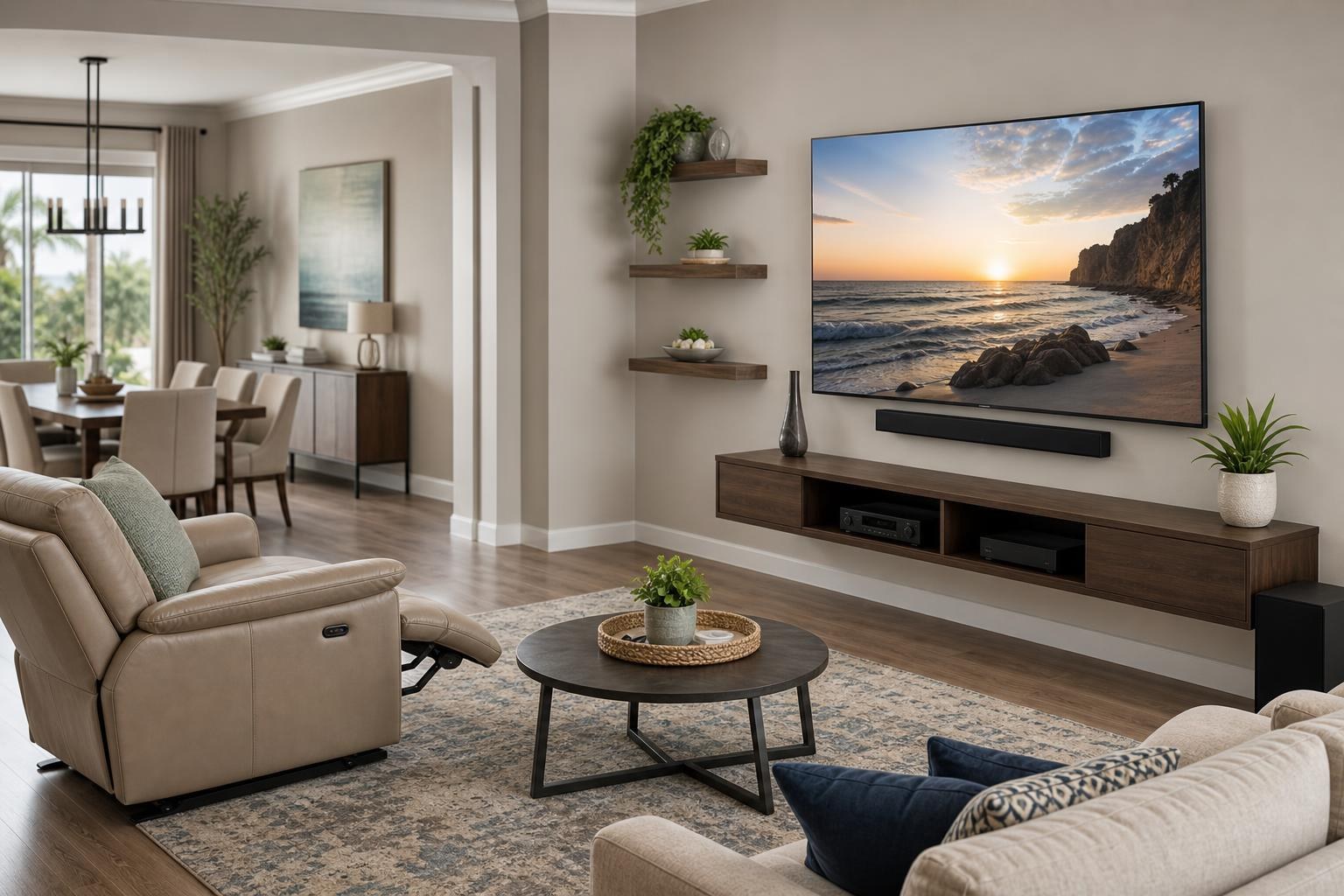
How High Should a TV Be With Recliners, Sofas, and Multiple Viewing Areas?
November 8, 2026
The TV looks comfortable from the sofa, but too low from the recliner. Raise it for the recliner, and someone sitting upright may spend every movie looking slightly upward. This is a common planning problem in The Villages, especially in open living rooms with reclining chairs, sectional seating, dining areas, and large TVs sharing one visual space.
There is rarely one mathematically perfect height for every seat. The better goal is a balanced placement that supports the room’s primary viewers without making secondary positions uncomfortable. Before booking TV Mounting The Villages, it helps to identify which seat matters most, how people actually sit, and what else must fit on the TV wall.
Start With the Seat You Use, Not a Generic Height Rule
General TV-height recommendations often assume one upright viewer sitting directly in front of the screen. Real rooms are more complicated. A person using a recliner has a different head position and natural gaze than someone sitting upright on a firm sofa. A deep sectional may also place viewers lower and farther back than nearby accent chairs.
Choose a primary viewing position before settling on the screen height. In many homes, this is the owner’s preferred recliner rather than the geometric center of the seating arrangement. If two people use matching recliners every evening, those seats should usually carry more weight than an occasional dining-chair view.
This does not mean aligning the TV exclusively for one chair. It means using the most important seat as the starting point, then checking whether the resulting position remains reasonable from the sofa, adjoining chairs, and any open dining area.
Why Recliners Change the Comfortable Sightline
Reclining changes both body angle and head support. As the chair moves back, the viewer’s natural gaze often shifts upward. A TV that feels slightly high from an upright sofa may feel well positioned from a fully supported recliner.
However, recliners are not all used the same way. One homeowner may watch with the chair nearly flat, while another raises only the footrest and remains mostly upright. The relevant position is the one used during normal viewing—not the chair’s maximum range.
Head and neck support matter as well. A large padded headrest can direct the viewer’s gaze higher than a chair with a low back. If someone must lift their head away from the headrest to see the full screen comfortably, the planned TV position may be too low for that seat.
How to Compare Multiple Viewing Positions
Evaluate the room during the type of viewing that happens most often. Sit naturally rather than forcing ideal posture, and consider longer programs instead of judging comfort from a brief glance.
- Primary recliner: Check the view with the chair in its usual viewing position.
- Main sofa: Consider both the center cushion and the end most often used.
- Secondary chairs: Decide whether they need a direct view or simply a usable occasional view.
- Dining or kitchen area: Treat this as a secondary sightline unless people routinely watch full programs there.
- Walking paths: Confirm that people moving through the room will not frequently block the screen.
A quick room photo taken from each important seat can also reveal alignment differences that are easy to miss while standing near the TV wall. These photos are useful when requesting an online assessment or discussing the room before an appointment.
Screen Size Changes the Top and Bottom of the TV
A larger TV does not automatically need to be mounted higher. As screen size increases, the display extends farther above and below its center. Raising an 85-inch TV simply because it is large can leave the entire picture uncomfortably elevated for upright viewers.
The bottom edge still needs to coordinate with the soundbar, console, floating entertainment center, and any devices beneath it. At the same time, the top of the screen should not dominate the wall or create an exaggerated upward view from closer seats.
This is especially important when replacing a 55- or 65-inch screen with a 75- or 85-inch model. Reusing the visual height of the old TV without considering the new dimensions can produce a very different viewing experience. A professional planning conversation should account for the exact TV model, mount type, furniture height, and seating distance.
Open-Plan Rooms Need a Clear Viewing Priority
Many homes in The Villages have a living area that opens toward a dining space or kitchen. It can be tempting to place the TV high enough to clear every possible obstruction and remain visible from the entire room. That choice may improve the distant standing view while reducing comfort in the seats used for everyday watching.
Decide whether the TV is primarily for seated living-room viewing or intended to serve multiple zones equally. If the living room is the priority, comfort from the recliners and sofa should generally lead the decision. Visibility from the kitchen can remain a useful secondary benefit.
Room orientation also matters. A screen facing the sofa directly but sitting at an angle to the dining area may benefit more from controlled mount movement than additional height. The available options depend on the TV, mount, wall position, and how much movement the connected setup can accommodate.
When Mount Movement Helps—and When It Does Not
A tilting mount can help aim a moderately elevated TV toward seated viewers, while a full-motion mount may support different horizontal viewing zones. Neither option automatically fixes a poor base position.
Mount movement also affects the rest of the setup. A soundbar mounted in relation to the TV may need to remain visually aligned as the screen moves. Media cables need an organized route that works through the intended range, and nearby shelves or furniture must leave appropriate clearance.
If the screen will regularly face both a recliner group and an adjoining area, mention that when reviewing available TV Mounting Services. The goal is to plan screen movement, sound, devices, and cable organization as one system rather than treating the bracket as an isolated choice.
Do Not Plan TV Height Without the Soundbar and Furniture
A comfortable screen position can still look unfinished if the soundbar is crowded against the TV or the media console feels disconnected below it. Before placement is finalized, account for every permanent item on the wall and floor.
A mounted soundbar may need visual separation from the screen while remaining coordinated with it. A console or floating entertainment center may hold a streaming device, Blu-ray player, game system, or other media components. Doors, drawers, shelves, and device ventilation areas should remain usable.
If new media furniture has not been assembled yet, settle its dimensions before committing to the TV position. TV Mounting Ocala can coordinate TV mounting with entertainment-center assembly, floating-shelf placement, device hookup, soundbar setup, and furniture anchoring where appropriate.
Common Height Decisions That Cause Regret
One frequent mistake is choosing the height while standing in the room. A TV can look beautifully centered on an empty wall from a standing position yet feel too high once everyone sits down.
Other problems include prioritizing an occasional kitchen view over the main recliner, forgetting how far a reclining seat shifts the viewer’s head, and selecting placement before the final soundbar or console is present. Centering the TV on the wall instead of the active seating zone can also create an awkward off-angle view.
Another issue is planning around one exact posture. People shift during a movie, sit upright for sports, and recline for longer programs. A successful position should tolerate those normal changes rather than feeling comfortable in only one carefully tested pose.
Details to Have Ready Before Requesting a Quote
You do not need to solve the placement by yourself. A few details can make the planning discussion more productive:
- TV brand, model, and screen size
- Photos showing the TV wall and the room from each main seat
- The primary recliner position used for viewing
- Approximate seating distance and whether the room is open to another area
- Soundbar, streaming device, Blu-ray player, and other connected equipment
- Existing or planned media furniture and floating shelves
- Whether fixed, tilting, or wider mount movement is preferred
- Desired media-cable concealment and organization
For an unusual seating layout, you can also contact TV Mounting Ocala with the room details before selecting the final service scope.
Plan for the Way You Actually Watch TV
The most comfortable TV height is not based solely on wall dimensions or a universal rule. It reflects the primary viewer’s posture, the recliner’s normal position, the sofa sightline, screen size, viewing distance, and the components surrounding the TV.
TV Mounting Ocala serves homeowners and property residents across Central Florida, including The Villages and Sumter County, with TV mounting, soundbar setup, media-device hookup, cable organization, entertainment-center installation, and related home entertainment services. When you are ready to plan the complete setup, get an instant quote and select the options that fit your room.
Ready to Get the Setup Off Your To-Do List?
Whether you are planning a new TV, soundbar, streaming setup, floating entertainment center, media furniture, pictures, mirrors, shelves, or another related mounting project, TV Mounting Ocala can help you turn the plan into a clean finished setup.
TV Mounting Ocala
(352) 462-1913
Project details, equipment, wall conditions, compatibility, availability, and final pricing can vary. Confirm your exact scope and quote before booking.