
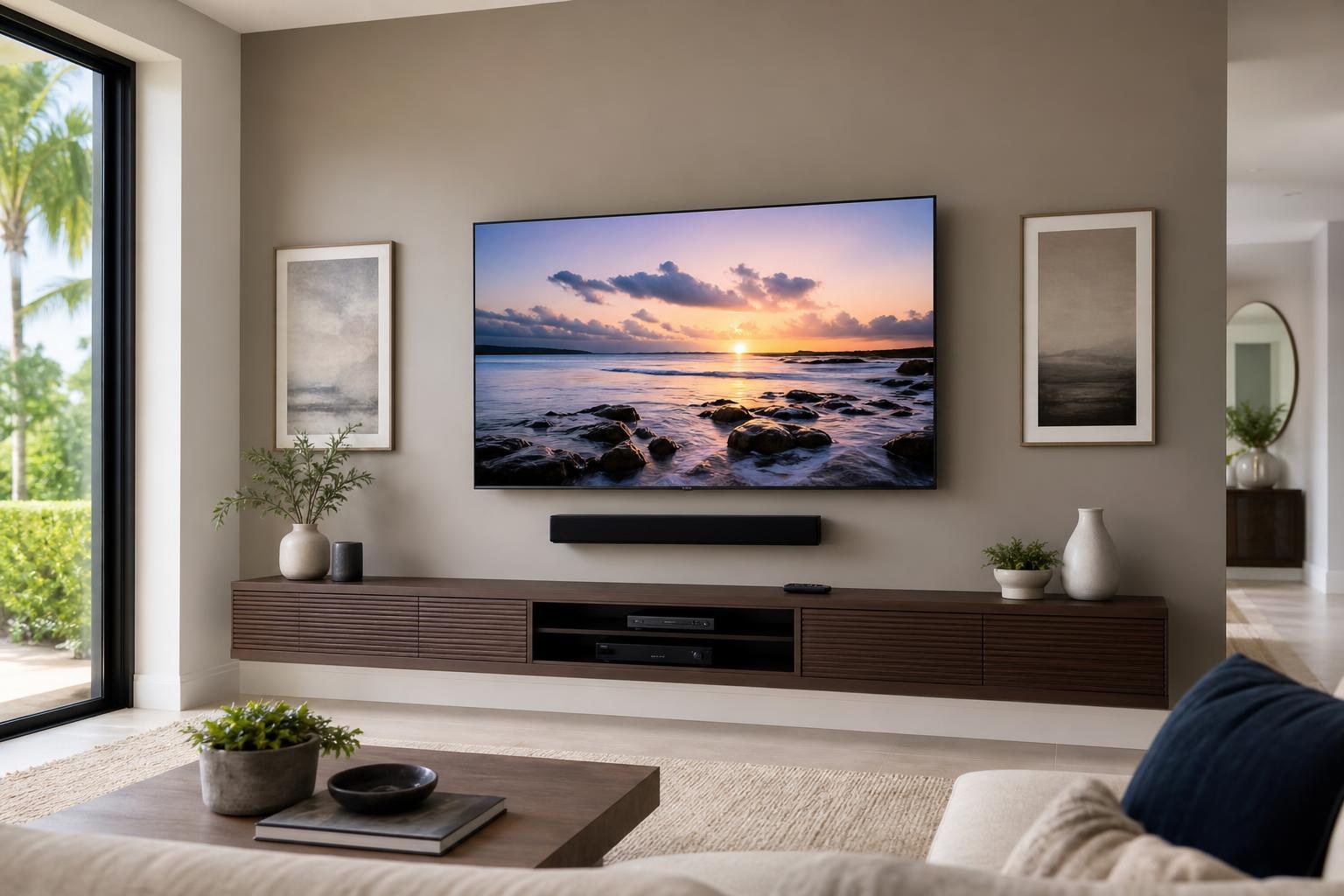
TV Mounting Only or a Complete TV Setup? Choose the Right Service Scope in Ocala
November 7, 2026
You may know exactly where you want the television, yet still be unsure what to request when booking. Do you need someone to mount the screen and stop there, or do you want the TV, soundbar, streaming devices, cables, and remotes working together before the appointment ends?
The better choice depends less on the television itself and more on your definition of “finished.” For some Ocala homeowners, finished means a secure, level screen in the planned location. For others, it means sitting down, choosing an app or media player, adjusting the volume, and watching without sorting through inputs or loose cables.
Understanding the difference before requesting a quote helps you select an appropriate service scope and avoid leaving important pieces of the room unfinished.
The Main Difference Is the Stopping Point
A mounting-only service focuses primarily on placing the television on the wall with a compatible mount. Placement, viewing position, screen size, wall conditions, and mount movement all need to be considered, but the screen is the central task.
A complete installation treats the television as one part of a larger entertainment system. Depending on what you select for your quote, that may include TV setup, soundbar mounting and connection, streaming-device setup, Blu-ray or media-player hookup, cable organization, and home entertainment programming.
Neither option is automatically better. The right scope is the one that matches the condition in which you want the room left. Homeowners comparing available options can review the company’s TV Mounting Services before deciding what belongs in the request.
When Mounting Only May Be Enough
Mounting only can be a practical choice when the rest of the entertainment setup is already organized and working. Perhaps you are replacing a mounted television while keeping the same sound system, devices, media console, and remote arrangement. You may also have a simple room with no external speakers or separate media players.
This narrower scope is most likely to fit when:
- The TV location and viewing height have already been settled.
- You have a compatible mount or plan to select one for the screen and viewing needs.
- Your streaming apps and connected devices are already configured.
- The soundbar or audio equipment is staying in its current position.
- Existing media cables are organized and can reach the planned locations.
- Your media furniture is assembled, positioned, and ready to use.
Even in a straightforward room, describe the expected result clearly. “Mount the TV” does not necessarily communicate that you also want a streaming player connected, a soundbar aligned below the screen, or several remotes coordinated.
When a Complete TV Installation Is the Better Fit
A complete setup is useful when several parts of the room are changing at once. This often happens with a new television, a move into a new home, a redesigned entertainment wall, or an upgrade from a console-based screen to a wall-mounted arrangement.
For example, a new smart TV may need its initial settings completed while an external streaming device, soundbar, and Blu-ray player are connected and assigned to the right inputs. If these pieces are handled separately, homeowners can end up with a polished-looking wall but an inconvenient daily experience.
Soundbar Placement and Connection
A soundbar affects more than sound. Its width, mounting position, remote sensor, upward-firing speakers, and relationship to the TV all influence the layout. It should be planned before the final screen position is confirmed, especially when both items will be mounted.
Complete service can account for the visual spacing between the TV and soundbar while also addressing connection and control. That coordination helps prevent a setup in which the screen looks centered but the soundbar feels squeezed against furniture or separated awkwardly from the television.
Streaming Devices and Media Players
External streaming devices and Blu-ray players need a planned home, usable cable paths, and clear input assignments. Small devices may be kept near the TV or organized around the media console, while larger players usually need accessible furniture with suitable space.
If you regularly switch among live TV, streaming apps, a disc player, and a game system, mention every source when requesting service. The number and type of devices can affect cable planning, furniture needs, and how simple the final controls feel.
Cable Organization and Remote Programming
A mounted TV can still look unfinished when media cables drop loosely toward the console or collect behind furniture. Cable-concealment and organization options should be selected based on the wall, mount movement, device locations, and desired appearance.
Remote programming is equally important to everyday use. A system may involve the television remote, soundbar control, streaming-device remote, and media-player control. While device compatibility determines what can be consolidated, programming and testing the intended commands can make the finished setup easier to understand.
Do Media Furniture and Floating Components Belong in the Scope?
They may, particularly when the furniture determines where devices and cables will live. A floating entertainment center should be planned in relation to the screen, soundbar, seating position, and nearby architectural features. A freestanding media console may need assembly and anchoring before equipment can be arranged.
If your project includes boxed furniture, do not assume it is automatically part of a TV mounting request. Add media-furniture assembly, floating entertainment-center installation, floating shelf mounting, or furniture anchoring to the requested scope as appropriate. Homeowners who need both services can include Furniture Assembly Ocala when describing the overall project.
This is especially valuable when the room has limited space. Coordinating the furniture and screen together can produce better visual alignment than making each decision independently.
Five Questions That Clarify What You Should Book
Before choosing between mounting only and a broader installation, picture the room at the end of the appointment. Then answer these questions:
- Should the TV be ready for immediate viewing, or do I only need it mounted?
- Will a soundbar be mounted, placed on furniture, or left as it is?
- Which streaming devices, media players, and game systems must be connected?
- Do I want media cables concealed, grouped, or routed more cleanly?
- Does any entertainment furniture need assembly, mounting, positioning, or anchoring?
If most answers involve changes beyond the screen, a complete setup will usually align better with your expectations. If everything else is already working and staying in place, mounting only may be sufficient.
What Affects the Quote?
The final price depends on the current online quote and the options selected. Useful project details include TV size, mount style, wall conditions, soundbar plans, number of connected devices, cable-organization preferences, and whether furniture or shelves are part of the room.
Photos can also communicate details that are easy to miss in a short description, such as a corner layout, tall console, narrow wall, existing floating unit, or several devices competing for space. If you are unsure how to classify the project, explain your desired end result rather than trying to choose a label.
TV Mounting Ocala serves homeowners and property residents across Marion County and other parts of the five-county service area. Similar scope questions arise in apartments, single-family homes, seasonal residences, and homes in The Villages: the screen may be the focal point, but the surrounding equipment determines whether the room is genuinely ready to use.
Book for the Room You Want at the End
If your goal is simply a well-positioned television, a focused mounting service may be all you need. If you want a coordinated entertainment wall with sound, streaming, media players, organized cables, functional controls, and ready-to-use furniture, describe the project as a complete setup.
You can Get an Instant Quote online and select the options that match your room. For questions about an unusual combination of TV mounting, devices, soundbar placement, or media furniture, use the Contact page or call TV Mounting Ocala at (352) 462-1913.
Serving another priority local market: TV Mounting The Villages.
Ready to Get the Setup Off Your To-Do List?
Whether you are planning a new TV, soundbar, streaming setup, floating entertainment center, media furniture, pictures, mirrors, shelves, or another related mounting project, TV Mounting Ocala can help you turn the plan into a clean finished setup.
TV Mounting Ocala
(352) 462-1913
Project details, equipment, wall conditions, compatibility, availability, and final pricing can vary. Confirm your exact scope and quote before booking.