
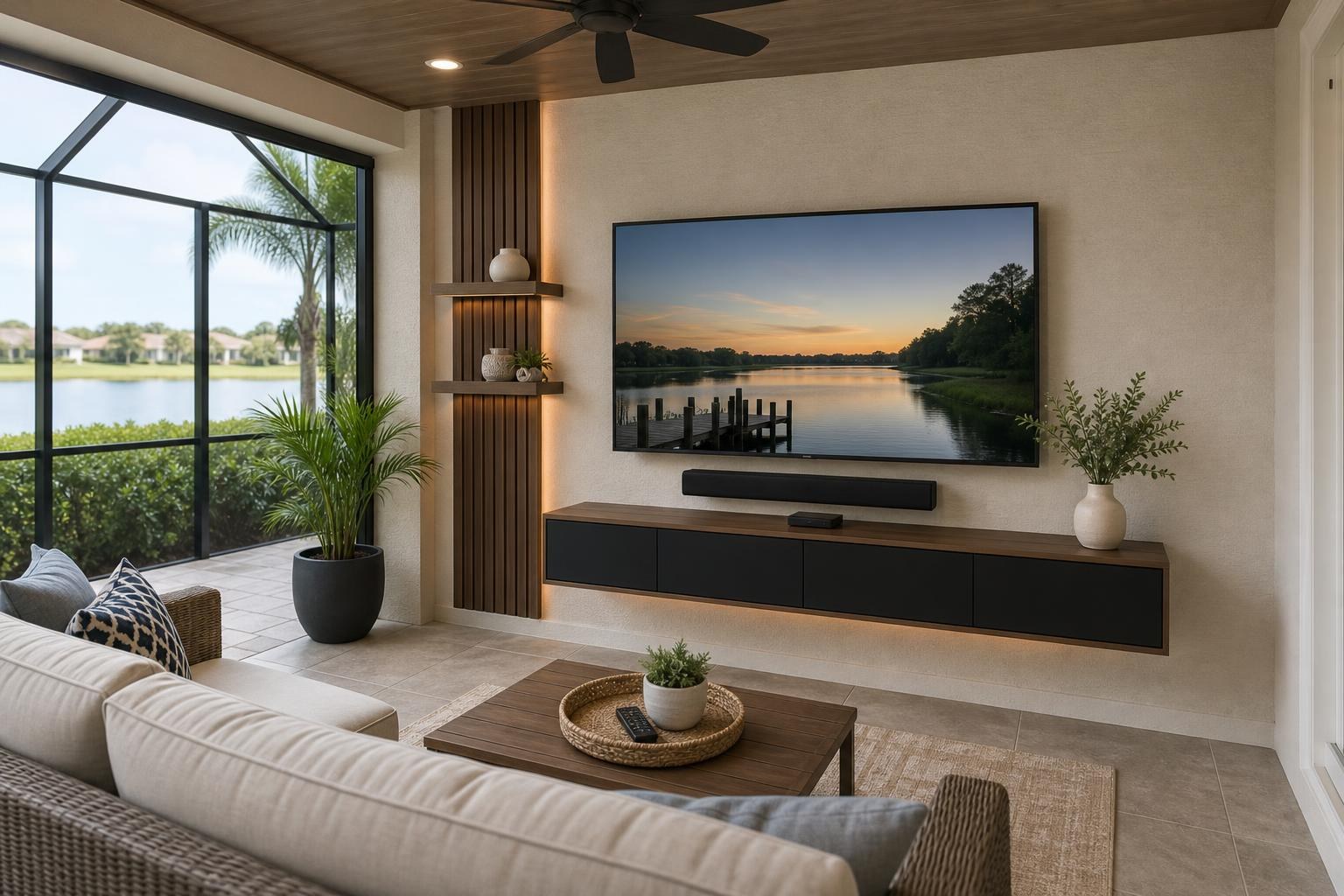
Lanai TV Setup Planning: Organize Streaming, Sound, Remotes, and Cables
November 3, 2026
You have already chosen the TV location on the lanai. The screen has a clear viewing angle, the seating makes sense, and the wall is no longer up for debate. Now comes the part that often determines whether the finished space feels effortless or unfinished: deciding where every device, cable, speaker, remote, and piece of media furniture belongs.
A lanai TV should not require a collection of loose adapters on a table or three remotes just to start a program. With a coordinated plan, the screen, streaming source, soundbar, furniture, and controls can function as one entertainment system rather than separate products competing for space.
Map the complete entertainment setup before choosing device locations
Start by listing everything that needs to communicate with the TV. That may include a streaming player, Blu-ray player, cable or satellite box, soundbar, game system, or another media source. Even a seemingly simple smart TV setup may rely on an external streaming device or sound system.
This inventory helps define the number of media connections, the need for accessible storage, and the best way to control the system. It also prevents an installer from completing a clean TV-and-soundbar arrangement only to discover that an additional device still needs a practical home.
If you are comparing service options, review the available TV Mounting Services and identify which device hookups, programming, soundbar setup, or cable-concealment needs should be included with the project.
Give streaming and media devices a deliberate home
A streaming device can sometimes sit discreetly near the TV, but that is not automatically the best choice. Device size, ventilation needs, signal behavior, remote style, cable length, and access for future troubleshooting all matter.
A media player hidden too aggressively may be difficult to restart or replace. A device resting visibly below the screen may undermine the clean appearance you wanted from mounting the TV. Before selecting its location, consider these questions:
- Does the device use an infrared remote that needs a clear path, or a wireless remote that works without direct sight?
- Will it depend on a stable Wi-Fi connection in that area of the lanai?
- Does it need occasional access for discs, buttons, pairing, or troubleshooting?
- Can its media cables reach the TV without hanging visibly?
- Will future replacement require moving the TV or dismantling furniture?
The right answer may be a floating entertainment center, a compact media console, a shelf, or discreet placement near the screen. The goal is not simply to hide the device. It is to keep it accessible while preserving a finished appearance.
Coordinate the soundbar with the screen and seating
A soundbar should look connected to the TV rather than added as an afterthought. Its width, mounting position, control sensor, connection type, and relationship to a moving TV mount can all affect the result.
If the TV can swivel toward different lanai seating zones, decide whether the soundbar should move with the screen or remain fixed. A fixed soundbar may look clean when the TV faces forward but feel visually disconnected after the screen turns. A soundbar mounted with the TV can maintain alignment, provided the selected components are compatible.
Also consider whether the soundbar could block the TV’s sensor or sit too close to the bottom edge of the screen. Clearances should account for the actual TV and soundbar models, not just general measurements. Professional soundbar setup can also include connection checks and control programming so volume changes do not become a separate daily task.
Decide how many remotes the lanai should require
The best time to simplify controls is before the equipment is arranged. List the functions your household uses most: turning the system on, changing volume, selecting a streaming service, switching to a Blu-ray player, and returning to live television.
Some combinations can share common commands through compatible control features. Others still need their original remote for settings or troubleshooting. Streaming remotes may control TV volume, while soundbar remotes may remain necessary for sound modes. Compatibility varies by model and connection method, so promises of a universal one-remote experience should be treated carefully.
A practical setup prioritizes the simplest reliable routine. Frequently used controls can remain together in a designated tray or drawer, while seldom-used device remotes stay labeled and accessible. During programming, each source should also receive a recognizable input name so guests are not guessing between generic labels.
Choose furniture around the equipment, not just the empty wall
A narrow console may look properly scaled below the TV but still lack room for a Blu-ray player, soundbar, or cable organization. Conversely, oversized furniture can crowd a lanai walkway and make the mounted screen look unnecessarily low or boxed in.
Before buying or assembling media furniture, compare its interior dimensions with the actual devices. Check door style, shelf depth, ventilation, remote behavior, and openings for media-cable routing. If the TV position is fixed, furniture height also needs to preserve visual spacing beneath the screen and soundbar.
Floating entertainment centers can keep the floor visually open, while freestanding consoles may offer easier storage and flexibility. Furniture anchoring may also be appropriate depending on the piece and room arrangement. Homeowners coordinating a new console with their TV project can include Furniture Assembly Ocala in the overall service conversation rather than treating assembly and entertainment setup as unrelated jobs.
Plan cable visibility from every normal viewpoint
Cable organization should be evaluated from the seating area, lanai entrance, and nearby indoor room—not only from directly in front of the TV. A route that disappears from the sofa may still be obvious from the sliding doors.
Count every media cable in the finished system, including connections for the soundbar and external devices. Then decide which cables can be concealed, which need an organized surface route, and where a small amount of accessible slack is useful for device service or TV movement. Cables should not be pulled tight across moving mount components or left in loose loops behind furniture.
Clean does not have to mean inaccessible. A professional-looking arrangement hides unnecessary visual clutter while leaving reasonable access for a streaming-device replacement, input change, or future equipment update.
Prepare one clear setup brief before the appointment
A few details can make the quote and appointment more productive. Have the TV and soundbar model numbers available, along with photos of the selected wall and surrounding furniture. Identify every device that should be connected, and note whether each one will remain on the lanai permanently.
It also helps to decide who will use the space. A household that wants one simple streaming remote may need a different setup from someone who regularly switches among live TV, discs, games, and multiple apps. Include any desired floating shelves, media furniture, picture hanging, or anchoring in the same project description so spacing and sequence can be considered together.
Build the setup around how you actually use the lanai
Central Florida lanais range from compact seating areas to larger outdoor living zones with several conversation groups. In The Villages, a straightforward TV-and-streaming arrangement may prioritize easy controls and minimal visible equipment. Homeowners considering TV Mounting The Villages can include device setup and soundbar coordination when describing the room.
In larger homes around Ocala or Orlando, the lanai may function as another complete entertainment room. Coordinating TV Mounting Orlando with media-device hookup and furniture planning can help keep the project cohesive. The same principle applies throughout Marion, Orange, Alachua, Sumter, and Citrus counties: plan the system as a whole, even when the TV position has already been selected.
Turn the chosen TV location into a complete entertainment setup
TV Mounting Ocala can help coordinate TV setup, soundbar mounting and setup, streaming and Blu-ray device hookups, home entertainment programming, media-cable concealment, floating entertainment centers, and related furniture assembly or anchoring.
To plan your lanai project, gather the equipment list, model numbers, room photos, and preferred furniture layout. Then Get an Instant Quote online or call (352) 462-1913 to discuss the setup you want to complete.
Ready to Get the Setup Off Your To-Do List?
Whether you are planning a new TV, soundbar, streaming setup, floating entertainment center, media furniture, pictures, mirrors, shelves, or another related mounting project, TV Mounting Ocala can help you turn the plan into a clean finished setup.
TV Mounting Ocala
(352) 462-1913
Project details, equipment, wall conditions, compatibility, availability, and final pricing can vary. Confirm your exact scope and quote before booking.