
Planning TV Mounting in Belleview? Settle These 6 Room Decisions First
October 31, 2026
A TV can fit on more than one wall, but that does not mean every wall will produce a comfortable or polished setup. Before booking TV mounting in Belleview, it helps to make a few connected decisions about how the room will actually be used.
The best plan considers more than the screen. Seating position affects TV height. Mount movement changes the viewing area. Soundbar placement influences the space below the screen. Furniture dimensions affect visual balance, while cable routing can determine whether the finished wall looks clean or cluttered.
You do not need to resolve every technical detail before requesting service. You should, however, know what you want the room to accomplish. These six decisions will make your quote and appointment easier to plan.
1. Which wall works for both viewing and room flow?
Start by comparing the realistic TV-wall options from the main seats. The largest open wall is not automatically the best choice. Doorways, windows, walking paths, furniture placement, and room shape all influence whether a wall works well.
Consider what happens when people move through the room. A screen placed beside a busy passage may be distracting, while a TV mounted too far from the seating area can feel undersized even when the screen itself is large. Windows and strong room lighting may also create reflections that become obvious during daytime viewing.
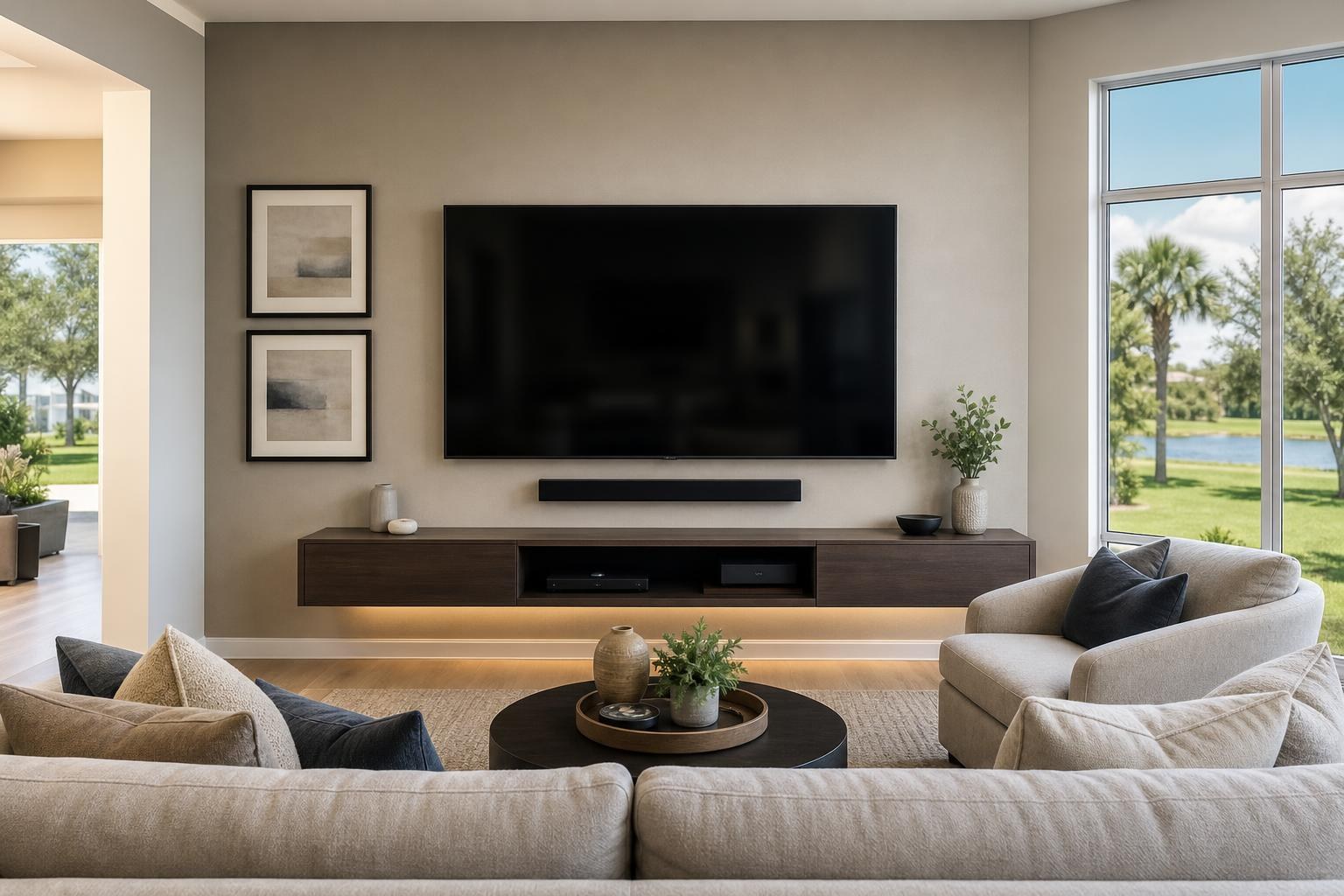
If two walls seem equally workable, think about what must accompany the TV. Is there room for a soundbar? Will a console, floating entertainment center, or shelving belong below or beside it? Can media cables be organized without stretching across the wall?
A wide photo of each possible wall, along with a photo taken from the primary seat, can help a professional understand the layout before the appointment. You can also review the broader range of TV Mounting Services when deciding whether the project involves the screen alone or a coordinated entertainment wall.
2. Where is the primary viewing position?
TV placement should be planned from where viewers normally sit, not from where someone happens to stand while discussing the wall. A height that appears attractive from across an empty room may feel uncomfortable once the sofa or recliners are in place.
Identify the seat that matters most. In some rooms, that will be the center of a sofa. In others, it may be a recliner used every evening. Open living and dining layouts may need to accommodate several viewing directions, but it is still useful to establish one primary position.
Before booking, note whether viewers sit upright, recline, or watch from an adjacent space. Also mention unusually low or high seating. These details help frame the placement discussion without relying on a one-size-fits-all height.
If furniture has not arrived yet, have its measurements available. The seat height, back height, and expected location are more useful than guessing from an empty floor.
3. Does the TV need to stay fixed, tilt, or move sideways?
Mount movement should solve a real room need. A fixed position can create a streamlined appearance when the seating is centered and reflections are manageable. Tilting may be useful when the screen must sit higher than preferred. Side-to-side movement can help when the TV is watched from more than one area.
More movement also changes how the installation looks and functions. The TV may sit farther from the wall, media cables need enough flexibility for the intended motion, and nearby shelves or decor must not interfere with the screen’s travel.
Before selecting a mount style, ask:
- Will the TV usually be watched from one seat or several zones?
- Does the screen need adjustment for daytime reflections?
- Will the TV need to turn toward a dining area or adjoining room?
- Are there cabinets, shelves, curtains, or wall decor near the planned screen edges?
- Is a close-to-the-wall appearance more important than movement?
If you already own a mount, include its brand and model information with your project details. The TV model is equally important because screen size alone does not confirm compatibility.
4. Where should the soundbar go?
A soundbar is often treated as an accessory to place after the TV is mounted. That sequence can leave too little room below the screen or create a mismatch between the TV, soundbar, and furniture.
Decide whether the soundbar should be mounted with the TV area or rest on a console. A mounted soundbar can keep the wall visually unified and preserve the furniture surface for other devices. Console placement may suit a room where the furniture is already at the right height and depth.
Either way, the soundbar should not block the lower portion of the picture or interfere with the TV’s controls. Its width also matters visually. A very narrow soundbar below a large screen may look disconnected, while surrounding shelves or tall decor can crowd the arrangement.
Share the soundbar model when requesting service. If the setup includes a streaming device, Blu-ray player, or other media equipment, list those items too. TV setup, soundbar setup, device hookup, and home entertainment programming can then be considered as one project rather than unrelated tasks.
5. How will the TV relate to the furniture below it?
The console or entertainment center gives the mounted TV a visual foundation. When the furniture is too narrow, off-center, or unexpectedly tall, the whole wall can look unbalanced even if the screen itself is level.
Measure the furniture’s full width, height, and depth. Include doors, drawers, and cabinet tops that need room to open or hold devices. If you are shopping for a new piece, compare its dimensions with both the TV and available wall space before ordering.
Furniture height is especially important because it influences the space available for the soundbar and the screen. Decorative objects placed on top also need consideration; tall frames, lamps, or seasonal decor can intrude into the TV area.
If the furniture is still boxed, assembly can be coordinated with the room plan. Furniture Assembly Ocala is relevant for media consoles, entertainment centers, and related pieces that need to work with the mounted setup. Furniture anchoring may also be included when appropriate to the item and project scope.
6. What should the cable area look like when finished?
“Hide the wires” can mean different things to different homeowners. One person may want media cables routed in a neat vertical path. Another may expect devices to be concealed behind the TV or stored inside a cabinet. Clarifying the desired appearance helps define the service scope.
List every component that will connect to the TV, including the soundbar, streaming device, Blu-ray player, game system, and any other media source. Then decide where those components should live. A device inside a closed console creates different access and remote-control considerations than one positioned behind the screen.
Also consider future access. A cable arrangement can look tidy while still allowing a device to be replaced or an input to be reached later. If the mount will move, cable organization must work throughout the intended range rather than only when the TV is pushed flat against the wall.
Photos are helpful here as well. Include the full wall, the existing furniture, and close views of the devices and cables you expect to use.
Turn your decisions into a clear booking request
You do not need a finished design document. A short project summary can give the installer the information needed to understand your goals. Include the TV size and model, preferred wall, seating location, desired mount movement, soundbar model, furniture dimensions, connected devices, and cable-appearance preference.
It is also helpful to say what you already own and what still needs to be assembled or selected. If you are uncertain between two wall positions, mention both instead of committing to a choice that has not been evaluated in the room.
For questions about an unusual layout or a project involving several coordinated items, use the Contact page or call (352) 462-1913. Belleview homeowners can use TV Mounting Ocala for TV wall mounting, soundbar setup, media-device hookup, cable concealment, floating entertainment centers, media-furniture assembly, and related room setup.
When you are ready, Get an Instant Quote online and include the room details you have gathered. A clear plan makes it easier to book the right combination of mounting, setup, and furniture services for a finished entertainment space.
Serving another priority local market: TV Mounting The Villages.
Ready to Get the Setup Off Your To-Do List?
Whether you are planning a new TV, soundbar, streaming setup, floating entertainment center, media furniture, pictures, mirrors, shelves, or another related mounting project, TV Mounting Ocala can help you turn the plan into a clean finished setup.
TV Mounting Ocala
(352) 462-1913
Project details, equipment, wall conditions, compatibility, availability, and final pricing can vary. Confirm your exact scope and quote before booking.