
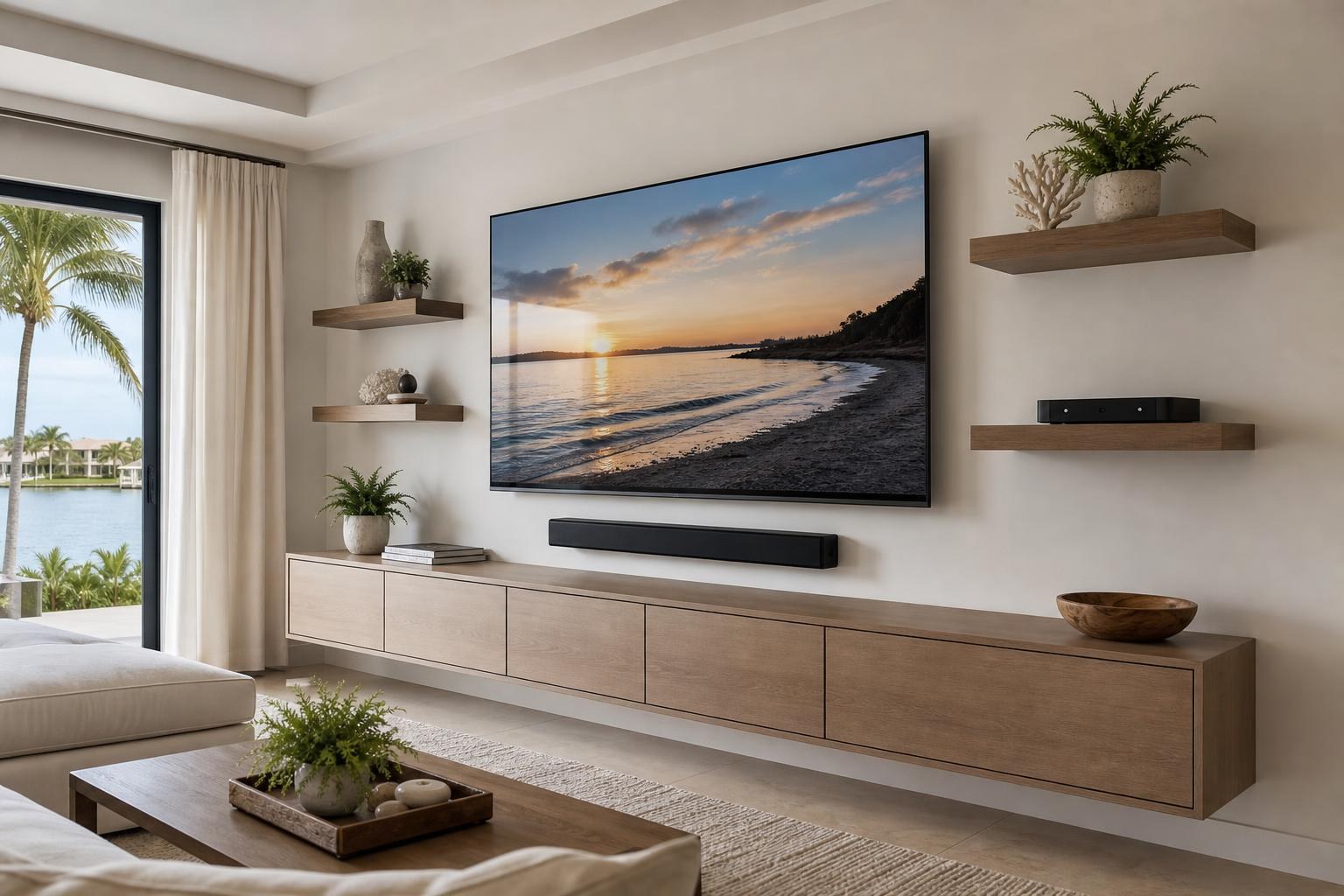
Where Should Floating Shelves Go on a TV Wall? Plan Around the Screen, Soundbar, and Devices
October 26, 2026
A floating shelf can make a TV wall feel finished—or make the entire arrangement look crowded. The difference often comes down to decisions made before anything is mounted: what the shelf will hold, how the TV and soundbar relate to it, where media cables need to travel, and whether the shelf is deep enough for the devices you actually use.
There is no single placement measurement that works for every room. A shelf displaying framed photos has different requirements from one holding a Blu-ray player, streaming device, game system, or compact speaker. The right plan accounts for the full entertainment setup rather than treating the shelf as an isolated accessory.
For homeowners planning TV Mounting Ocala, these considerations can help turn a collection of screens, speakers, devices, and furniture into one visually connected media wall.
Decide What Each Floating Shelf Needs to Do
Start with purpose. A shelf meant mainly for decor can usually prioritize visual balance. A working media shelf needs usable depth, device access, ventilation, and sensible cable routing. If it will serve both purposes, the functional items should shape the placement first.
- Decor shelf: Framed pictures, small plants, and lightweight decorative objects need comfortable visual spacing around the TV.
- Device shelf: Streaming equipment, media players, game systems, and controllers need access, ventilation, and room for connectors.
- Speaker shelf: A speaker may need a clear path into the room and separation from nearby objects.
- Mixed-use shelf: Devices should remain accessible without being buried behind decor or crowded against the wall.
This decision also affects shelf construction, depth, and mounting requirements. A slim display ledge may look appropriate in a product photo but be unsuitable for a full-size media device once cable connections are considered.
Establish the TV Zone Before Placing Shelves
The TV should establish the main visual zone. Plan around the screen’s actual outer edges—not only the advertised screen size—and account for any mount movement. A full-motion TV needs open space through its intended range, while even a fixed TV benefits from enough surrounding room to avoid a boxed-in appearance.
Shelves mounted beside the screen should not visually pinch its corners. Shelves above it should leave the TV feeling like the focal point rather than something tucked beneath a heavy row of objects. If shelves will sit below the TV, consider how they relate to the soundbar and media furniture as well as the bottom edge of the screen.
A helpful planning approach is to treat the screen, soundbar, and console as the central composition. Floating shelves can then support that composition instead of competing with it. Homeowners comparing complete installation options can review the company’s TV Mounting Services before deciding which parts of the wall should be handled together.
Protect Soundbar and Speaker Clearance
A shelf that appears comfortably separated from the TV may still interfere with a soundbar. Check the soundbar’s physical height, its controls and sensors, and the way it projects sound. Some models also need clear space around particular speaker surfaces, so manufacturer guidance should be part of the layout decision.
If the soundbar will be mounted below the TV, avoid squeezing a shelf into the remaining gap simply to fill empty space. That can make the wall look layered and busy while reducing access to the soundbar. A shelf placed farther to one side—or omitted from the central zone—may produce a cleaner result.
Also consider where remotes and status lights need a clear line of sight. Decorative pieces, deep shelf edges, or overlapping components can make an otherwise attractive arrangement inconvenient to use.
Check Usable Depth, Not Just the Shelf’s Listed Depth
Shelf depth is one of the most commonly overlooked planning details. The listed dimension does not necessarily represent the full usable area once connectors and cable curves are included. A device should not sit precariously near the front edge because its HDMI or media cable needs room behind it.
Before choosing a shelf, record the device’s width, height, and depth with its connections in place. Check whether controls, disc trays, or connection ports require front or side access. Devices that release heat also need their manufacturer-recommended breathing room rather than being tightly enclosed by decor.
If the planned setup includes a floating entertainment center or media cabinet, compare it with standalone shelves before buying both. In some rooms, assembled media furniture can handle the devices while smaller shelves are reserved for display pieces. Furniture Assembly Ocala can be coordinated with TV-wall planning when the furniture and mounted components need to work as one arrangement.
Plan Media-Cable Routes Before Finalizing the Layout
A shelf can look perfectly positioned until several media cables have to travel from it to the television. Plan where each device connects, how much cable movement is needed, and whether cables can follow a clean, organized route.
Side shelves may create longer visible runs than expected. A centered shelf below the TV can simplify routing, but only if it does not crowd the soundbar or duplicate the role of the console. Devices on separate shelves can also produce multiple cable paths that make the wall feel fragmented.
Think beyond the initial setup. If a streaming device, Blu-ray player, or game system may be added later, leaving sensible access can prevent the shelf arrangement from becoming obsolete. Professional wire and cable concealment focuses on a neat finished appearance while preserving practical device connections and service access.
Use Visual Weight Instead of Automatic Symmetry
Matching shelves on both sides of a TV can work, but symmetry is not mandatory. In an open living room, a doorway, tall window, cabinet, or adjoining dining area may make a perfectly mirrored layout feel unnatural. Visual balance matters more than identical placement.
A longer shelf on one side can be balanced by media furniture, framed art, or a smaller shelf on the other. The objects placed on the shelves also affect visual weight. Several dark devices appear heavier than a few light decorative pieces, even when the shelves are the same size.
Keep the finished wall readable from the primary seating area. Too many short shelves can create a staircase effect, while shelves aligned too closely with the TV’s top or bottom edges may look accidental. Simple relationships between the shelf lines, screen edges, and furniture usually produce the strongest result.
Avoid These Common Floating-Shelf Planning Mistakes
- Choosing the shelf before confirming device dimensions and connector clearance
- Placing decor where it blocks a speaker, sensor, or screen edge
- Ignoring the movement range of an articulating TV mount
- Creating several separate media-cable routes without a concealment plan
- Using shallow shelves for equipment that needs more functional depth
- Crowding the wall because every open area seems to need another object
- Planning shelves without considering the console or entertainment center below
These issues are easier to resolve while the layout is still being planned. They become more frustrating after the TV, soundbar, and shelves have been positioned independently.
Prepare the Right Details for a Shelf and TV-Wall Quote
Clear information helps define the service scope. Useful details include a straight-on room photo, the TV size and model, shelf dimensions, the objects or devices each shelf will hold, the planned soundbar position, and any existing media furniture. Note whether the TV mount is fixed, tilting, or full motion.
If shelves or furniture have not been purchased, explain the intended look and function rather than guessing at dimensions. This makes it easier to identify conflicts before the room fills up with components that do not fit together.
This planning is especially useful in The Villages, where a living room may need a clean entertainment setup without making the wall feel overloaded. Homeowners researching TV Mounting The Villages can include floating shelves, device hookup, soundbar setup, cable organization, and media furniture in the same room plan.
Coordinate the Wall Instead of Booking Isolated Pieces
A polished media wall depends on the relationship between its parts. TV height affects soundbar placement. Soundbar placement affects the shelf zone. Shelf depth affects device connections. Media furniture affects the visual center and available storage.
TV Mounting Ocala can help with TV wall mounting, TV setup, soundbar mounting and setup, streaming and Blu-ray device hookup, cable concealment, floating entertainment centers, media-furniture assembly, and floating shelf mounting. If you are unsure which items belong in the same appointment, use the Contact page or call (352) 462-1913 to discuss the room.
Ready to turn your measurements, equipment list, and room photos into a defined service request? Get an Instant Quote and plan the TV, shelves, soundbar, devices, and cable appearance as one complete media wall.
Ready to Get the Setup Off Your To-Do List?
Whether you are planning a new TV, soundbar, streaming setup, floating entertainment center, media furniture, pictures, mirrors, shelves, or another related mounting project, TV Mounting Ocala can help you turn the plan into a clean finished setup.
TV Mounting Ocala
(352) 462-1913
Project details, equipment, wall conditions, compatibility, availability, and final pricing can vary. Confirm your exact scope and quote before booking.