
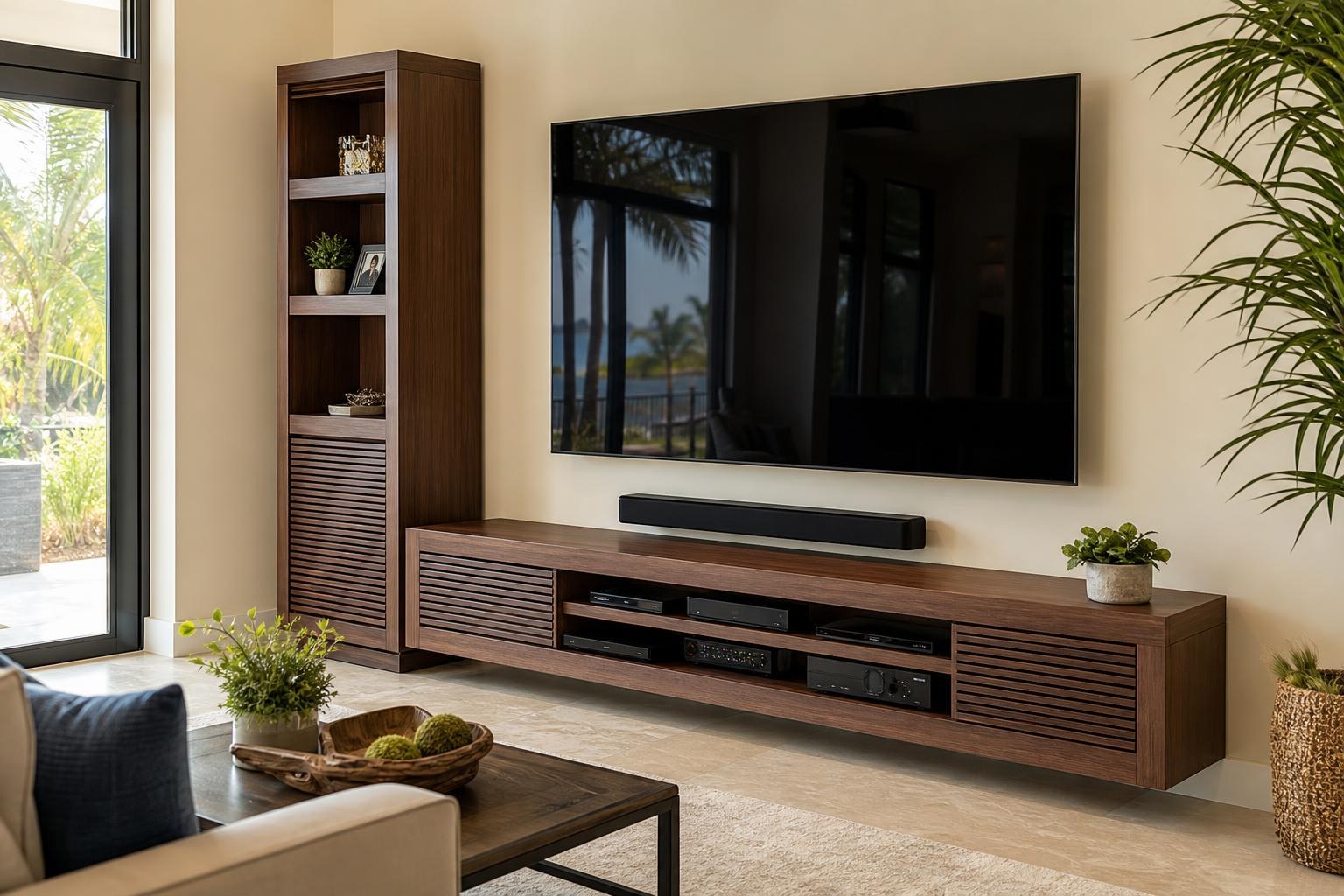
Does Your Media Furniture Need Anchoring? Plan Around the TV Before Assembly
October 25, 2026
A new media console may look stable in the product photos, but the finished room introduces variables the listing cannot show: a large TV, opening drawers, tall storage sections, uneven flooring, active children or pets, and cables pulling toward devices.
That is why furniture anchoring should not be treated as an automatic last step after everything else is assembled. The TV location, furniture design, wall conditions, soundbar, media devices, and intended storage can all affect the plan.
For Central Florida homeowners arranging media-furniture assembly, the most useful question is not simply, “Can this unit be anchored?” It is, “How should the entire entertainment area be configured so the furniture, TV, and connected equipment work safely and cleanly together?”
Which entertainment furniture may need stabilization?
Not every console or cabinet has the same stability concerns. A wide, low-profile console may behave differently from a tall media tower with doors and adjustable shelves. Product instructions should be reviewed, particularly when the manufacturer includes anti-tip components or anchoring guidance.
Furniture that deserves a closer stability review includes:
- Tall, narrow media towers, bookcases, or display cabinets
- Entertainment centers with upper shelving or bridge sections
- Cabinets with large doors, drawers, or pull-out storage
- Modular units connected to create a larger entertainment wall
- Furniture supporting a television, soundbar, or substantial media equipment
- Units placed in busy walkways or rooms used by children and pets
The furniture’s proportions matter, but so does its use. A cabinet that remains stable while empty may respond differently once shelves hold game systems, Blu-ray players, speakers, décor, or other equipment. Frequently opened doors and drawers can also change how a unit feels during everyday use.
If you are comparing assembly and stabilization as one coordinated service, Furniture Assembly Ocala can help you frame the project around the complete media-room setup rather than the furniture alone.
How TV placement changes the anchoring plan
The first major decision is whether the TV will be mounted on the wall or placed on the furniture. That choice changes the weight carried by the console, the required top-surface area, the visual alignment, and the way cables move between components.
When the TV will sit on the console
Confirm that the furniture is intended to support the television and that the TV’s stand or feet fit completely on its top surface. Width alone is not enough. Some televisions use feet positioned near the outer edges, which can make an otherwise wide console unsuitable.
The screen should not be used to compensate for furniture that rocks, leans, or feels unstable. Before setup, the installer should know the TV model, the stand configuration, and what equipment will be stored inside the unit. These details help identify whether the planned arrangement is compatible before the television is placed.
When the TV will be wall mounted
Wall mounting removes the television from the furniture’s top, but it does not automatically eliminate the need to consider stabilization. Tall cabinets, bookcases, and storage towers can still move independently of the mounted screen.
The furniture height also influences comfortable TV placement. If the console, center channel, décor, or soundbar is unusually tall, the screen may be pushed higher than expected. Planning the furniture and television together gives TV Mounting Ocala a clearer basis for positioning the screen without creating awkward gaps or blocked equipment.
When the mount swivels or extends
A moving TV can alter the visual balance of the room and the path of connected media cables. The furniture should not obstruct the screen’s intended movement, and stored devices should have sensible cable routes that do not become taut when the TV changes position.
This is especially important in open living areas where a television may turn toward a dining space or another seating zone. The console, soundbar, and tall storage pieces should be positioned around the mount’s practical viewing range—not merely centered beneath the screen when it is flat against the wall.
Anchored furniture and floating furniture are different projects
A floor-standing entertainment center that is stabilized to reduce movement is not the same as a floating console designed to be supported by the wall. The second project requires a review of the cabinet design, intended wall attachment, equipment placement, door clearance, and media-cable routing.
Similarly, floating shelves should not be treated as an interchangeable substitute for device storage. The shelf depth, the equipment footprint, ventilation space, remote access, and cable path all affect whether a streaming device, Blu-ray player, game system, or speaker belongs there.
If your plan includes a wall-mounted TV, floating entertainment center, shelves, or soundbar, review the available TV Mounting Services before requesting the project. Describing all wall-mounted items together helps avoid a quote based on only one part of the room.
What should you discuss before furniture assembly?
A few clear details can prevent the installer from having to make major layout decisions after a large unit is already assembled. Before booking, gather the furniture listing or model information and take photos showing the full wall, nearby corners, baseboards, flooring, and existing TV equipment.
Be ready to discuss:
- Furniture type and dimensions: Note whether it is a low console, tall cabinet, modular entertainment center, or floating unit.
- Manufacturer guidance: Keep the assembly instructions and all included anti-tip or wall-attachment components with the packaged parts.
- TV plan: Provide the screen size and model, and explain whether it will sit on the console or be wall mounted.
- Soundbar location: Decide whether it should sit on the furniture or be mounted in relation to the TV.
- Media devices: List streaming devices, game systems, Blu-ray players, speakers, and other equipment that must fit or connect.
- Storage habits: Explain which doors and drawers will be used frequently and what the unit is expected to hold.
- Cable appearance: Identify visible media cables you want routed, organized, or concealed as part of the finished setup.
- Room conditions: Mention rental restrictions, unusual wall finishes, floor transitions, or tight access to the assembly area.
Residents planning a setup in Sumter County can use the same room-wide approach when booking TV Mounting The Villages. In Orange County, homeowners combining a new console with a screen and connected devices can also review Furniture Assembly Orlando.
Plan the sequence before the boxes are opened
Media-room projects usually go more smoothly when the final relationship between the wall, furniture, and TV is established first. That does not mean every measurement must be decided remotely. It means the service provider should understand the intended result before assembly begins.
For example, a wide entertainment center may need to be aligned with the seating area before the TV position is finalized. A floating console may need to be coordinated with the screen and soundbar as one visual composition. A tall side cabinet may affect how centered the full installation appears, even when the TV itself is centered correctly.
Device connections and programming belong in the plan as well. Once the furniture is positioned, equipment should remain accessible enough for setup, remote control, Wi-Fi troubleshooting, and future replacement. A cabinet that hides every device but interferes with normal operation is not a successful media-room design.
Book the room as a coordinated setup
Furniture anchoring is most useful when it supports a complete plan rather than serving as an afterthought. The furniture should suit the TV, the screen should work with the seating, and the soundbar and media devices should have practical locations with organized cable routes.
TV Mounting Ocala serves homeowners and residents across Marion, Orange, Alachua, Sumter, and Citrus counties. When requesting service, include the furniture model, TV details, room photos, and a list of equipment you want assembled, mounted, connected, or programmed.
You can Get an Instant Quote online for the planned service scope or call (352) 462-1913 to discuss the project before booking.
Ready to Get the Setup Off Your To-Do List?
Whether you are planning a new TV, soundbar, streaming setup, floating entertainment center, media furniture, pictures, mirrors, shelves, or another related mounting project, TV Mounting Ocala can help you turn the plan into a clean finished setup.
TV Mounting Ocala
(352) 462-1913
Project details, equipment, wall conditions, compatibility, availability, and final pricing can vary. Confirm your exact scope and quote before booking.