
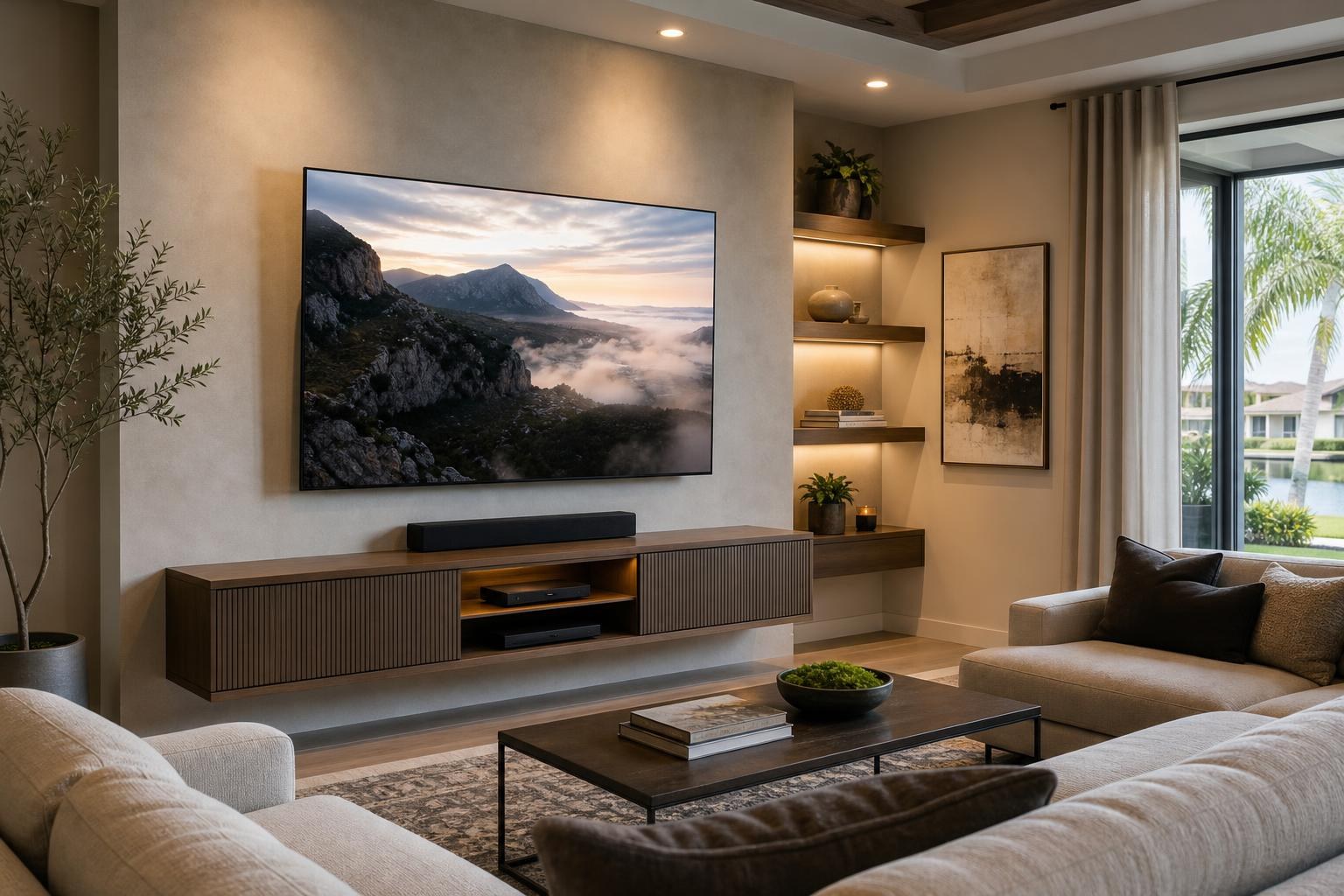
Planning an OLED TV Wall: Reflections, Seating, Mount Movement, and Device Access
October 21, 2026
An OLED TV can be impressively thin, but the installation decision is much bigger than the panel. Where will daylight appear on the screen? Will a moving mount improve the view or complicate the soundbar layout? Can someone reach the TV’s connections after everything is mounted?
These questions are easiest to resolve before the installation appointment. A room-first plan helps Ocala and Central Florida homeowners choose a position that works for everyday viewing, not just one that looks centered on an empty wall.
Study reflections before choosing the TV position
A wall can look ideal in the morning and create a distracting reflection later in the day. Before settling on the mounting position, look at the room during the hours when the TV will be used most often.
Pay attention to windows, sliding glass doors, glass-front furniture, mirrors, and lamps that sit across from the screen. Reflections can also change with seating position. Something barely visible from the center of a sofa may be much more noticeable from a side chair.
Window coverings and flexible room lighting may help manage changing conditions, but the starting position still matters. A full-motion mount can provide some flexibility, although it should not be treated as a complete solution for a screen facing a bright opening. The TV needs enough room to move without creating an awkward viewing angle, pulling media cables tight, or colliding with nearby furniture.
Choose seating distance by comfort, not one universal formula
There is no single seating distance that fits every OLED TV, room, and viewer. Screen size matters, but so do the type of content being watched, the depth of the seating, and whether people normally sit upright or recline.
Start with the primary viewing position. From that seat, the screen should feel immersive without requiring frequent head movement to follow action across the picture. Then evaluate secondary seats. An open living room may have a sofa directly across from the TV, a chair at an angle, and a kitchen viewing position farther away.
The TV’s listed dimensions are more useful than the diagonal measurement alone. Comparing its actual width and height with the available wall area can reveal whether the screen will crowd a doorway, extend beyond a media console, or leave too little space for a soundbar.
Viewing height should also reflect the furniture people actually use. A deep sectional, reclining chair, or high bed changes the comfortable sightline. The best-looking wall arrangement is not successful if regular viewers are constantly looking too far upward.
Decide how much mount movement the room needs
The mount affects more than whether the TV can move. It changes how far the panel sits from the wall, how connections can be reached, and how the TV relates to a soundbar or floating console.
- Fixed positioning can create a streamlined appearance when seating is centered and connection access has been planned in advance.
- Tilt movement may help when the TV must sit somewhat higher, but the final angle should still feel natural from the main seats.
- Full-motion movement can serve open rooms, multiple viewing zones, or angled seating. It also requires planning for panel clearance, controlled cable slack, and the screen’s path around nearby objects.
A thin OLED panel can make the entire arrangement feel visually light, yet the mount still has to match the TV and the intended range of movement. A professional assessment can account for the wall, screen, mount, and room together rather than treating each as a separate purchase. The available TV Mounting Services include TV setup, soundbar setup, media-device hookup, and cable concealment options that can be coordinated as one installation plan.
Reserve soundbar clearance before finalizing TV height
A soundbar added after the TV position is chosen often ends up squeezed against the screen or placed farther away than expected. Plan the TV and soundbar as a pair, even if the soundbar will be installed later.
Check the soundbar’s height and depth, how it is supported, and whether its design needs unobstructed space above or around it. The arrangement should not cover the bottom edge of the screen or interfere with TV functions located along that area.
If the soundbar moves with the television, its mounting relationship must remain consistent throughout the mount’s range. If the soundbar stays on a console while the TV moves, consider how the visual alignment and listening position will change when the screen is angled.
A floating entertainment center introduces another spacing decision. Enough separation is needed among the console, soundbar, and screen so the wall looks intentional rather than compressed. Homeowners coordinating a new console can also ask about Furniture Assembly Ocala as part of the broader room plan.
Plan access to thin-panel connections
Connection access is easy to overlook when admiring a slim TV. Depending on the model, ports may face sideways, downward, or toward the wall. Some connections remain convenient after mounting; others can become difficult to see or reach.
List every device that will be part of the system before the installation: soundbar, streaming player, Blu-ray player, game system, or other media source. This helps determine which TV connections need to remain available and where the devices will live.
Cables should have room to follow their natural path without being sharply compressed behind the panel. A moving mount also needs enough organized slack for its intended positions. The goal is a clean appearance without sacrificing future access when a device is replaced or added.
For a fixed installation, connection planning is especially important because the TV will remain close to its final wall position. With a moving mount, access may be easier, but cable routing must work throughout the full movement path. TV Mounting Ocala can coordinate the mounting position with media-device hookup, streaming-device setup, home entertainment programming, and appearance-focused cable organization.
Consider the entire entertainment wall
The screen may be the focal point, but nearby furniture and décor determine whether the finished wall feels balanced. Measure the media console or floating entertainment center in relation to the TV rather than judging each piece independently.
Also account for floating shelves, framed pictures, and mirrors. A mirror placed across from the OLED can introduce a second layer of reflections, while a shelf too close to a moving screen can restrict the mount’s useful range. Furniture anchoring and wall-mounted media pieces should be included in the service scope when relevant.
This coordinated approach is useful beyond Marion County as well. Homeowners planning TV Mounting The Villages may be working with an open living area and multiple viewing positions, while an Orlando or Gainesville room may require different decisions about furniture placement and device storage. The room should lead the plan.
Prepare these details for an OLED installation quote
A few accurate details can make an online quote more useful and help clarify the intended setup before appointment day:
- The OLED brand, model, and screen size
- The mount model, if one has already been purchased
- Photos showing the full TV wall and the main seating area
- The locations of windows, glass doors, mirrors, and bright lamps
- Soundbar dimensions and whether it will be mounted or placed on furniture
- A list of streaming, Blu-ray, gaming, and other media devices
- Any floating console, shelf, or media furniture involved in the layout
- Preferences for media-cable concealment and future connection access
Photos are especially helpful when they show the room from more than one angle. They allow the quote request to communicate reflection sources, wall space, furniture depth, and off-center seating more clearly.
Build one room plan before the OLED goes on the wall
A polished OLED installation is not simply a thin screen attached to a convenient surface. It is a coordinated relationship among the viewing seats, reflected light, mount movement, soundbar, devices, media cables, and surrounding furniture.
If you are preparing an OLED setup in Ocala or elsewhere in the Central Florida service area, you can Get an Instant Quote with the room and equipment details you already know. For questions about a more involved entertainment-wall plan, use the Contact page or call TV Mounting Ocala at (352) 462-1913.
Ready to Get the Setup Off Your To-Do List?
Whether you are planning a new TV, soundbar, streaming setup, floating entertainment center, media furniture, pictures, mirrors, shelves, or another related mounting project, TV Mounting Ocala can help you turn the plan into a clean finished setup.
TV Mounting Ocala
(352) 462-1913
Project details, equipment, wall conditions, compatibility, availability, and final pricing can vary. Confirm your exact scope and quote before booking.