
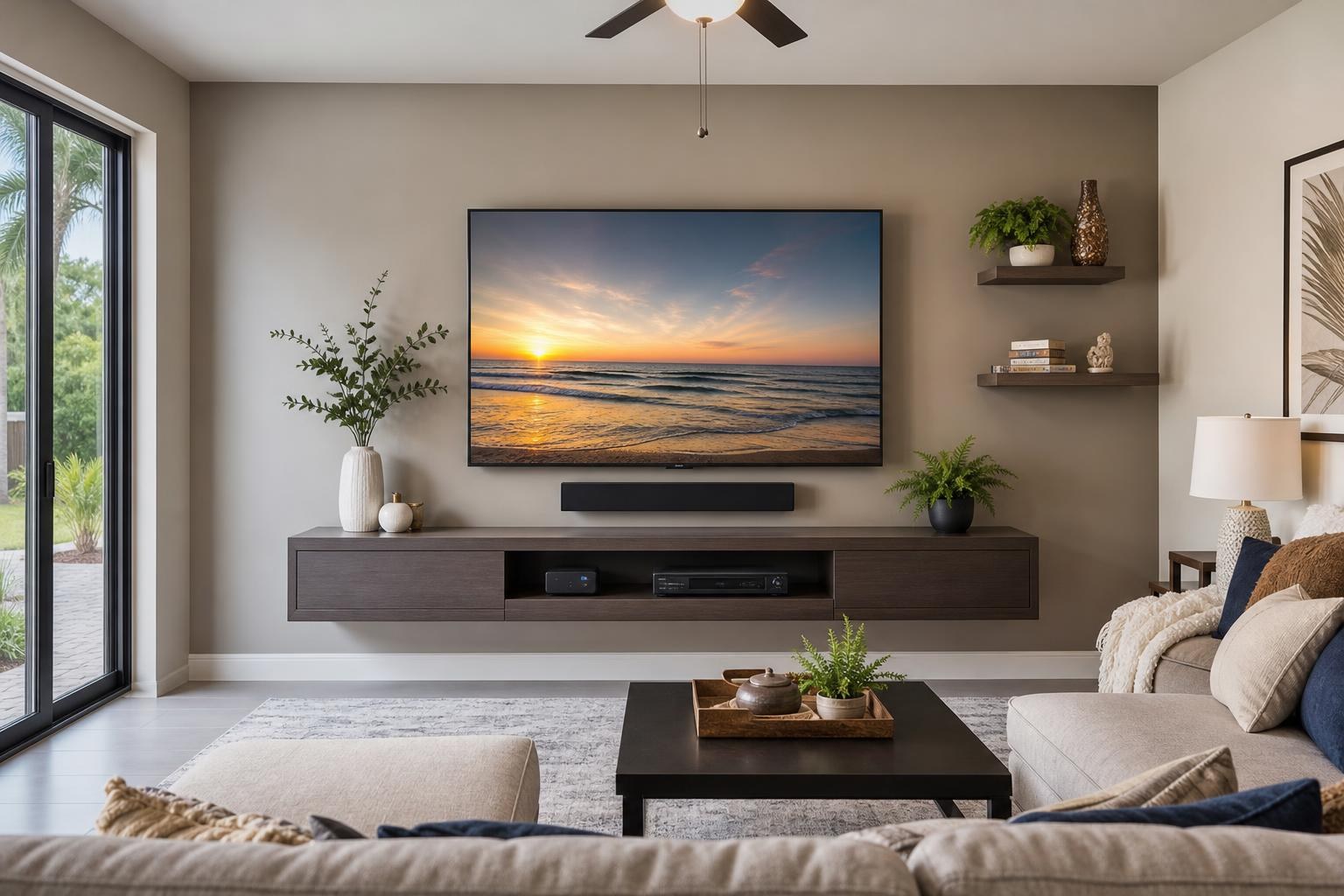
Citrus Springs TV Installation: Build a Room-to-Remote Plan Before You Book
October 15, 2026
A new TV can be mounted neatly and still leave the room feeling unfinished. The soundbar may block the bottom of the screen, a streaming device may have nowhere to sit, the console may be too tall, or several remotes may still be required for everyday viewing.
For Citrus Springs homeowners, the better question is not simply, “Where should the TV go?” It is, “How should the entire entertainment area work when the appointment is finished?”
A room-to-remote plan coordinates the screen, audio, connected devices, furniture, media cables, and controls as one system. It also makes it easier to request the right scope when comparing TV mounting services.
Start With the Main Viewing Position
Screen placement affects nearly every other decision. Before focusing on a mount or console, identify where people will usually sit and how the room is arranged around that position.
A living room with a centered sofa presents a different placement question than an open floor plan with seating at several angles. Recliners, sectional seating, windows, doorways, and nearby walkways can all influence whether a centered wall position will feel comfortable in daily use.
It is also worth considering how the room is actually used. A television watched primarily from a recliner may need a different visual relationship to the seating than one viewed from an upright dining area. The goal is not to follow a universal height rule; it is to choose a position that makes sense for the screen size, seating distance, furniture, and natural viewing angle.
Plan the Entertainment Wall From the Screen Down
Once the likely TV position is clear, plan the items below and around it in order. This prevents one component from taking space needed by another.
- TV: Confirm the screen size, mounting pattern, and whether the desired viewing direction calls for a fixed, tilting, or articulating mount.
- Soundbar: Decide whether it should be mounted or placed on furniture, allowing appropriate separation from the screen.
- Media furniture: Check its finished height, width, doors, shelves, and ventilation openings.
- Connected devices: Identify where streaming players, Blu-ray players, game systems, and other media components will live.
- Media cables: Determine which connections need to travel between the TV, soundbar, and devices and how they should be organized.
This top-to-bottom hierarchy is especially helpful when a floating entertainment center or shelf is part of the design. A floating piece should relate visually to the TV while still leaving practical room for the soundbar, device access, and cable routing.
Decide Whether the Soundbar Moves With the TV
A soundbar can be attached below the TV, mounted separately on the wall, or positioned on a media console. Each arrangement changes how the setup looks and behaves.
When a TV uses an articulating mount, placing the soundbar so it moves with the screen can help keep the audio direction aligned with the viewing angle. A separately mounted soundbar may make more sense when the TV remains in one position and the room calls for a clean, fixed layout.
Clearance matters in either case. The soundbar should not cover the TV’s lower edge or interfere with sensors. If it sits on a console, the furniture must be deep and wide enough to support it without crowding other devices.
Include the TV and soundbar model information with the quote request. That gives the installer a clearer picture of mounting compatibility and the connections that may need to be configured.
Give Every Streaming and Media Device a Home
Small devices are easy to overlook during room planning. After the television is mounted, however, even a compact streaming player needs an intentional location and a reliable route for its media cable.
List every component that should be connected during the appointment. This might include a streaming device, Blu-ray player, soundbar, game system, or cable receiver. Note whether each item will sit inside a cabinet, on an open shelf, or behind the TV when compatible with the intended setup.
Closed furniture can create access and signal considerations. Doors should open without hitting nearby objects, remotes should communicate reliably with the intended devices, and frequently used components should remain reachable. Open shelving offers easier access but makes cable organization more visible.
If the media console or entertainment center has not been assembled, include that in the requested scope. TV Mounting Ocala also handles entertainment-center and media-furniture assembly, floating entertainment-center installation, floating shelf mounting, and furniture anchoring. Reviewing the broader scope offered by TV Mounting Ocala can help prevent a partially finished room.
Create a Connection Plan, Not Just a Cable Pile
A clean TV wall depends on knowing what connects to what. It is common to have several similar-looking cables without knowing which one belongs to the soundbar, streaming device, or older media player.
Before the appointment, gather the devices and their remotes in the room. Keep any manufacturer-supplied adapters with the correct component. If a cable is already known to be unreliable, identify it rather than placing it back into the setup.
The desired cable appearance should also be part of the quote. Some homeowners want a minimal TV-and-soundbar wall with the media furniture kept visually clear. Others prefer accessible cable organization because they change devices frequently. Wire and cable concealment should support both the look of the room and realistic access to the equipment.
Include Programming and Control in the Appointment Scope
Physical placement is only one part of a complete installation. The TV, soundbar, and media devices also need to recognize the intended inputs and operate in a sensible way.
Home entertainment programming can address common frustrations such as the TV opening to the wrong input, sound coming from the wrong device, or a streaming player requiring an unexpected sequence of remote commands. Not every combination of brands and devices can be reduced to one remote, but reviewing control goals during the appointment can produce a more practical everyday setup.
Be ready to explain what “simple” means in your household. You may want the TV to open directly to a preferred streaming device, the soundbar to handle regular TV audio, or a Blu-ray player to remain easy to select. If Wi-Fi access is needed for streaming-device setup, have the current network details available.
What to Have Ready for a Citrus Springs Appointment
A little preparation helps the installer evaluate the complete room rather than discovering missing pieces after placement decisions have been made.
- TV, soundbar, and mount model numbers when available
- A list of every streaming or media device to be connected
- Remotes, adapters, stands, and manufacturer-supplied accessories
- The intended sofa, recliner, or primary viewing position
- Media-console dimensions and assembly status
- A description of the desired cable appearance
- Any planned floating shelves, wall-mounted furniture, pictures, or mirrors near the TV
- Your preferred everyday viewing sequence, including sound and input behavior
If room conditions or the requested service combination are difficult to describe, use the contact page or call (352) 462-1913 before booking.
When One Coordinated Appointment Makes Sense
Combining related tasks can be useful when the placement of one item depends on another. For example, the TV height may depend on the finished media-console height, while the soundbar position may depend on both. Device hookup then affects cable organization, and programming determines whether the completed system is convenient to use.
A coordinated appointment may include TV wall mounting, TV setup, soundbar mounting and setup, streaming-device or Blu-ray hookup, media-cable organization, entertainment-center assembly, floating furniture installation, and home entertainment programming. The right scope depends on what is already complete and what you want the room to look like afterward.
Final pricing depends on the current online quote and the options selected. Photos of the wall, furniture, TV, soundbar, and devices can make the request more informative without requiring you to solve every placement detail in advance.
Plan the Finished Experience Before Booking
A successful Citrus Springs TV installation should account for more than whether the screen is level. It should consider how the TV relates to the seating, whether the soundbar has appropriate space, where devices will live, how media cables will appear, and how the system will be controlled after the installer leaves.
TV Mounting Ocala serves Citrus County and other communities across its Central Florida service area. To plan a coordinated screen, soundbar, device, furniture, and cable setup, get an instant online quote and select the services that match your room.
Serving another priority local market: TV Mounting The Villages.
Ready to Get the Setup Off Your To-Do List?
Whether you are planning a new TV, soundbar, streaming setup, floating entertainment center, media furniture, pictures, mirrors, shelves, or another related mounting project, TV Mounting Ocala can help you turn the plan into a clean finished setup.
TV Mounting Ocala
(352) 462-1913
Project details, equipment, wall conditions, compatibility, availability, and final pricing can vary. Confirm your exact scope and quote before booking.