
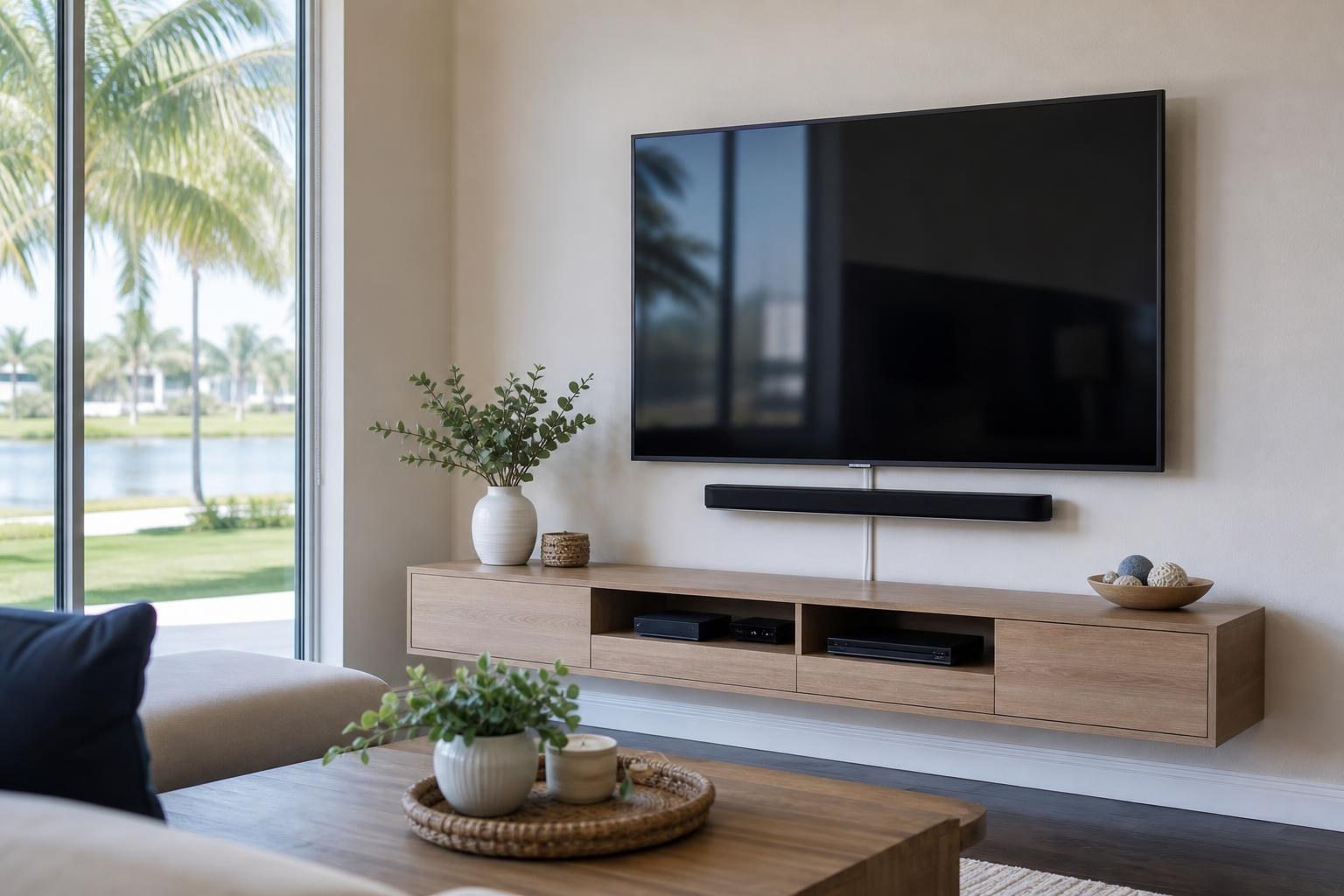
Which Cable-Concealment Option Fits Your TV Wall? A Visual Planning Guide
October 14, 2026
You want the TV on the wall, but the screen is only part of what you will see. HDMI cables, streaming devices, soundbar connections, coax lines, and game-system leads can turn an otherwise polished installation into a distracting cluster.
The right concealment choice depends on more than whether a cable can be moved out of sight. You also need to consider where your devices will live, how often equipment changes, whether the wall is a focal point, and how easily you want to reach connections later.
For homeowners comparing TV mounting services, the following options provide a useful way to plan the finished look without turning the project into an installation tutorial.
Start With the Finished View, Not the Cable Route
Before comparing concealment methods, picture the wall as you expect to use it every day. Will there be a floating console below the TV? Is the television going above existing media furniture? Will a soundbar be mounted beneath the screen? Are game systems and a Blu-ray player staying in the room?
A homeowner seeking a nearly furniture-free feature wall may favor a different solution than someone with a full entertainment center. Likewise, a guest-room television with one streaming device may need much less routing than a living-room system with several sources.
It helps to identify three visual priorities:
- How much visible cable coverage is acceptable on the wall?
- Where should streaming and media devices be located?
- How important is quick access when equipment is replaced or reconnected?
Once those priorities are clear, it becomes easier to compare surface organization, furniture-based routing, device relocation, and in-wall media-cable planning.
Option 1: Surface Cable Organization
Surface organization uses a neat cover or channel to gather media cables along a planned route. Instead of several loose lines hanging below the television, the cables follow one controlled path toward a console or other connection point.
This is often a practical choice when the homeowner wants a cleaner wall while preserving straightforward access. It can work especially well in secondary rooms, rental properties, offices, or living spaces where a low-profile channel blends naturally with the wall.
The main visual decision is where the route will be least distracting. A centered vertical path may look orderly beneath a centered TV, while a side route may make more sense when the media furniture or device connections sit off-center. Wall color, furniture position, base trim, and the distance between the television and console all affect how noticeable the result will be.
Surface organization also supports future changes. If a streaming player or game system is replaced, the media cables generally remain more accessible than they would in a concealed wall path. The tradeoff is that the cover itself remains visible, even when it is clean and carefully aligned.
Option 2: Let the Media Furniture Manage the Lower Half
A console, floating entertainment center, or wall-mounted cabinet can do much of the visual work below the TV. Components stay grouped inside or on the furniture, while only the planned cable path between the screen, soundbar, and furniture needs to be addressed.
This approach is useful for systems with multiple devices. A streaming player, Blu-ray player, internet equipment, and game console can remain organized in one zone instead of being distributed around the TV wall.
Furniture dimensions matter. A narrow console may leave cable entry points exposed, while a cabinet that is too tall can crowd the soundbar or influence a comfortable screen position. Doors, shelves, ventilation openings, and rear access also affect whether devices can be connected and serviced without repeatedly moving the furniture.
If the room needs a new console or cabinet, Furniture Assembly Ocala can be considered as part of a coordinated media-wall plan. Assembly, furniture placement, TV height, and cable organization are easier to align when they are planned together rather than treated as unrelated tasks.
Option 3: Place Small Devices Behind the TV
Some compact streaming devices can be positioned behind the mounted television, reducing the number of visible components on the console. This can create a simplified look in bedrooms, guest rooms, and living areas where the television uses only one or two small sources.
Hidden placement is not automatically the best placement, however. The device still needs suitable connection access, dependable remote response, and enough room behind the screen. The chosen TV mount also changes the available space. A low-profile fixed mount offers a different device area than a tilting or articulating mount.
Wi-Fi performance should be considered as well. A streaming device that worked reliably on an open shelf may behave differently when tucked between a television and wall. If the device needs frequent resets, pairing, or replacement, access becomes an important part of the decision.
For a simple setup, placing a compact device behind the television can reduce cable travel and free the console from clutter. For a system with several components, furniture-based organization is usually easier to understand and maintain.
Option 4: Plan an In-Wall Path for Media Cables
An in-wall media path offers the most visually minimal result because compatible signal cables travel between planned connection points rather than across the wall surface. This approach is often considered for a main living room, a formal entertainment wall, or a floating setup where visible channels would interrupt the design.
The important question is not simply whether the homeowner prefers a hidden route. The wall, TV location, soundbar position, furniture layout, and connected devices must support a sensible path. Cable type and length also matter. HDMI, optical, ethernet, and coax connections serve different purposes and should be identified before the final plan is selected.
Future access deserves equal attention. If you regularly replace receivers, game systems, or streaming equipment, the plan should account for changing connections. A visually seamless setup can become inconvenient if every future device change creates a cable-access problem.
Home layouts also vary across Central Florida. A newer home in Ocala may present different wall conditions than a remodeled property in The Villages or an Orlando-area house with a complex built-in media wall. Homeowners considering TV Mounting The Villages or TV Mounting Orlando should share clear room photos and device details before assuming a particular concealed path will suit the space.
A Hybrid Plan Often Produces the Best Balance
You do not have to use one concealment method for the entire system. Many polished installations combine approaches. For example, a compact streaming device may sit behind the TV, the soundbar may use a short organized connection, and the remaining media cables may follow one covered route to a console.
A hybrid plan can balance appearance, access, and flexibility. It also prevents a common planning mistake: choosing the most hidden-looking option without considering how the household actually uses its equipment.
Questions That Help Narrow the Choice
- Will the room use a soundbar, separate media devices, or both?
- Are components staying in a console, moving behind the TV, or being replaced?
- Is the wall meant to look furniture-free, or will a console anchor the design?
- How often do you connect game systems, laptops, or temporary devices?
- Does the mount need to extend or swivel without pulling on media cables?
- Would a visible but tidy surface channel be preferable to reduced access?
What to Include in Your Cable-Concealment Quote
Clear information helps distinguish a basic cable-organization request from a more involved home entertainment setup. Provide the TV size and model when available, a front-facing photo of the full wall, a side view showing the current television and furniture depth, and a list of every device that will remain connected.
Also note whether you already own a mount, soundbar, console, or floating entertainment center. If the television must swivel toward different seats, mention that because moving mounts require enough cable freedom to operate as intended.
TV Mounting Ocala serves homeowners and property residents across Marion, Orange, Alachua, Sumter, and Citrus counties. Available services include TV wall mounting, TV setup, soundbar setup, media-device hookup, home entertainment programming, and wire and cable concealment. The appropriate scope and final pricing depend on the room, equipment, selected options, and current online quote.
Plan the Whole TV Wall Before You Book
The cleanest result usually comes from treating the television, soundbar, media furniture, and connected devices as one visual system. Surface organization prioritizes access, furniture-based routing keeps components grouped, behind-TV placement can simplify small setups, and an in-wall media path creates a more minimal finish when the room and equipment support it.
If you are unsure which option fits your wall, submit room photos and device details through the instant online quote form. You can also contact TV Mounting Ocala or call (352) 462-1913 to discuss mounting, setup, and cable-organization needs before booking.
Ready to Get the Setup Off Your To-Do List?
Whether you are planning a new TV, soundbar, streaming setup, floating entertainment center, media furniture, pictures, mirrors, shelves, or another related mounting project, TV Mounting Ocala can help you turn the plan into a clean finished setup.
TV Mounting Ocala
(352) 462-1913
Project details, equipment, wall conditions, compatibility, availability, and final pricing can vary. Confirm your exact scope and quote before booking.