
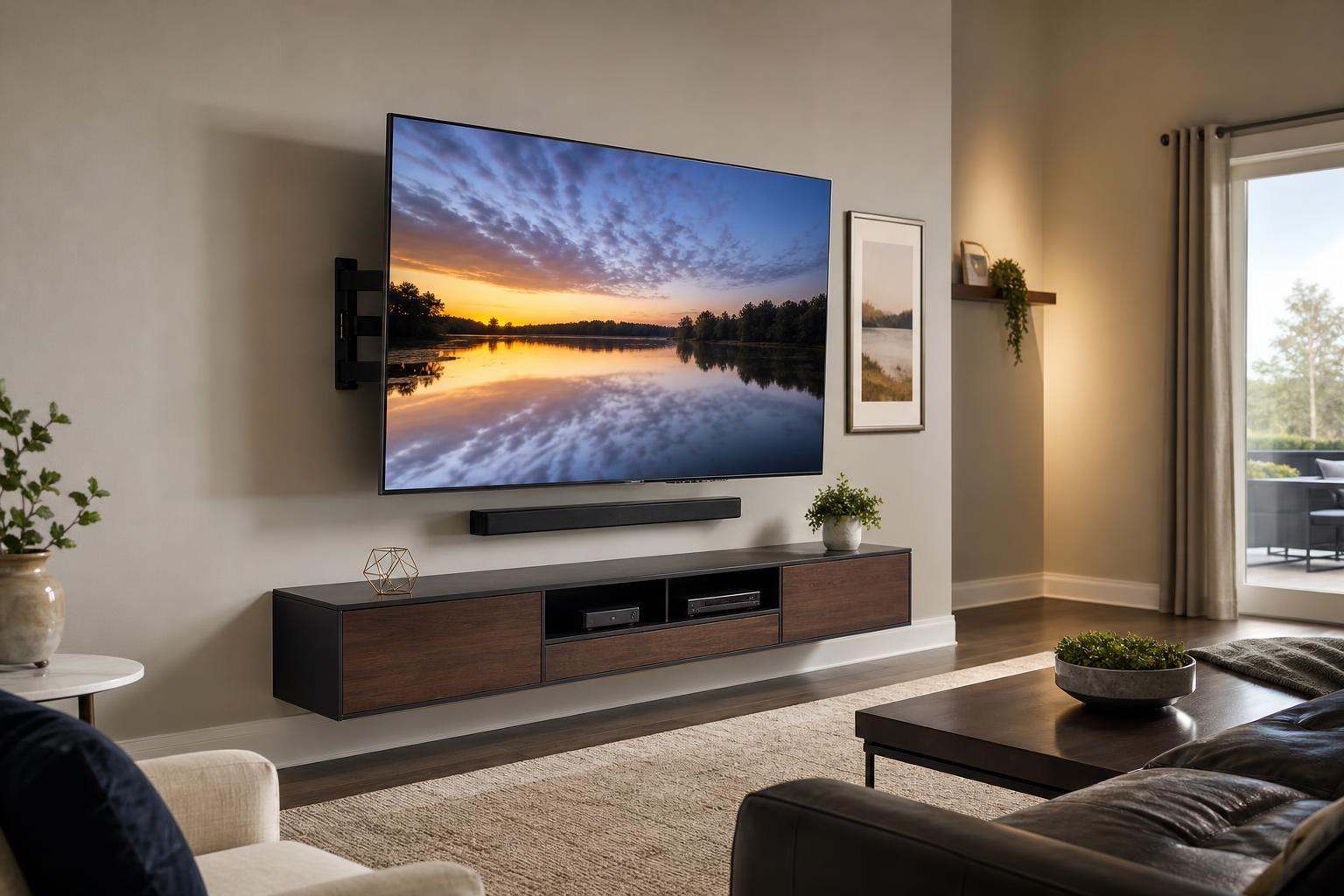
Booking TV Mounting in Gainesville? Have These 7 Details Ready
October 13, 2026
You know which room needs a TV, but several decisions may still be unresolved: Is the mount compatible? Where should the screen sit? Will the soundbar attach to the wall? What happens to the streaming device and visible cables?
You do not need to solve every technical detail before requesting service. However, sharing the right information can make your quote more useful and help define whether you need basic mounting or a coordinated home entertainment setup. If you are preparing to book TV Mounting Gainesville, start with these seven details.
1. Describe the wall and anything that may affect placement
Begin with the wall you want to use. If you know whether it is drywall, brick, block, paneling, or another finished surface, include that information. Do not guess if you are uncertain; a clear description or room photo is still helpful.
Also note anything that competes for space on the wall. This could include a fireplace, windows, built-in cabinetry, floating shelves, framed art, a mirror, or an existing entertainment center. In a bedroom, mention whether the TV will face the bed directly or sit on an angled wall.
Gainesville homes, apartments, and townhomes can have very different room layouts. Residents in rental properties should also confirm any mounting requirements or permissions that apply to the property before the appointment.
2. Gather the TV model, screen size, and mount information
The screen size is important, but the exact model number provides more useful compatibility information. It can identify the TV’s dimensions, weight, connection locations, and mounting pattern. Model information is commonly found on the product packaging, purchase record, or a label on the TV.
If you already purchased a wall mount, provide its brand and model as well. A mount should be evaluated for the specific TV rather than chosen only because its packaging mentions a broad screen-size range. Tell the service provider whether it is fixed, tilting, or full-motion and whether all original mounting components are present.
If you have not purchased a mount, describe how you want the TV to move. A fixed position may suit a straightforward seating layout. Tilting can help with a higher placement, while full-motion positioning may be useful when viewers sit in different parts of an open room. The appropriate choice still depends on the TV, wall, room, and intended viewing position.
You can review the company’s broader TV Mounting Services when deciding whether your project includes only the screen or additional setup work.
3. Explain where people will actually watch
“Centered on the wall” and “comfortable from the sofa” are not always the same placement. Before booking, identify the primary seat and any secondary viewing areas that matter. In a living room, that may be the center sofa cushion. In a bedroom, it is usually the normal resting position on the bed. In an open floor plan, you may want the screen visible from both the seating area and an adjacent space.
Share approximate seating distance and mention whether the furniture arrangement is staying as it is. If a sectional, recliner, bed, or media console is moving soon, placement decisions may be better based on the planned layout rather than the current one.
Glare also matters. Note strong windows, glass doors, and room lighting that reflect on the screen during the hours you watch most often. This does not mean you need to calculate an exact mounting height yourself. It gives the installer better context for discussing height, tilt, and orientation.
4. Decide how the soundbar fits into the TV wall
A soundbar should be planned with the TV rather than treated as an afterthought. Provide the soundbar model and say whether you want it mounted below the screen, attached in relation to a moving mount, or placed on media furniture.
Spacing can affect both appearance and function. The soundbar should not crowd the bottom of the TV, interfere with the screen’s controls, or block part of the image. If the TV uses a full-motion mount, explain whether you expect the soundbar to move with the screen.
Also mention a separate subwoofer or rear speakers, even if they will not be wall mounted. Their planned locations may influence furniture arrangement and cable organization. If you are unsure which layout makes sense, include soundbar mounting and setup in the requested scope so the components can be considered together.
5. List every device that should work with the TV
A mounted screen can look finished while the entertainment system remains frustrating to use. Make a list of every device that needs to be connected or programmed. Depending on your setup, that list might include:
- A streaming device or streaming stick
- A Blu-ray or other media player
- A soundbar or home entertainment component
- A game system
- A provider-supplied media box
- Existing remotes that should control the setup
Include the device models when possible and state what you want to happen after setup. For example, do you want the TV remote to adjust soundbar volume? Should the system open to a particular streaming device? Do you need help connecting the TV to your home Wi-Fi or signing into streaming apps?
This information separates a simple screen-mounting request from a project that also needs streaming-device setup, media hookup, or home entertainment programming.
6. Measure the furniture below or around the TV
If a console, dresser, floating entertainment center, or shelving arrangement will remain below the TV, provide its width and height. Those dimensions help define the visual relationship between the screen, soundbar, and furniture.
Also explain what the furniture needs to hold. A slim floating console may look clean but still needs practical space for media devices and cable access. A taller cabinet can affect comfortable screen placement. Doors and drawers should remain usable, and decorations should not crowd the soundbar or overlap the planned viewing area.
If the furniture is still boxed, say whether assembly should be included. Furniture Assembly Gainesville can be coordinated with related media-furniture and entertainment-wall planning rather than leaving the TV position dependent on an unfinished console.
7. Describe the cable appearance you expect
“Hide the wires” can mean different things to different homeowners. Be specific about the finished appearance you want and identify the media connections involved. You may want shorter visible runs, organized routing behind furniture, grouped cables, or a cleaner path between the TV, soundbar, and devices.
Explain where each media device will sit and whether cables must reach a cabinet, shelf, or console. If the TV is above a fireplace or separated from the furniture below, mention that layout early because distance and wall features can shape the available concealment approach.
Not every cable plan works the same way on every wall. It is better to describe the result you want and allow the wall, equipment, and room arrangement to be assessed than to assume a particular concealment method will fit.
What should be ready before the appointment?
Once the scope is confirmed, keep the TV, mount, soundbar, devices, remotes, and included accessories together. Make sure the installer can reach the TV wall and the primary viewing position without moving through unnecessary clutter. If existing media furniture will remain, clear its top and provide access to the areas where devices are stored.
Keep account credentials available if your appointment includes streaming setup, but do not send passwords with a quote request. You can enter sensitive information directly when needed.
If you are still comparing layouts, photos of the full wall and viewing area can add context. A close-up alone may not show windows, furniture height, seating direction, or the amount of open space around the screen.
Turn the details into the right Gainesville service scope
A prepared request does not need to be technical. It simply needs to explain the room, equipment, desired viewing experience, and finished appearance. Those details help distinguish among TV wall mounting, complete TV setup, soundbar installation, device hookup, cable organization, programming, and media-furniture assembly.
TV Mounting Ocala serves Gainesville and other communities across Alachua County as part of its Central Florida service area. When you are ready, use the Get an Instant Quote form to share your project details and selected options, or call (352) 462-1913.
Serving another priority local market: TV Mounting The Villages.
Ready to Get the Setup Off Your To-Do List?
Whether you are planning a new TV, soundbar, streaming setup, floating entertainment center, media furniture, pictures, mirrors, shelves, or another related mounting project, TV Mounting Ocala can help you turn the plan into a clean finished setup.
TV Mounting Ocala
(352) 462-1913
Project details, equipment, wall conditions, compatibility, availability, and final pricing can vary. Confirm your exact scope and quote before booking.