
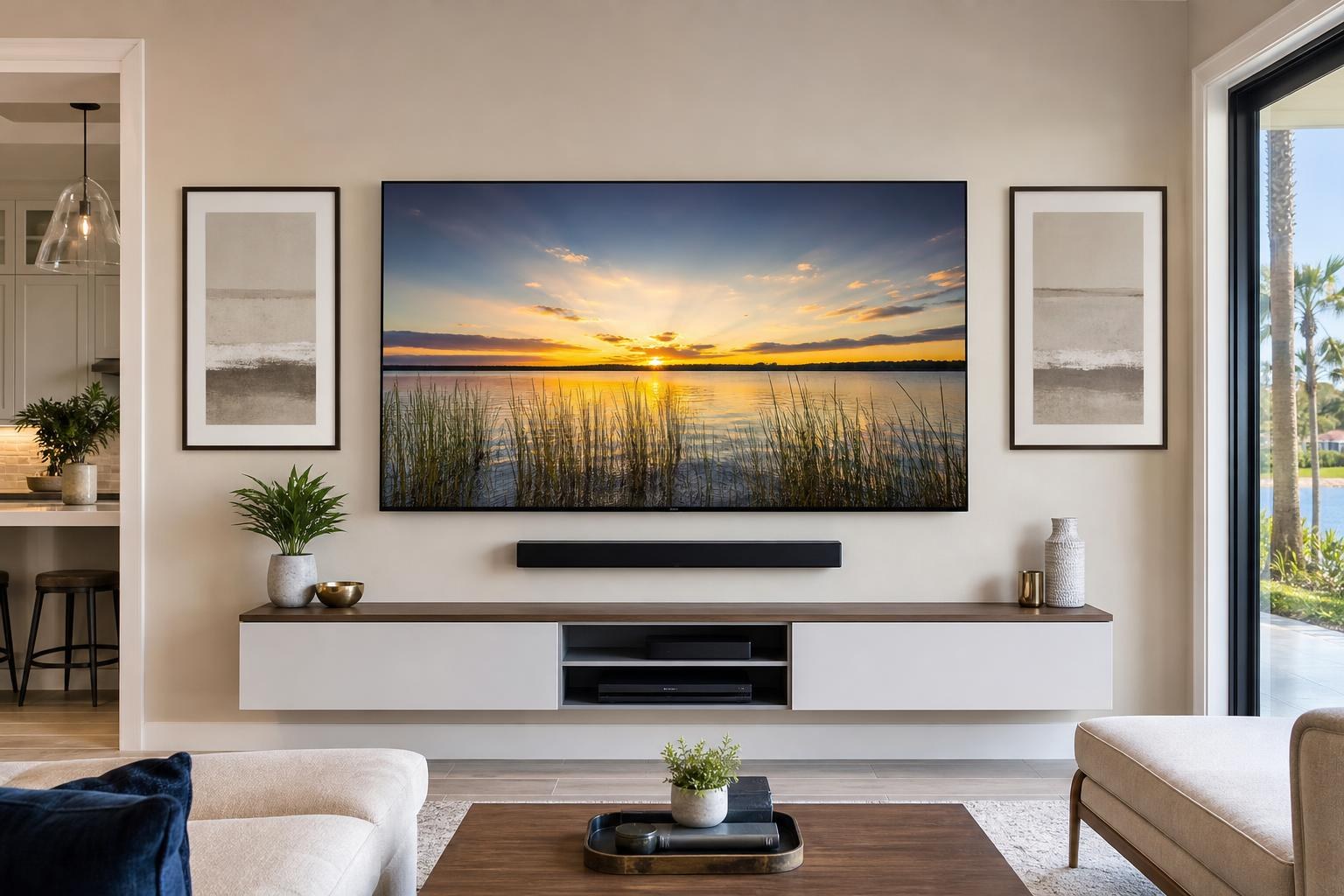
New TV, Existing Gear: Plan an Orlando TV Mounting Setup That Works Together
October 12, 2026
You bought a new TV, but the rest of the room is not new. There may already be a soundbar, streaming player, game system, Blu-ray player, media console, or collection of remotes that needs to work with it.
That creates a more useful planning question than simply, “Can the TV go on this wall?” The real question is whether you need mounting by itself or a coordinated entertainment setup that brings the screen, sound, devices, furniture, and cables together.
For homeowners comparing TV Mounting Orlando options, defining that scope before booking can prevent mismatched placement and unfinished details.
Begin With the Equipment You Plan to Keep
A new screen does not automatically make older media equipment unnecessary. Some devices may remain useful, while others may duplicate features already built into the TV. Identifying what will stay helps determine the appropriate mounting height, furniture arrangement, cable plan, and setup time.
Make a simple inventory of the components connected to the current TV or stored in the media console:
- Soundbar, subwoofer, or other existing audio equipment
- Streaming players and sticks
- Cable or satellite boxes
- Blu-ray players and game systems
- Media consoles, floating entertainment centers, or shelves
- Remote controls and device-specific controllers
You do not need to solve every connection before the appointment. The goal is to communicate which items should be included instead of discovering after the TV is mounted that a device has no practical location or cable path.
When TV Mounting Alone May Be Enough
A mounting-focused appointment can be a sensible choice when the room is already organized and the TV will operate as a largely self-contained screen. For example, you may already have a correctly placed console, a working sound system that will not move, and only one straightforward media source.
Mounting alone may also fit a secondary bedroom or guest room where the TV’s built-in apps and speakers will handle most viewing. Even then, it is helpful to identify the intended viewing position, preferred screen angle, and any media cables that should look orderly after installation.
The distinction is not about adding unnecessary services. It is about avoiding a scope that is too narrow for the room you actually want. The company’s available TV Mounting Services include TV setup, soundbar mounting and setup, media-device hookup, programming, and cable concealment options that can be coordinated when needed.
Plan the Screen Around Real Viewing Habits
The TV is the visual center of the setup, so its size and placement affect nearly every other decision. Before booking, consider where people normally sit, whether they watch from more than one area, and whether the mount needs to support a fixed position, a modest tilt, or broader movement.
A large TV in an open living area may need to serve several seating positions. A bedroom TV may need to be visible from a bed without feeling awkwardly high. In a flexible room, an articulating mount may be considered when the screen needs to face different areas, although the TV’s size, mount compatibility, wall conditions, and intended range of movement still matter.
Large and thin screens, including OLED models, also benefit from careful handling and a placement plan established before the TV is moved into position. The mounting decision should account for the screen dimensions, mounting pattern, weight, wall surface, furniture below, and surrounding features.
Coordinate the Soundbar Before Finalizing TV Height
A soundbar is often treated as an accessory that can be placed later. In practice, it can change the entire vertical arrangement of the media wall.
If the soundbar will be mounted below the TV, the plan should leave enough visual separation while keeping the screen and speaker connected as one balanced composition. The soundbar should not cover the TV’s lower edge, interfere with sensors, or conflict with the mount’s movement.
If the soundbar will sit on a console, the furniture height becomes more important. A tall console combined with a soundbar can push the TV higher than expected. The soundbar’s width, the TV’s width, and the available surface depth also affect whether the finished setup looks intentional.
Decide where the soundbar will live before choosing the final screen position. That one decision can reduce later compromises involving comfort, spacing, and cable visibility.
Give Streaming and Media Devices a Defined Home
Streaming sticks may be compact, but complete entertainment setups often include several larger components. Each device needs an accessible location, suitable ventilation, a connection path to the TV, and practical access for future resets or replacements.
A device can sometimes sit inside an existing media console. In other rooms, a floating shelf or entertainment center may provide the cleaner arrangement. The best choice depends on device size, furniture layout, remote operation, and the number of media connections involved.
Connection planning also affects everyday convenience. A TV, soundbar, and streaming player may support coordinated control, but the settings and connection choices must align. Home entertainment programming can help simplify operation when compatible equipment is expected to work together.
Treat Media Furniture as Part of the Installation
The console under a mounted TV does more than fill empty wall space. It may hold devices, organize cables, support a soundbar, provide storage, and establish the visual centerline of the room.
If the furniture is still boxed, assembling it before determining TV placement can clarify its actual height and width. If assembly and mounting are being coordinated in one service scope, share the product information in advance so the complete wall can be evaluated as a system.
Furniture Assembly Orlando can be included when a new media console or entertainment center needs assembly as part of the room plan. Floating entertainment centers and related wall-mounted furniture require additional placement decisions because their position directly affects the TV, soundbar, device access, and overall symmetry.
Set Realistic Goals for Cleaner-Looking Cables
“Hide all the wires” can mean different things to different homeowners. One person may want visible media cables grouped into a neat route. Another may want devices placed so fewer cables cross the wall. A third may prefer a floating console that contains most of the equipment and connection clutter.
Before the appointment, note which devices will connect to the television and where each one will be located. Cable length, connector type, device access, wall construction, mount movement, and furniture placement can all influence the available concealment approach.
For an articulating TV, media cables also need enough managed flexibility for the intended screen movement. A plan that looks clean when the TV is flat against the wall should remain organized when the screen is repositioned.
What to Share When Requesting an Orlando Quote
A useful quote request describes the complete result rather than naming only the TV size. Photos and product details can help clarify what belongs in the appointment scope.
- TV brand, model, and screen size
- Mount model, if one has already been purchased
- A clear photo of the wall and surrounding furniture
- Primary seating location and desired viewing direction
- Soundbar and media devices that should be connected
- Media furniture that needs assembly or wall mounting
- Preferences for media-cable routing and organization
- Any mirrors, pictures, or floating shelves planned near the TV wall
If the room has an unusual layout or you are unsure which items belong in the same appointment, use the Contact page or call (352) 462-1913 to explain the setup.
Choose the Scope Based on the Finished Room
Mounting alone may be appropriate when the rest of the entertainment system is already settled. A coordinated setup is usually more suitable when the new TV changes the soundbar position, device connections, remote behavior, console layout, or cable plan.
Think about what you want to be able to do when the appointment is complete. If the answer is simply “have the TV securely positioned on the wall,” the scope may remain focused. If the answer is “sit down, stream a show, hear it through the soundbar, and avoid a pile of visible media cables,” include those expectations from the start.
TV Mounting Ocala serves Orange County as part of its Central Florida service area. To plan your Orlando TV, soundbar, devices, and media furniture together, Get an Instant Quote and select the options that match your room.
Serving another priority local market: TV Mounting The Villages.
Ready to Get the Setup Off Your To-Do List?
Whether you are planning a new TV, soundbar, streaming setup, floating entertainment center, media furniture, pictures, mirrors, shelves, or another related mounting project, TV Mounting Ocala can help you turn the plan into a clean finished setup.
TV Mounting Ocala
(352) 462-1913
Project details, equipment, wall conditions, compatibility, availability, and final pricing can vary. Confirm your exact scope and quote before booking.