
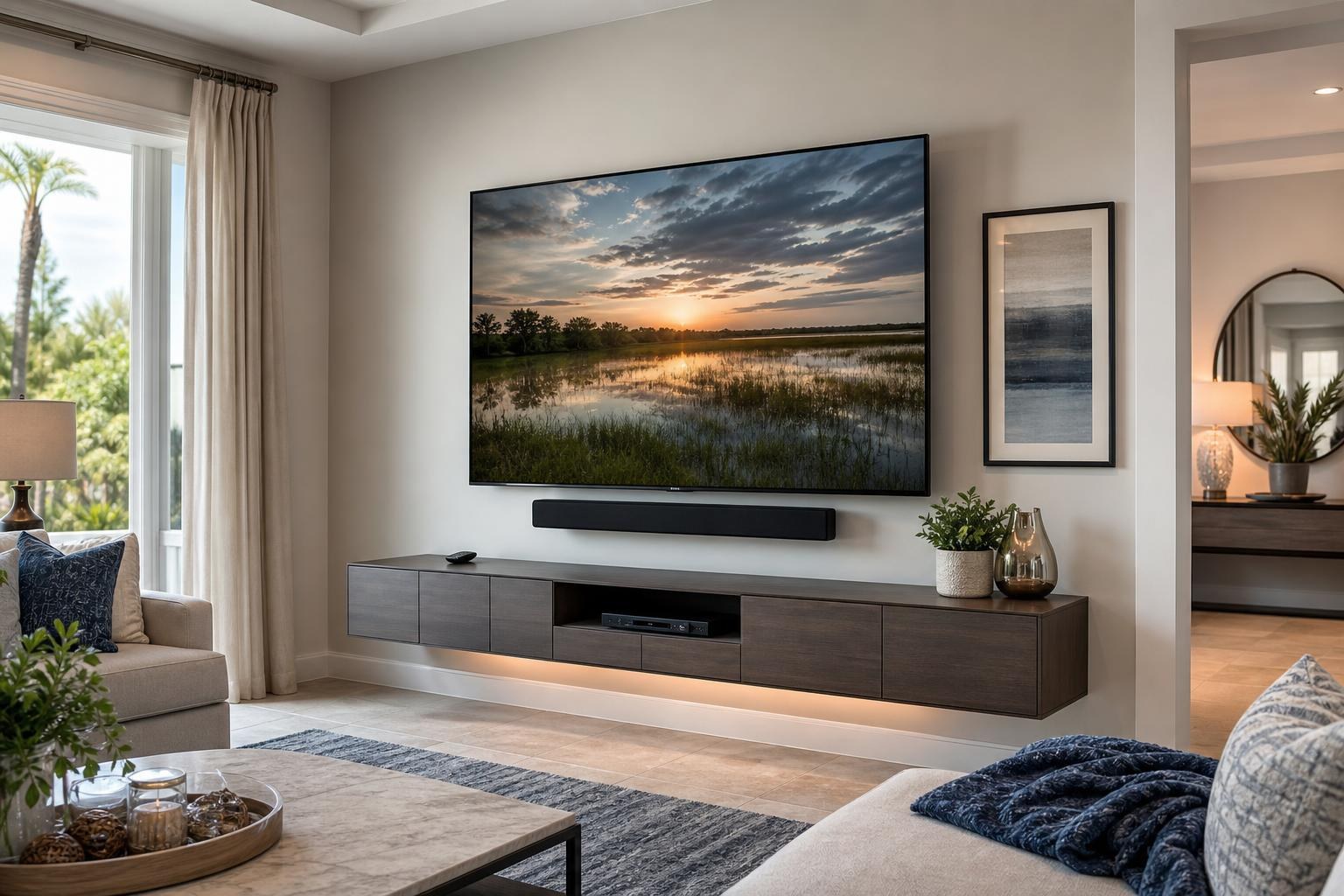
A Simpler TV Setup in The Villages: Plan the Screen, Soundbar, Streaming Device, and Remotes Together
October 3, 2026
A mounted TV can look beautifully finished and still be frustrating to use. One remote turns on the screen, another controls the soundbar, and a third is needed to open a streaming service. Sometimes the TV starts on the wrong input or the sound comes from an unexpected speaker.
For homeowners in The Villages, the best time to simplify these details is before the TV and devices are installed. Instead of treating mounting, sound, streaming, and programming as separate tasks, plan them as one complete entertainment system.
This approach helps create a setup that is visually clean, comfortable to watch, and easier to operate every day.
Start With the Experience You Want
Before comparing mounts or deciding where a soundbar should go, think about what you normally watch and how you want to access it. A household that primarily watches streaming services may need a different arrangement from one that regularly uses cable programming, a Blu-ray player, and multiple media devices.
Consider the routine you would prefer:
- Turn on the system without changing inputs manually
- Open favorite streaming services from one familiar screen
- Control everyday volume without searching for a separate remote
- Keep occasional-use devices connected but out of the way
- See fewer loose media cables around the TV and furniture
These goals give an installer useful context. When booking TV Mounting The Villages, explain not only what needs to be mounted, but also how you want the finished system to behave.
Choose Which Device Will Be the Main Viewing Hub
Many modern TVs include built-in streaming apps, but some homeowners prefer a separate streaming device because they already know its menus and remote. Either arrangement can work. The important decision is identifying which device will serve as the main viewing hub.
If most viewing happens through the TV’s built-in apps, the TV remote may be the logical everyday controller. If a separate streaming device is used for nearly everything, its remote may be able to handle basic TV and sound functions when the equipment supports that arrangement.
A Blu-ray player, cable box, or other media source can remain available without becoming part of the daily startup routine. During setup, inputs can be identified and the primary device can be tested so that occasional-use components do not make normal viewing unnecessarily complicated.
Can One Remote Control Everything?
Sometimes—but it depends on the TV, soundbar, streaming device, connection types, and control features supported by each product. A streaming remote may control TV power and volume, while a TV remote may be able to adjust a compatible soundbar. Other combinations require a dedicated remote for certain functions.
Features such as HDMI-CEC, ARC, and eARC can allow compatible devices to exchange control and audio information. Manufacturers may use their own names for these features, which can make the settings confusing even when the products are designed to work together.
The realistic goal is not always to eliminate every remote. It is to create a predictable everyday routine. One primary remote can often handle common viewing, while less frequently used remotes are kept nearby for advanced settings or occasional devices.
Signs that remote programming needs attention
- The TV and soundbar turn on separately
- Volume commands affect the wrong speaker
- The screen repeatedly opens on an unused input
- A streaming remote works inconsistently with TV power
- Family members use different procedures to start the same program
Professional home entertainment programming can help identify compatible control options, organize inputs, and test the normal viewing sequence before the appointment is complete.
Plan the Soundbar as Part of the TV Installation
A soundbar should not feel like an accessory added after the rest of the room is finished. Its location affects appearance, remote response, cable routing, and whether the television screen or furniture interferes with the soundbar.
A wall-mounted soundbar can maintain a consistent visual relationship with a mounted TV, especially when the TV uses an adjustable mount. A soundbar placed on a media console may be appropriate when the furniture provides enough surface space and does not block the TV screen.
Before booking, provide the soundbar model and mention whether it includes a separate subwoofer or additional speakers. The installer can then evaluate mounting compatibility, placement, device connections, and how sound control will work with the preferred remote.
Keep Streaming Devices Accessible Without Creating Clutter
A streaming device may be small, but its placement still matters. Some devices need a clear path for remote commands, while others can operate from a discreet location. They may also need occasional access for restarting, replacement, or troubleshooting.
A clean installation balances concealment with serviceability. Hiding every component deep inside furniture can make future access difficult. Leaving everything visible can make an otherwise polished entertainment wall look unfinished.
TV Mounting Ocala can help plan media-device placement, hookup, and cable organization as part of its broader TV mounting services. That may include streaming-device setup, Blu-ray hookup, soundbar setup, and home entertainment programming when selected for the project.
Coordinate Cable Organization With the Furniture
Wire concealment is most effective when the entire wall is considered together. The TV position, soundbar location, device placement, and media furniture all influence where visible cables may appear.
If you are using an existing console, check whether it has enough room for the equipment and whether its openings allow media cables to reach the intended devices without looking strained or disorganized. If a new entertainment center needs assembly, share its model and dimensions before the appointment.
A floating entertainment center can create a lighter, more open appearance, but its height should be coordinated with the screen and soundbar. Traditional media furniture may offer easier device access and more enclosed storage. Homeowners who need a console or media cabinet assembled can also review related options through Furniture Assembly Ocala, including service within the company’s Central Florida coverage area.
Think About Who Will Use the System
A setup should match the people using it—not just the equipment’s full list of features. If several household members watch TV, familiar menus and consistent controls may be more valuable than maintaining every optional setting.
Favorite apps can be placed prominently, unused inputs can be kept out of the normal routine, and remotes can be labeled or stored in a consistent location. If guests frequently use the room, a simple written note describing the primary remote and source may prevent confusion without turning the coffee table into a technical manual.
Also consider screen visibility and seating comfort. The Villages includes many open living areas where a TV may be viewed from a sofa, dining space, or nearby kitchen. Mount height and mount type should reflect the primary seat while accounting for secondary viewing angles.
What to Share When Requesting a Quote
Clear project details make it easier to select the appropriate combination of services. Include the TV size and model when available, wall location, preferred mount type, soundbar information, streaming device, other media players, and the furniture that will sit below the screen.
Photos of the wall and surrounding room can also communicate potential placement concerns. Mention whether the television is already unboxed, whether a mount has been purchased, and whether you want help with cable concealment, app setup, device hookup, or remote programming.
Pricing depends on the current online quote and the options selected for the installation. You can use the Get an Instant Quote form to describe the complete system rather than requesting mounting alone and adding other needs later.
A Cleaner Wall Should Also Be Easier to Use
The simplest TV setup is not necessarily the one with the fewest devices. It is the one in which each device has a clear purpose, the everyday remote behaves predictably, and the screen, soundbar, cables, and furniture look like parts of the same plan.
TV Mounting Ocala serves The Villages and other communities across Sumter, Marion, Orange, Alachua, and Citrus counties. To plan TV mounting, soundbar setup, streaming-device hookup, media cable organization, or entertainment programming, request an instant online quote or contact TV Mounting Ocala. You can also call (352) 462-1913 to discuss the project.
Ready to Get the Setup Off Your To-Do List?
Whether you are planning a new TV, soundbar, streaming setup, floating entertainment center, media furniture, pictures, mirrors, shelves, or another related mounting project, TV Mounting Ocala can help you turn the plan into a clean finished setup.
TV Mounting Ocala
(352) 462-1913
Project details, equipment, wall conditions, compatibility, availability, and final pricing can vary. Confirm your exact scope and quote before booking.